Free Late Rent Notice Generator
Fill in the form, check the preview, then print it or save it as a PDF. No sign-up, and nothing you type is uploaded.
Layout
Preview
Click any text on the page to edit it.
This notice is longer than one page and will print on two pages. Shorten the wording or the payment instructions, turn off the record of delivery, or try another layout.
Notice: Generated via SnapPaperwork. For genuine rent records only. Do not use it to demand money that is not owed, or to make a notice look like a court document.
Related tools
How to write a late rent notice in 3 steps
-
Choose how firm to be
A friendly reminder, a late rent notice or a final notice. Each one has its own title and wording, and you can rewrite any of it.
-
List what is owed and how to pay
Add the rent and any other charge your lease allows, such as a late fee. The total is added up for you. Give a pay-by date and the ways the tenant can pay you.
-
Sign, deliver and keep a copy
Print it or save a PDF, sign it, and deliver it the way your lease or state asks. Fill in the record of delivery at the foot of the page on your copy.
Late rent notice or notice to pay or quit?
| Question | Late rent notice | Notice to pay or quit |
|---|---|---|
| What it is | A letter telling the tenant the rent is late, how much is owed and how to pay | The formal first step of an eviction for unpaid rent, under state law |
| Who sets the wording | You do | State law: the number of days, how they are counted, what it must say and how it is delivered |
| What happens if the tenant does not pay | Nothing by itself. You can then send a formal notice | When it runs out, the landlord may be able to file an eviction case in court |
| If it has a mistake | Easy to correct with a new letter | The court may dismiss the case, and the landlord has to start again |
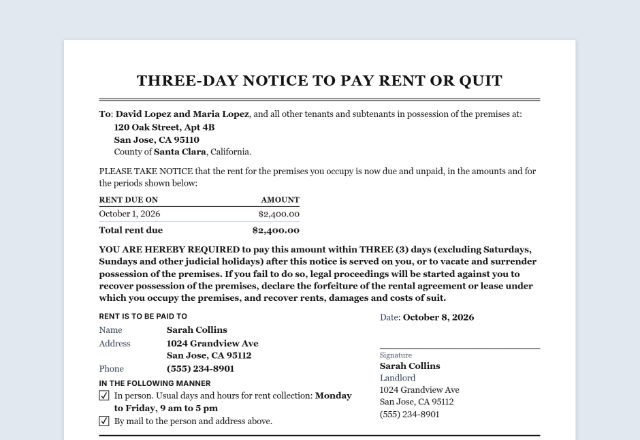
This tool makes a late rent notice. It does not make a notice to pay or quit, and it does not say “pay or move out”.
A notice to pay or quit (also called a notice to pay rent or vacate, or a rent demand) is a legal notice, and every state has its own rules for it. For example, California’s notice may demand the rent only, not late fees; Nevada gives the tenant seven judicial days; Virginia’s notice period went from five to fourteen days in July 2026. Many states and courts publish their own form, so start there or ask a local attorney or landlord association.
Also check whether the federal CARES Act applies to your property, for example if it has a federally backed mortgage or takes housing vouchers. Courts have read it as requiring a 30-day notice to vacate before an eviction for unpaid rent in those properties.
When you need the formal notice, the Notice to Pay Rent or Quit generator has a general notice for any state and ready wording for California, Texas and Florida.
What a late rent notice should include
- The date of the notice
- The tenant’s name and the address of the rental
- Each amount owed, with its due date: the rent for each period, and any late fee or other charge the lease allows
- Any payment already received, and the total still due
- The date you ask to be paid by
- How and where the tenant can pay you, and how to reach you
- Your name and signature
- On your own copy: when and how you delivered it
Late fees: check your lease and your state
Charge a late fee only if your lease provides for one, and only as much as your state allows. Many states set a grace period or a cap; some leave it to what is “reasonable”.
Texas, for example: a late fee is allowed only if it is in a written lease, it is reasonable, and the rent is still unpaid two full days after it was due. A fee of up to 12% of the monthly rent (10% in buildings with more than four units) counts as reasonable (Texas Property Code § 92.019).
New York, for example: no late fee until the rent is more than five days late, and then no more than $50 or 5% of the monthly rent, whichever is less (Real Property Law § 238-a).
Other states have their own rules. Check yours before you add a fee to the notice.
New York: a written notice after five days
In New York, a landlord who has not received the rent within five days of the due date in the lease must send the tenant a written notice saying so, by certified mail (Real Property Law § 235-e(d)).
If the landlord does not, the tenant can use that as a defense in an eviction case for unpaid rent. A late rent notice made here can be that written notice: send it by certified mail and keep the receipt.
Delivering the notice and keeping a record
Hand it to the tenant, mail it or email it: whatever your lease says about notices, and whatever your state requires for the kind of notice you are sending.
Keep a signed copy. Fill in the record of delivery at the foot of your copy: the date, how it was delivered and who delivered it. For certified mail, staple the mailing receipt to it.
Keep the tone factual. Do not threaten the tenant, change the locks, shut off utilities or remove belongings to make them pay: in most states that is illegal, however late the rent is.
If you are the tenant
Talk to your landlord early, before the pay-by date, especially if you can pay part of the rent now. A written payment plan helps both of you.
In the US, dialing 211 connects you with local help, including emergency rental assistance programs. Local legal aid offices can explain your rights where you live.
When the rent arrives
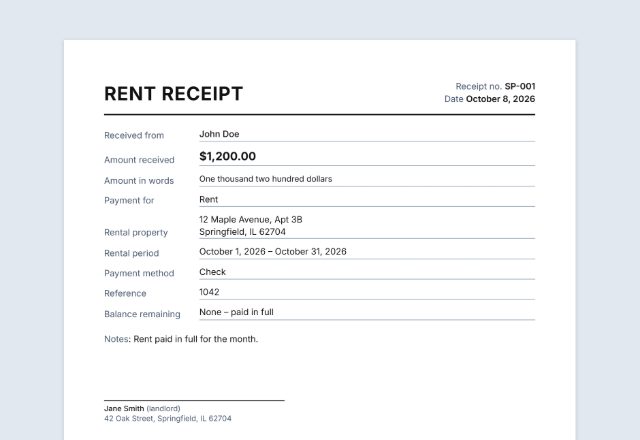
Give the tenant a receipt, even for a part payment, and keep a copy with this notice. The Rent Receipt Generator makes one in a minute, with the amount in words and the rental period.
Checked in October 2026. This page is general information, not legal advice. Landlord and tenant laws differ from state to state and change often.
- New York Real Property Law § 235-e: payment of rent, receipts and late notices (NY Senate)
- New York Real Property Law § 238-a: late fees and other charges (NY Senate)
- Texas Property Code § 92.019: late fees (Texas Legislature)
- CARES Act evictions guidance (Maryland Courts)
- 211: find local help, including rental assistance (United Way)
Frequently asked questions
Is this late rent notice generator free?
Yes. It is free to use, needs no account or sign-up, and never adds a watermark or a SnapPaperwork logo to your notice.
Is a late rent notice the same as a notice to pay or quit?
No. A late rent notice tells the tenant the rent is late and asks them to pay. A notice to pay or quit is a legal notice set by state law and is the first step of an eviction. This tool makes the first kind only. For a pay or quit notice, use the Notice to Pay Rent or Quit generator on this site, or your state’s or court’s own form where the state requires one.
When should I send a late rent notice?
Usually soon after the grace period in your lease ends. In New York, if you have not received the rent within five days of the due date, the law requires you to send a written notice by certified mail.
Can I add a late fee?
Only if your lease allows it and it is within your state’s limits. Texas and New York, for example, set a grace period and a cap. Add it as its own line so the tenant can see the rent and the fee separately.
What is the difference between the three notices?
Only the title and the wording change. The friendly reminder is a gentle first note, the late rent notice is a clear record of what is owed, and the final notice is a firm last request. None of them threatens eviction.
The tenant paid part of the rent. What do I write?
Fill in “Payments already received”. The notice lists the charges, subtracts what was paid and shows the balance as the total due. Give the tenant a receipt for the part they paid.
How should I deliver the notice?
The way your lease and your state require: by hand, by mail or by email. Certified mail gives you proof that it was sent. Fill in the record of delivery on your own copy and keep it.
Can I change the wording?
Yes. Click any text on the page to rewrite it, including the title and both paragraphs. The “Wording” section lists everything with the words printed now. Keep it factual and polite.
Are my details uploaded or stored on your servers?
No. Everything you type stays in your browser and is never sent to me. The form is saved on your own device so it is there next month. On a shared computer, press “Clear Form” when you are done.
How do I save the notice as a PDF?
Click “Print / Save PDF” and choose “Save as PDF” as the printer, or click “Download PDF” to save a file straight to your phone or computer. The downloaded file is a picture of the page, so its text cannot be selected. “Share” opens your device’s share menu with the PDF attached, for example to email it.