Free Rent Ledger TemplateFill in the form, check the preview, then print it or save it as a PDF. No sign-up, and nothing you type is uploaded.
Layout
Whole page · the printed page has no watermark or logo.
Examples2 layouts filled in with made-up details. Open one to start with that layout, or print a blank template to fill in by hand.
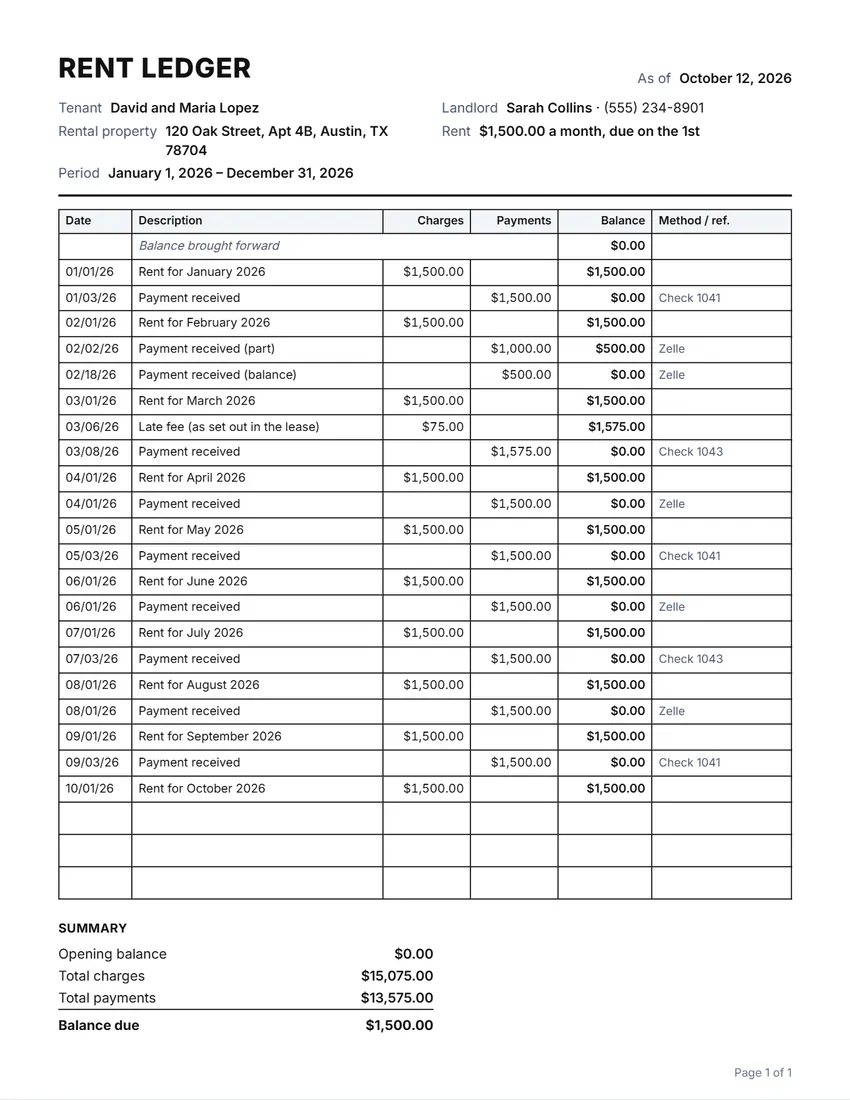 Default layout
GridRuled cells like a printed ledger book.
Start with this layoutOpen
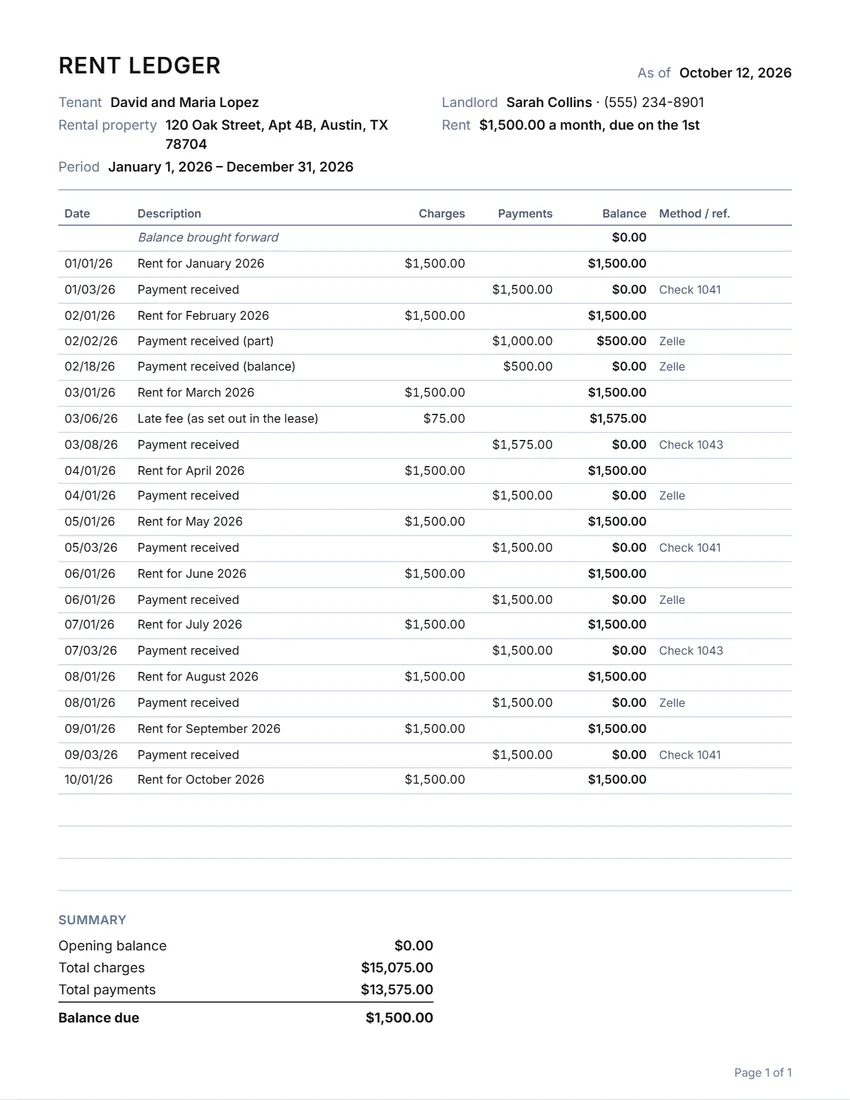 Layout
LinedLines between the rows only. Saves ink.
Start with this layoutOpen
Prefer to fill it in by hand? Print a blank template and write on it.
Related tools
Goes well with this one
Was this tool useful?
Notice: Generated via SnapPaperwork. For genuine rent records only. Do not record charges that are not owed, or leave out payments that were made.
Something missing? Tell me what you need.
What is a rent ledger?
A rent ledger is a running record for one tenant of what rent was charged, what was paid and the balance after each line. It shows the dates, the amounts and how each payment was made. Update it whenever money changes hands, and print it when someone asks for a statement.
How to keep a rent ledger in 3 steps
-
Set up the ledger
The tenant, the rental, the monthly rent and the day it is due. Add a balance brought forward if the tenant already owed money or had paid ahead.
-
Add charges and payments
“Add rent for each month” puts in a rent line for every month of the period. Then add each payment as it comes in, and any fee the lease allows.
-
Print, save or share
The balance is worked out line by line. Print it, save a PDF for your records, or share it with the tenant.
What a rent ledger should show
- The tenant’s name and the address of the rental
- The monthly rent and the day it is due
- The balance brought forward, if any
- Each rent charge, with its date
- Each payment received, with its date and how it was paid (check number, transfer)
- Any other charge the lease allows, such as a late fee, on its own line
- The balance after each line, and the balance due at the end
How the running balance works
The ledger starts from the balance brought forward (zero for a new tenancy). Each charge adds to the balance and each payment takes away from it, in the order the lines are listed.
A balance above zero is what the tenant still owes. Below zero, the tenant has paid ahead: the ledger shows a minus sign on that line and a credit balance in the summary.
Keep the lines in date order so the running balance tells the story. If you add a line out of order, “Sort by date” puts it right.
Ledgers, receipts and records
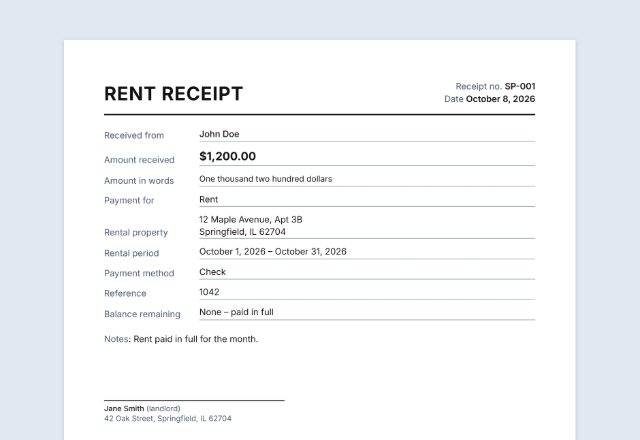
A ledger shows the whole history in one place; a receipt is proof of one payment. Keep both. The Rent Receipt Generator on this site makes a receipt in a minute.
Some states have rules about receipts and records. In New York, for example, a landlord must give a written receipt for rent paid in cash or in any form other than the tenant’s personal check, and keep a record of cash receipts for at least three years (Real Property Law § 235-e).
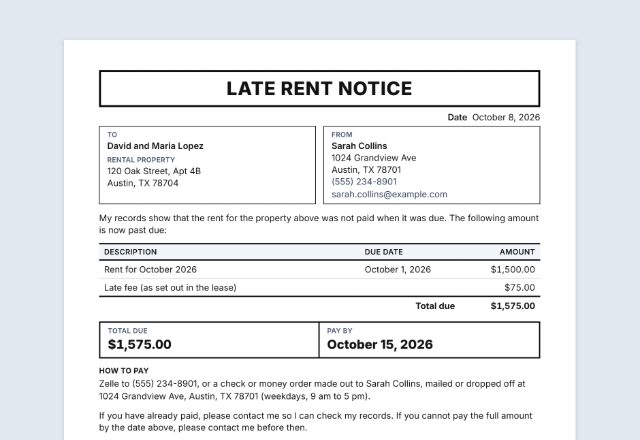
When the rent is late, a ledger makes it easy to show what is owed. The Late Rent Notice Generator turns the balance into a clear written notice.
Checked in October 2026. This page is general information, not legal advice.
Frequently asked questions
Is this rent ledger generator free?
Yes. It is free to use, needs no account or sign-up, and never adds a watermark or a SnapPaperwork logo to your ledger.
What is a rent ledger, or tenant ledger?
A record of everything charged to a tenant and everything they paid, line by line, with the balance after each line. Landlords also call it a tenant ledger or rent payment history. It shows at a glance whether the rent is paid up, and when each payment came in.
How do I add rent for every month?
Fill in the monthly rent, the day it is due and the period, then press “Add rent for each month”. A rent line is added for each month of the period that does not have one yet, and the ledger is sorted by date.
What if the tenant pays part of the rent?
Add each payment as its own line with its date. The running balance shows what is still owed after each one.
What if the tenant paid ahead?
The balance goes below zero and the ledger shows it with a minus sign; the summary calls it a credit balance. If the tenant had a credit before the first line, tick “It is a credit” next to the balance brought forward.
Can I print a blank ledger?
Yes. Fill in the tenant and the rental, leave the lines empty, keep “Fill the rest of the page with empty rows” ticked, and add extra empty pages if you need them.
Can I give the ledger to the tenant?
Yes. Print a copy or tap “Share” to send the PDF. Tick “Statement and signature line” if you want to sign it.
Are my details uploaded or stored on your servers?
No. Everything you type stays in your browser and is never sent to me. The ledger is saved on your own device, so you can add payments as they come in. On a shared computer, press “Clear Form” when you are done.
How do I save the ledger as a PDF?
Click “Print / Save PDF” and choose “Save as PDF” as the printer, or click “Download PDF” to save a file straight to your phone or computer. Each page of the ledger is one page of the PDF.