Free Termination Letter TemplateChoose the kind of letter, fill in the last day and final pay, and the termination letter is written for you, on your company letterhead. Change any of it, then print it, save a PDF or copy it into an email. No sign-up, and nothing you type is uploaded.
Design
Whole page · the printed page has no watermark or logo.
Examples3 layouts filled in with made-up details. Open one to start with that layout.
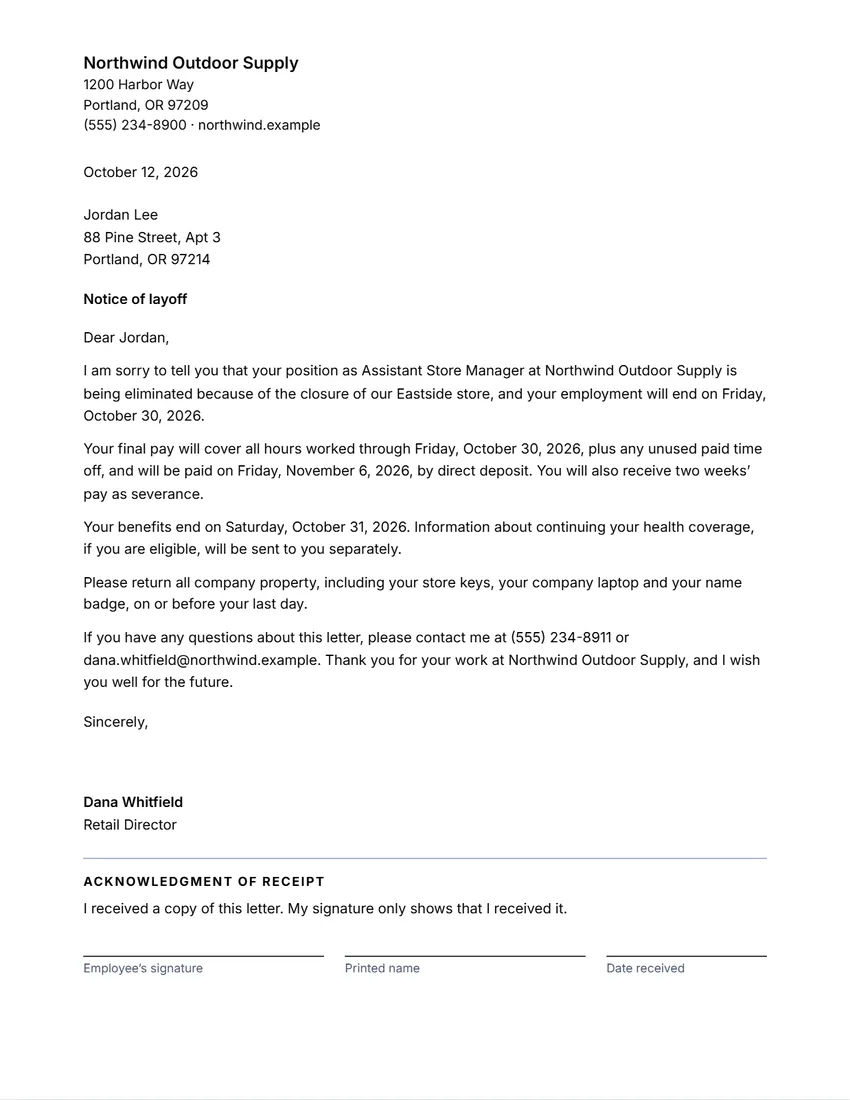 Default layout
ClassicA plain business letter, the company at the top left and the logo at the right.
Start with this layoutOpen
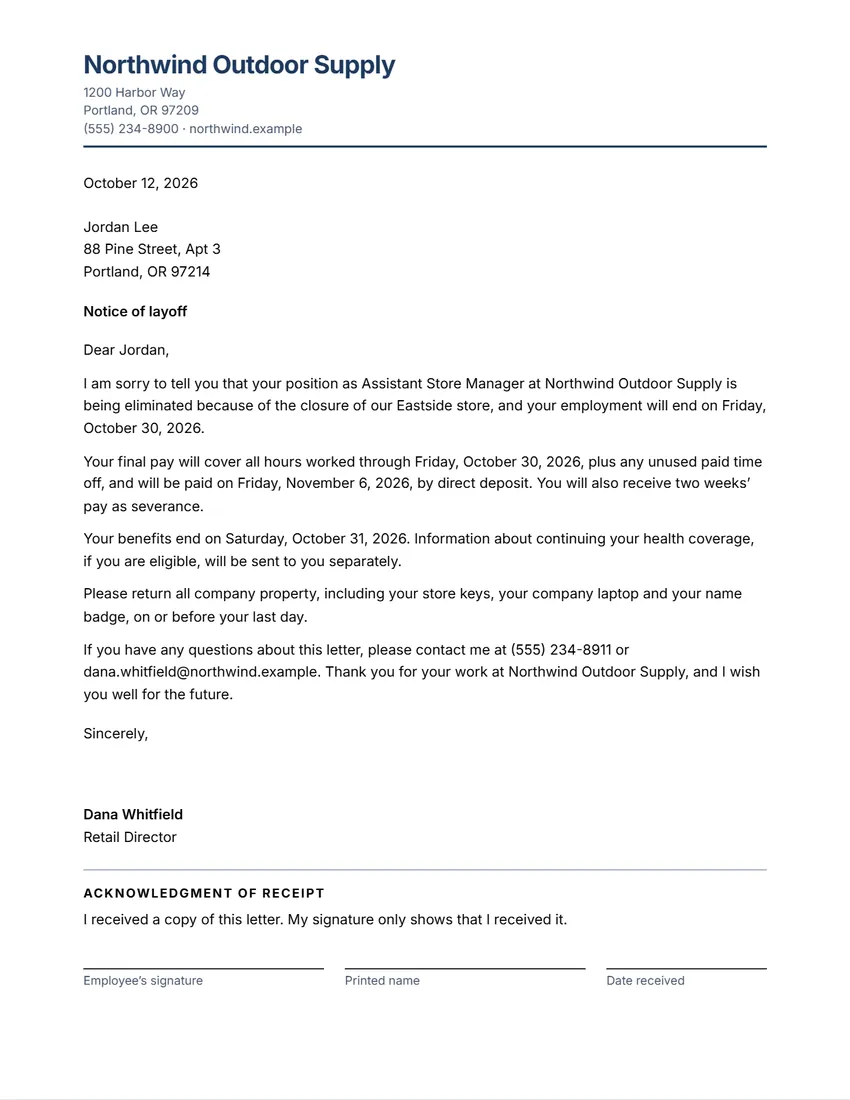 Layout
ModernLogo and company name in a colour, details under it, a rule.
Start with this layoutOpen
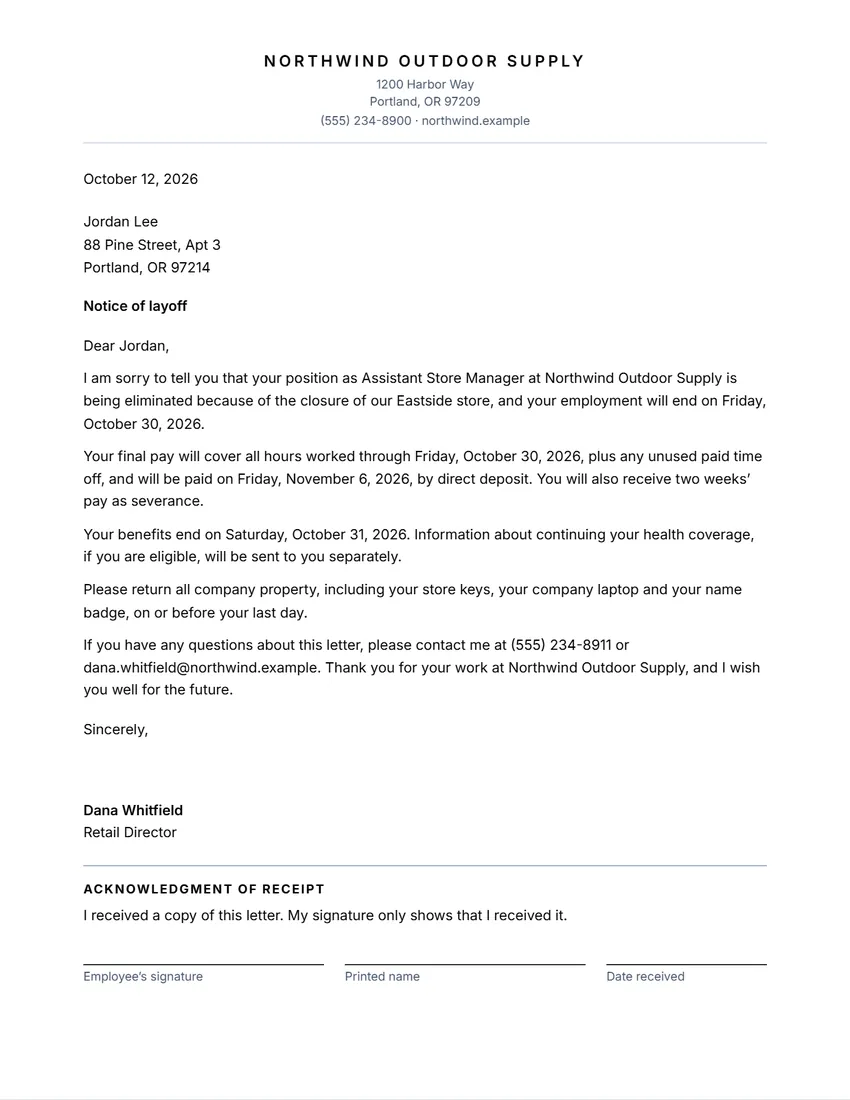 Layout
SimpleLogo and company name centred in capitals over a fine line. Least ink.
Start with this layoutOpen
Related tools
Goes well with this one
Was this tool useful?
Notice: Generated via SnapPaperwork. For your own workplace. Do not backdate a termination letter or use it to give false reasons for ending someone’s job.
Something missing? Tell me what you need.
How to write a termination letter in 3 steps
-
Choose the kind of letter
Layoff, ending employment for performance or conduct, end of probation, or the end of a temporary job. Add the employee’s name, job and last day.
-
Add final pay and the practical points
What final pay covers and when it is paid, any severance, when benefits end, and the company property to return.
-
Meet, give the letter and keep a copy
Tell the employee in person first if you can, give them the letter, ask them to sign that they received it, and keep a copy in their file.
What to put in a termination letter
- The employee’s name and job title, and the date of the letter
- That the job is ending, and the last day of work
- A short, factual reason, if you give one (for a layoff, why the position is going)
- What final pay covers (hours worked, unused paid time off) and when and how it is paid
- Any severance or notice pay, and when benefits end
- Company property to return, and who to contact with questions
- A place for the employee to sign that they received the letter
Tips for a fair, clear letter
- Keep it short, factual and respectful. Leave out opinions and long lists of complaints.
- Make sure the reason matches your records, such as earlier written warnings.
- Tell the employee in a private meeting first if you can, and give them the letter there.
- Follow your own handbook, any employment contract or union agreement, and the law where the person works.
- Signing for receipt is not agreeing. If the employee will not sign, note the date you gave it to them.
Rules to check (US)
- Final pay: federal law does not require employers to pay a final paycheck immediately, but some states do (US Department of Labor). Check your state’s rule before you pick a date.
- Health coverage: COBRA generally applies to group health plans of employers with 20 or more employees, and lets workers keep their coverage for a limited time (US Department of Labor).
- Mass layoffs: employers with 100 or more employees must give at least 60 days’ notice of a covered plant closing or mass layoff under the WARN Act (20 CFR 639.2, 639.3).
- Outside the US, notice periods, redundancy pay and the right to written reasons are set by national law. Check your government’s guidance or an employment adviser.
General information, not legal or HR advice. Checked in October 2026. Ending a job can carry legal risk: if you are unsure, talk to an employment lawyer or adviser first.
Frequently asked questions
Is this termination letter generator free?
Yes. It is free to use, needs no account or sign-up, and never adds a watermark or a SnapPaperwork logo to your letter.
Do I have to give a reason?
That depends on the law where the person works and on your contract or policy. The reason box is optional: leave it empty and the letter gives no reason.
When must final pay be paid?
It depends on the state or country. In the US there is no federal rule for immediate payment, but some states require it. The letter only prints the date you choose.
What if the employee will not sign?
The signature only shows they received the letter. If they will not sign, note the date and time you gave it to them, and ideally have a witness.
Can I change the wording?
Yes. The letter is written from your answers, but you can rewrite any of it in the “The letter” box or on the page. Empty the box to have it written from the form again.
Is my information uploaded or stored on your servers?
No. Everything you type stays in your browser and is never sent to me. It is saved on your own device so it is there next time.