Free Printable Fax Cover SheetFill in who the fax is to and from, tick the boxes, add a message, then print the cover sheet or save it as a PDF. No sign-up, and nothing you type is uploaded.
Layout
Whole page · the printed page has no watermark or logo.
The cover sheet is longer than one page. Shorten the message or the confidentiality notice, or try another design.
Examples3 layouts filled in with made-up details. Open one to start with that layout, or print a blank template to fill in by hand.
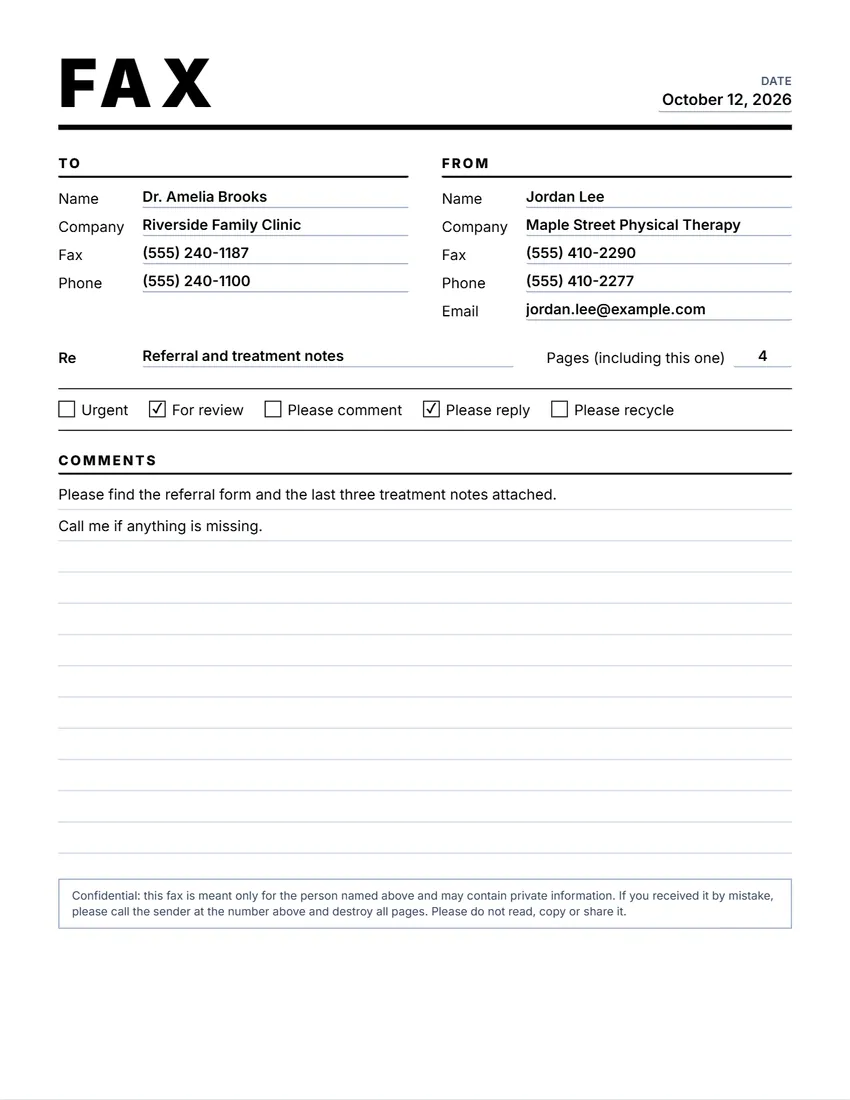 Default layout
ClassicLarge FAX title, To and From side by side, lines for a message.
Start with this layoutOpen
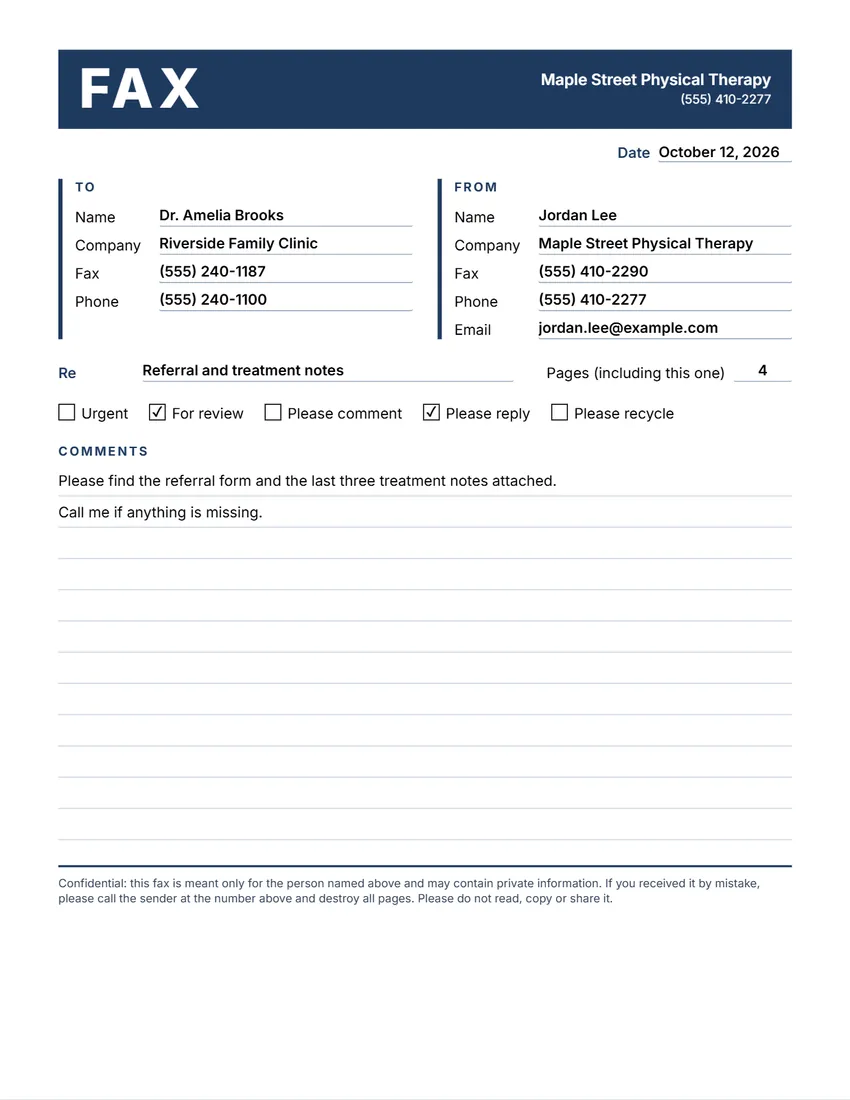 Layout
ModernA colour band with FAX in white, headings in the same colour.
Start with this layoutOpen
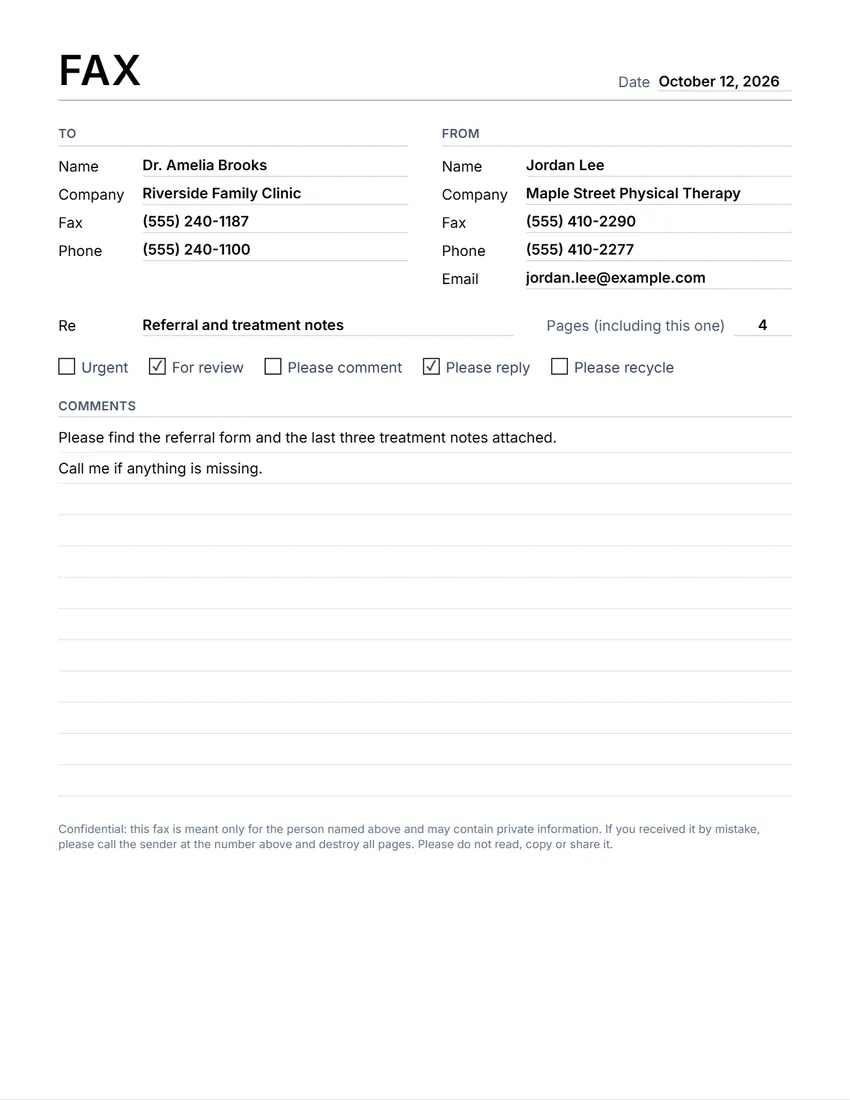 Layout
SimplePlain title and thin grey lines. Least ink.
Start with this layoutOpen
Prefer to fill it in by hand? Print a blank template and write on it.
Related tools
Goes well with this one
Was this tool useful?
Notice: Generated via SnapPaperwork. For your own faxes. Do not use another person’s or company’s name, number or logo on a cover sheet.
Something missing? Tell me what you need.
What is a fax cover sheet?
A fax cover sheet goes on top of a fax and tells the person who gets it who it is for, who sent it, how many pages there are and what to do. It has the date, the fax and phone numbers and a short message. Send it as the first page.
How to fill in a fax cover sheet in 3 steps
-
Fill in who it is to and from
Type the name, company and fax number of the person you are sending to, and your own name and numbers so they can reply. Add your logo if you like.
-
Add the details
Give the date, the number of pages including the cover, and a subject. Tick Urgent, For review, Please comment, Please reply or Please recycle, here or on the sheet itself.
-
Print it on top
Print the cover sheet and put it on top of your pages, or save the PDF and attach it when you fax online. Leave the message empty to write a note by hand.
What goes on a fax cover sheet
- Who the fax is for: name, company and fax number
- Who it is from, with a phone and fax number to reply to
- The date and the number of pages, counting the cover
- A subject, and what you want the reader to do (review, reply, comment)
- A short message, if needed
- A confidentiality notice, if the pages hold private information
Tips for sending a fax
- Count the pages after you add the cover sheet, so the reader knows if a page did not come through.
- Check the fax number twice before you send anything private, and call ahead for sensitive pages.
- Dark text on white paper faxes best; colours and light greys come out faint.
- Keep the confirmation report your fax machine or online service gives you.
- Sending many faxes to the same place? Save your details here once and change only the date and subject.
Practical tips, not legal advice. Offices that fax health or financial records may have their own rules for what a cover sheet must say.
Frequently asked questions
Is this fax cover sheet free?
Yes. It is free to use, needs no account or sign-up, and never adds a watermark or a SnapPaperwork logo to your cover sheet.
What should a fax cover sheet include?
Who it is to and from with fax and phone numbers, the date, the number of pages, a subject, and a short message. Many offices add a confidentiality notice.
Do I count the cover sheet in the number of pages?
Usually yes. “Pages, including this one” tells the reader how many to expect, so they can ask if one is missing.
Can I tick the boxes on the sheet itself?
Yes. Click or tap a box on the preview to tick it, or tick it in the form. Leave them empty to tick by hand after printing.
Can I use it to send a fax online?
Yes. Download the PDF and attach it first in your online fax service, before the pages you are sending.
Is my information uploaded or stored on your servers?
No. Everything you type stays in your browser and is never sent to me. Your details and logo are saved on your own device so they are there next time.