Free Address Label TemplateChoose your label sheet, type or paste the addresses, then print. No sign-up, and nothing you type is uploaded.
Design
Whole page · the printed page has no watermark or logo.
Examples3 layouts filled in with made-up details. Open one to start with that layout.
 Default layout
PlainJust the address, centred top to bottom.
Start with this layoutOpen
 Layout
AccentA bar of colour down the left edge, with your logo beside the address.
Start with this layoutOpen
 Layout
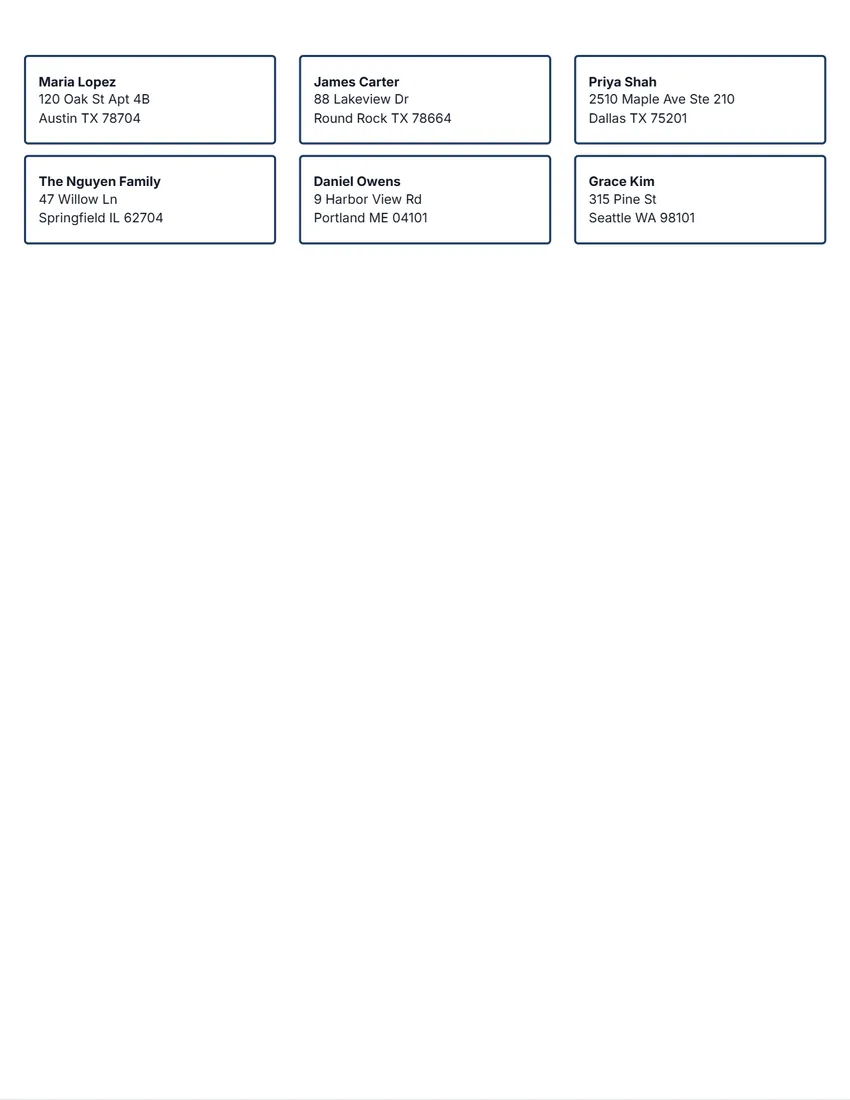
FramedA frame in your ink colour, with your logo above the address.
Start with this layoutOpen
Related tools
Goes well with this one
Was this tool useful?
Notice: Generated via SnapPaperwork. For your own mail and parcels. Do not use someone else’s name or return address, or make labels that look like postage or a carrier’s shipping label.
Something missing? Tell me what you need.
How to print address labels in 3 steps
-
Choose your label sheet
Pick the number printed on your box of labels, such as 5160 or L7160. If some labels on the sheet are used, start at the first empty one.
-
Type or paste the addresses
One address per label with an empty line between them, or rows pasted from a spreadsheet. For return address labels, print the same address on every label.
-
Test, then print
Print one page on plain paper with the outlines, hold it over a sheet of labels, and move the text if needed. Then print on the labels at actual size.
Which label sheet do I have?
- 30 per sheet, 2⅝ × 1 in (Avery 5160, 8160): the classic address label for envelopes and holiday cards.
- 20 per sheet, 4 × 1 in (Avery 5161, 8161): longer lines, for longer names and addresses.
- 10 per sheet, 4 × 2 in (Avery 5163, 8163): small parcels and padded envelopes.
- 6 per sheet, 4 × 3⅓ in (Avery 5164, 8164) and 4 per sheet, 3½ × 5 in (Avery 5168): boxes, with room for a sender.
- 2 per sheet, 8½ × 5½ in (Avery 5126, 8126): half-sheet shipping labels.
- A4: 21 per sheet, 63.5 × 38.1 mm (L7160); 14 per sheet, 99.1 × 38.1 mm (L7163); 8 per sheet, 99.1 × 67.7 mm (L7165); 2 per sheet, 199.6 × 143.5 mm (L7168).
Lining the text up with the labels
Print at 100%, “Actual size”, never “Fit to page” or “Shrink to fit”: scaling moves every label a little more the further down the page it is.
Print a test page first. Turn on “Print the label outlines”, print on plain paper, then hold it over a sheet of labels against a window. If the text sits off, use “Move right” and “Move down” (a minus number moves left or up) and test again.
Feed one sheet at a time, in the tray and the way up your printer’s manual shows for labels.
How to write an address (US Postal Service)
Use the same left margin for every line of the address. Capital letters are preferred on all lines, though lower case is fine when it is clear (Publication 28, § 212). Turn on “ALL CAPITALS” if you like.
Put an apartment or suite number at the end of the street line, with its short name, such as APT 4B or STE 210, rather than a # sign when you know it (§ 213).
The last line is the city, the state and the ZIP Code. Publication 28 asks for complete addresses that match the Postal Service’s ZIP+4 and City State files (§ 211).
Return address and shipping labels
- Return address labels: choose “The same address on every label” and the number of sheets. The Accent and Framed designs can show your logo beside it.
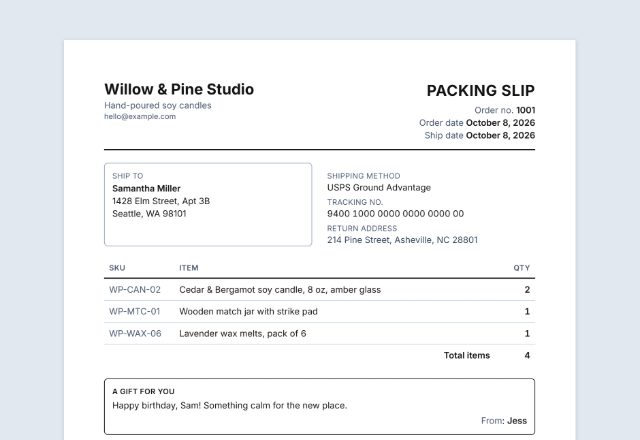
- Shipping labels: turn on the sender and use a bigger label, such as 4 × 3⅓ in or a half sheet. The sender prints small at the top and “Ship to” above the address.
- These are address labels, not postage. Buy postage at the post office or online, or use the carrier’s own label for a prepaid shipment.
Checked in October 2026. Label sizes are the makers’ published sizes; check yours with a test page. Avery is a trademark of Avery Products Corporation; SnapPaperwork is not connected with it.
Frequently asked questions
Is this address label maker free?
Yes. It is free to use, needs no account or sign-up, and never adds a watermark or a SnapPaperwork logo to your labels.
Does it work with Avery 5160 labels?
Yes. Choose “30 per sheet · 2⅝ × 1 in (Avery 5160, 8160)”. Other brands that say “compatible with 5160” use the same layout. The tool also has 5161, 5163, 5164, 5168 and 5126, and on A4 L7160, L7163, L7165 and L7168.
How do I print a list of addresses?
Type or paste them in the Addresses box, one per label with an empty line between them. You can also paste rows from a spreadsheet, one address per row; each column becomes a line. The tool adds sheets as needed, up to 25.
Can I use a sheet that is partly used?
Yes. Set “Start at label” to the first empty label, counting left to right and row by row. The used labels are skipped on the first sheet.
How do I make return address labels?
Choose “The same address on every label”, type your address once, and choose how many sheets. Add your logo with the Accent or Framed design.
The text does not line up with my labels. What do I do?
Check that you print at 100% (“Actual size”). Then print a test page with the outlines on plain paper, hold it over a sheet of labels, and use “Move right” and “Move down” to shift everything until it lines up.
Can I edit one label on the page?
On a computer, click an address on a label and type; the list in the form follows. On a phone, tap a label to jump to the list.
Are my addresses uploaded or stored on your servers?
No. Everything you type stays in your browser and is never sent to me. The list is saved on your own device so it is there next time. On a shared computer, press “Clear Form” when you are done.
How do I save the labels as a PDF?
Click “Print / Save PDF” and choose “Save as PDF” as the printer, or click “Download PDF” to save a file, one page per sheet. When you print the PDF later, print it at actual size too.