Free Lost Pet Poster MakerAdd a photo of your pet, where and when it was last seen and your phone number, then print it with tear-off tabs. No sign-up, and nothing you type is uploaded.
Design
Whole page · the printed page has no watermark or logo.
Some text does not fit: a word is too wide for its space, or text is too close to the edge of the poster, where most printers cut it off. Shorten the title or the message, make something smaller (click or tap it on the poster), or try another design.
Examples3 layouts filled in with made-up details. Open one to start with that layout, or print a blank template to fill in by hand.
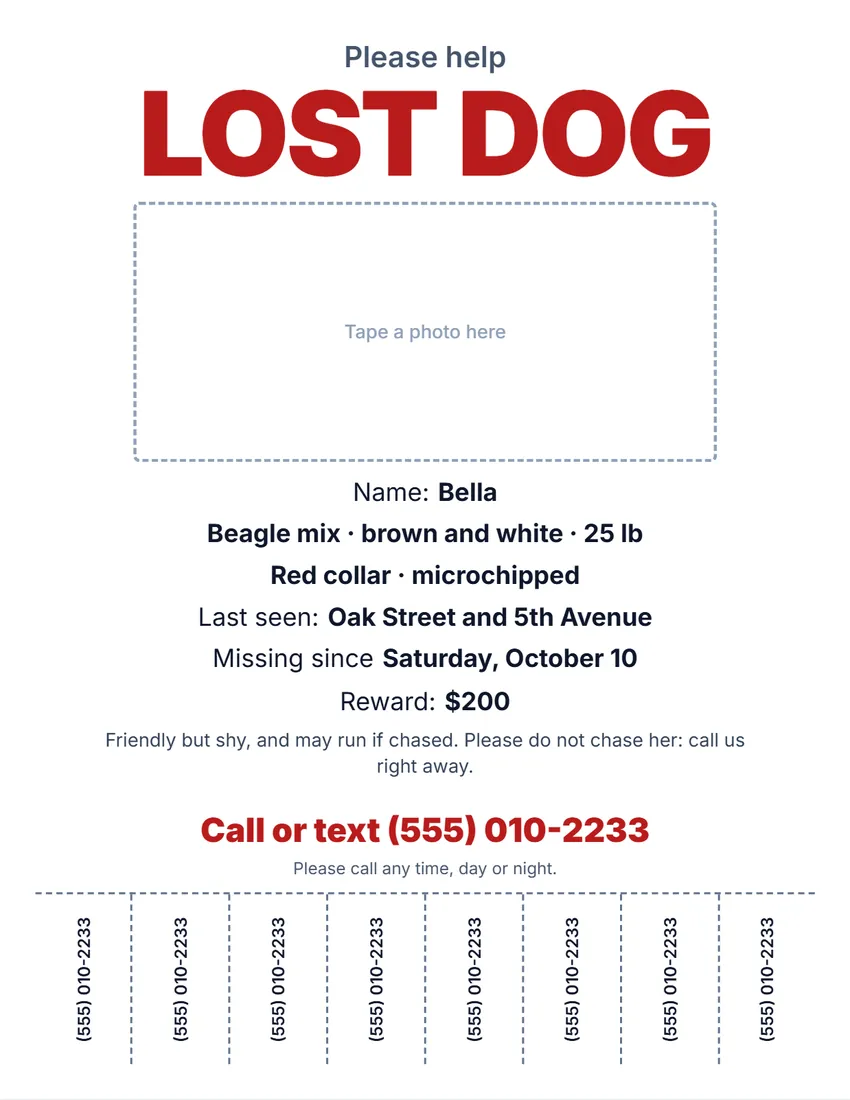 Default layout
ModernBold type on white, the title and phone number in your ink colour.
Start with this layoutOpen
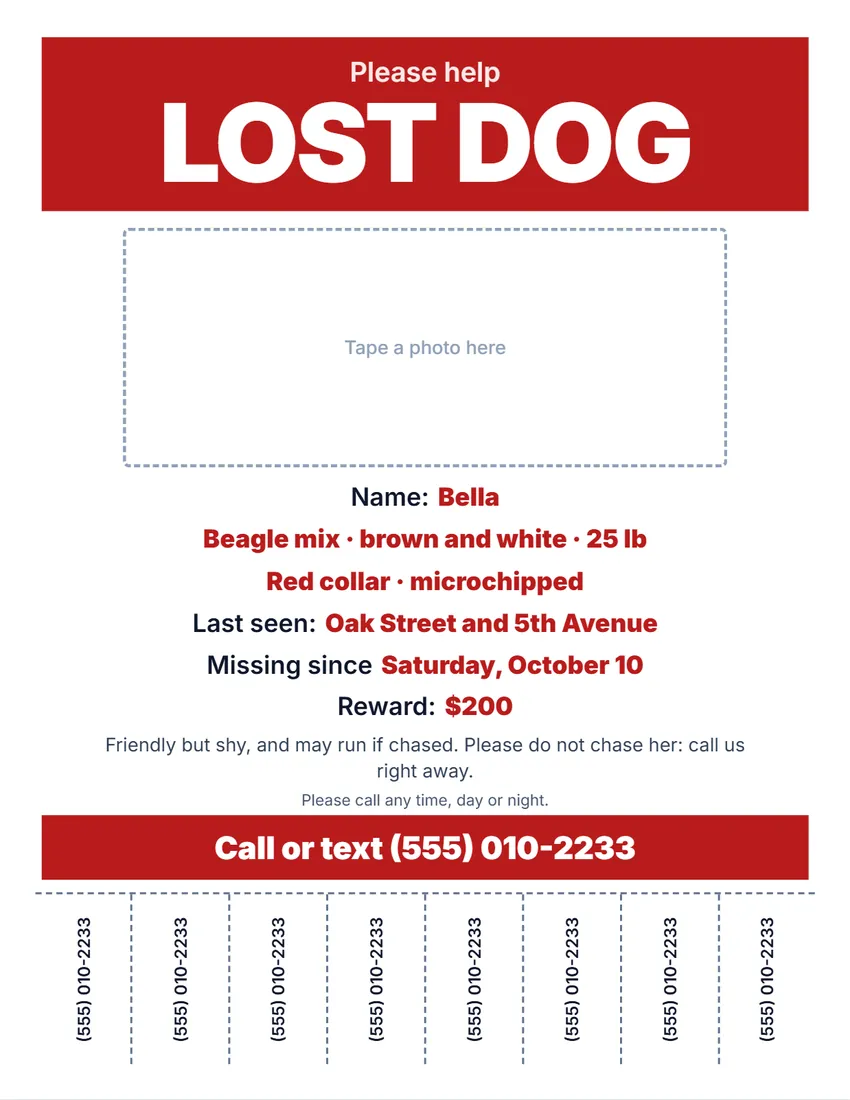 Layout
BoldBands of colour with the title and phone number in white. Reads from across the street.
Start with this layoutOpen
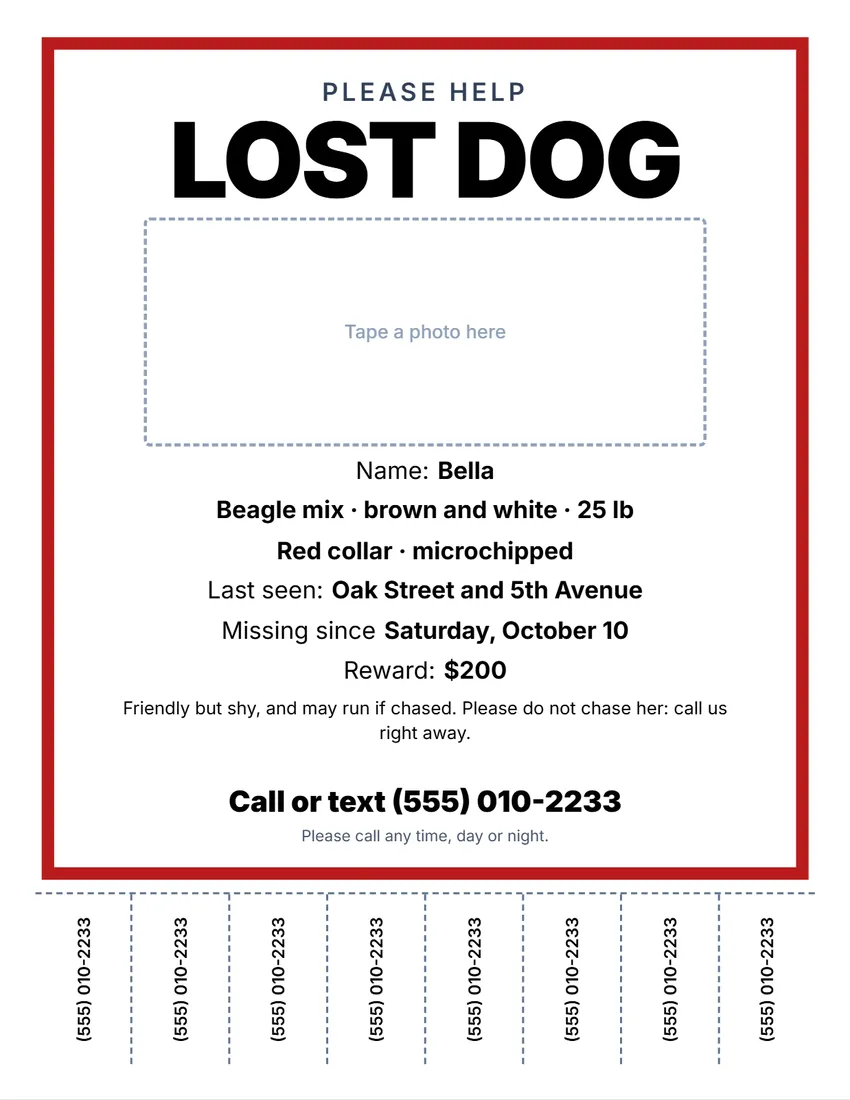 Layout
NoticeA thick frame in your ink colour, black capitals inside, like a posted notice.
Start with this layoutOpen
Prefer to fill it in by hand? Print a blank template and write on it.
Related tools
Goes well with this one
Was this tool useful?
Notice: Generated via SnapPaperwork. For a pet you lost or found. Do not use a poster to ask for money for a pet that is not missing.
Something missing? Tell me what you need.
How to make a lost pet poster in 3 steps
-
Add a photo and the details
A clear photo of your pet, its name, breed, colour and size, collar or microchip, and where and when it was last seen.
-
Add your number and a reward
Your phone number goes in big type and on 4 to 10 tear-off tabs. Add a reward if you want to offer one.
-
Print and post it
Print several, cut between the tabs, and put them up at eye level near where your pet was last seen.
What to put on a lost pet poster
- “Lost Dog” or “Lost Cat” in letters big enough to read from a car.
- One large, clear photo: a recent one that shows the face and the markings.
- The name, breed, colour and size, and anything that stands out: a collar, a limp, a microchip.
- Where and when your pet was last seen.
- Your phone number in big digits, and on tear-off tabs people can take with them.
- A reward, if you offer one. Many people leave the amount off and just write “Reward”.
Where to put the posters
- Near where your pet was last seen, then in a widening circle: street corners, mailbox clusters, community boards.
- Vet clinics, pet shops, groomers, the local animal shelter and coffee shops often have a notice board.
- At eye level for people walking, and large type for people driving past.
- Some towns limit posting flyers on utility poles and street signs. Check the local rules, and take the posters down once your pet is home.
If you found a pet
- Choose “Found dog”, “Found cat” or “Found pet”.
- Describe it, but keep one detail back (a marking, the collar colour), and ask callers to describe it. That way you know you are giving the pet to its real owner.
- Ask a vet or the animal shelter to scan for a microchip, and tell the local shelter you have found a pet.
Frequently asked questions
Is this lost pet poster maker free?
Yes. It is free to use, needs no account or sign-up, and never adds a watermark or a SnapPaperwork logo to your poster.
Can I add a photo of my pet?
Yes. Pick a photo from your phone or computer. It is shrunk and kept in your browser only, so it is there next time; it is never uploaded.
Can I add tear-off phone number tabs?
Yes. Choose 4, 6, 8 or 10 tabs along the bottom of a full-page poster. They show the number you type, or your contact line.
Can I make a found dog or found cat poster?
Yes. Choose “Found dog”, “Found cat” or “Found pet”: the poster says where and when you found it, and asks the owner to call.
What paper sizes does it print on?
US Letter and A4, as a full-page poster or as two half-page flyers on one sheet (tear-off tabs are on full pages only).
Should I print in colour?
If you can: a colour photo is much easier to recognise. The designs also read well in black and white.
Is my information uploaded or stored on your servers?
No. Everything you type, and the photo, stays in your browser and is never sent to me.