Free Parking Permit TemplateFill in the form, check the preview, then print the sheets and cut along the dashed lines. No sign-up, and nothing you type is uploaded.
Design
Whole page · the printed page has no watermark or logo.
Parking permits you can make hereFour common kinds of permit. Open one to start with it; every permit can have its own number.
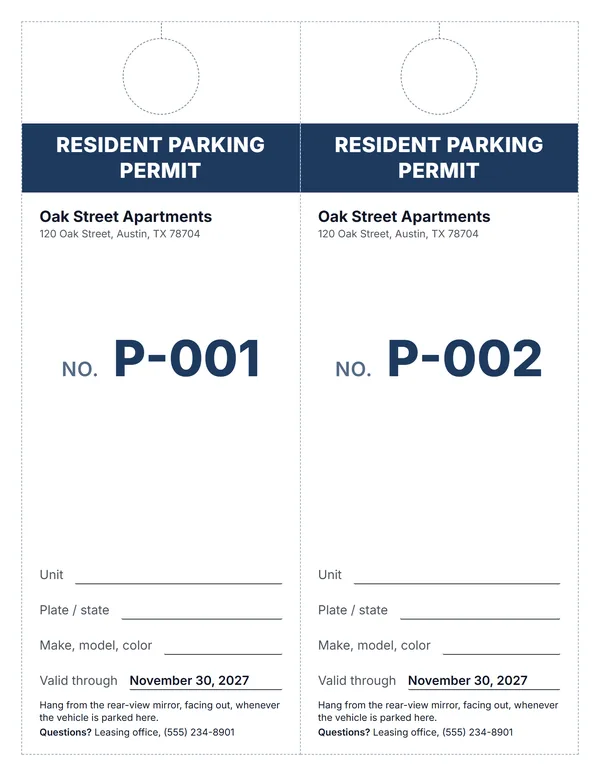 Resident parking permit hang tag
Two hang tags per sheet with a cut-out for the rear-view mirror.
Make these permitsOpen
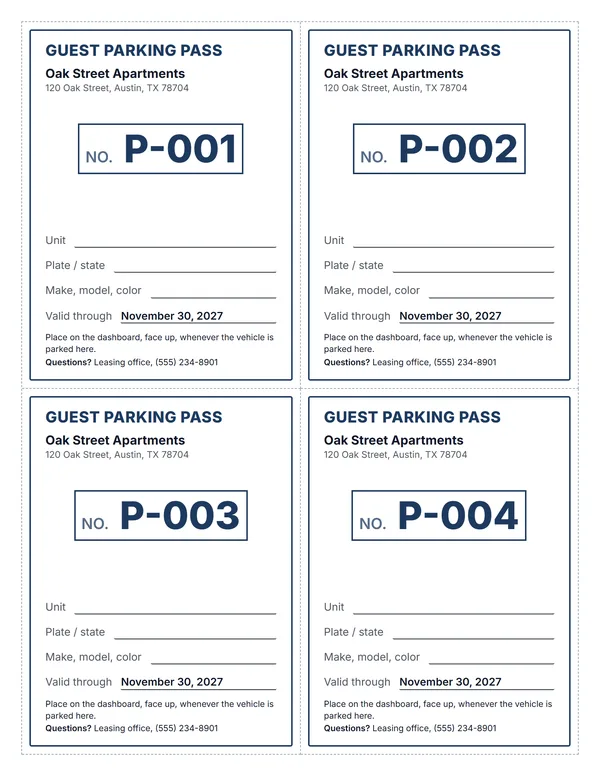 Guest parking pass
Four dashboard passes per sheet, with lines for the plate and the date.
Make these permitsOpen
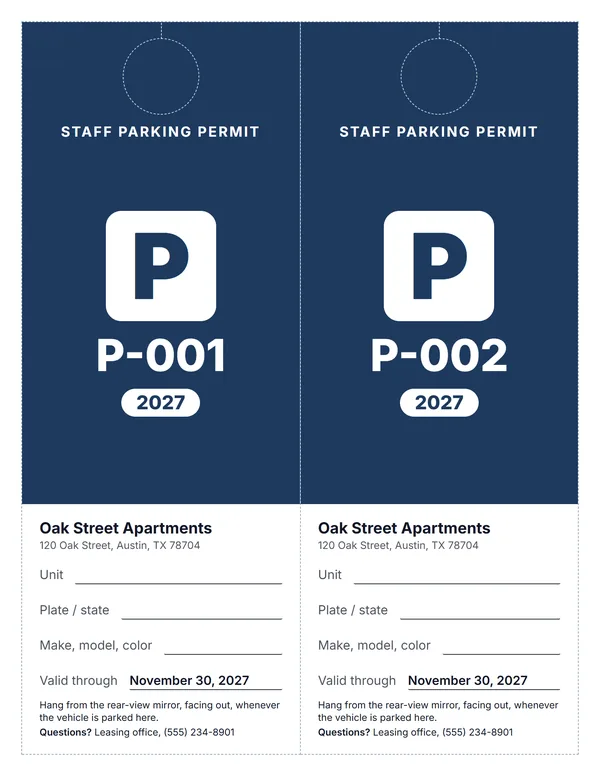 Staff parking permit
A big P and the year, easy to check from across the lot.
Make these permitsOpen
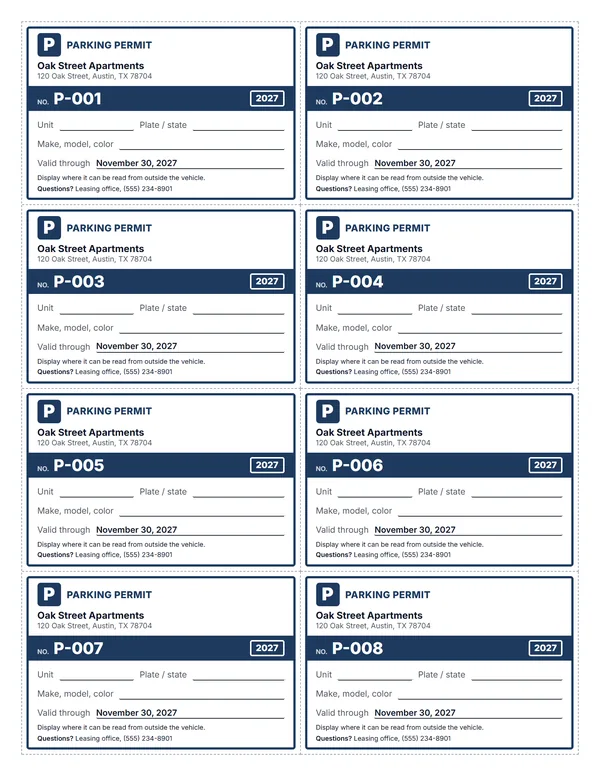 Small parking permit cards
Eight small cards per sheet for a window or a dashboard.
Make these permitsOpen
Examples3 layouts filled in with made-up details. Open one to start with that layout, or print a blank template to fill in by hand.
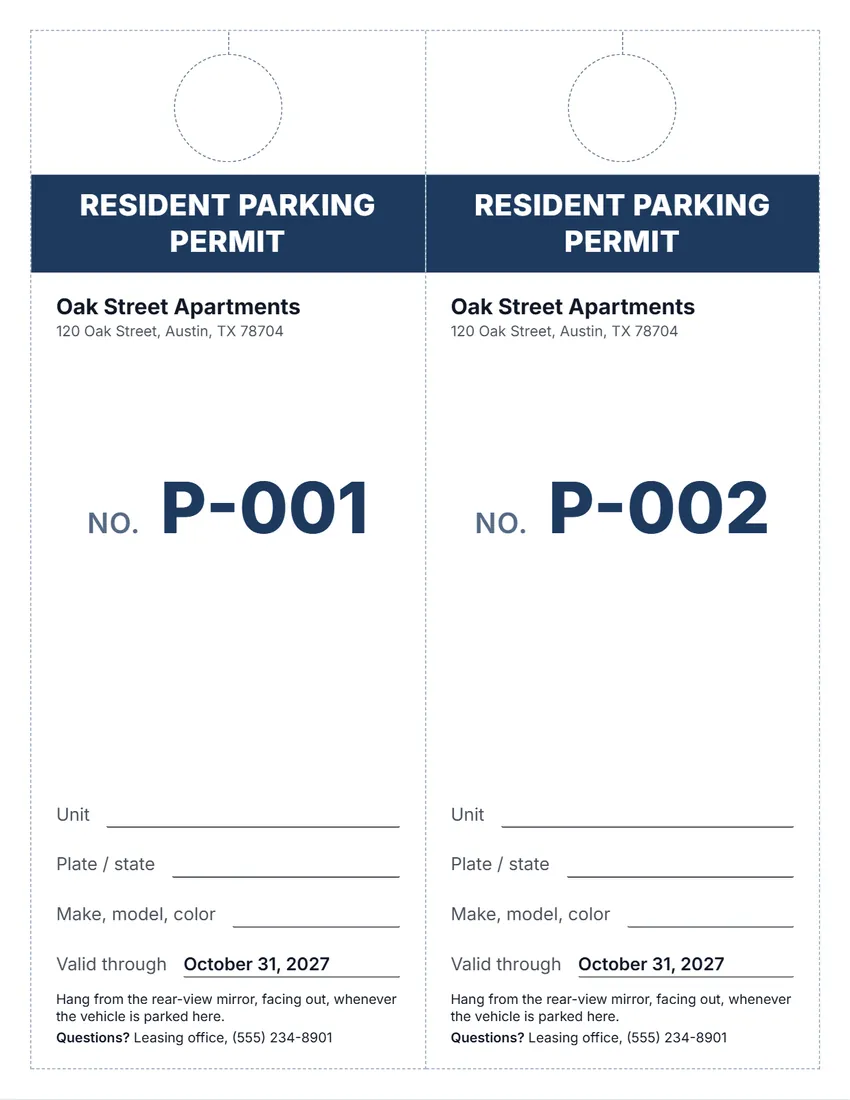 Default layout
BoldA solid band of colour with the title, and the number in large type.
Start with this layoutOpen
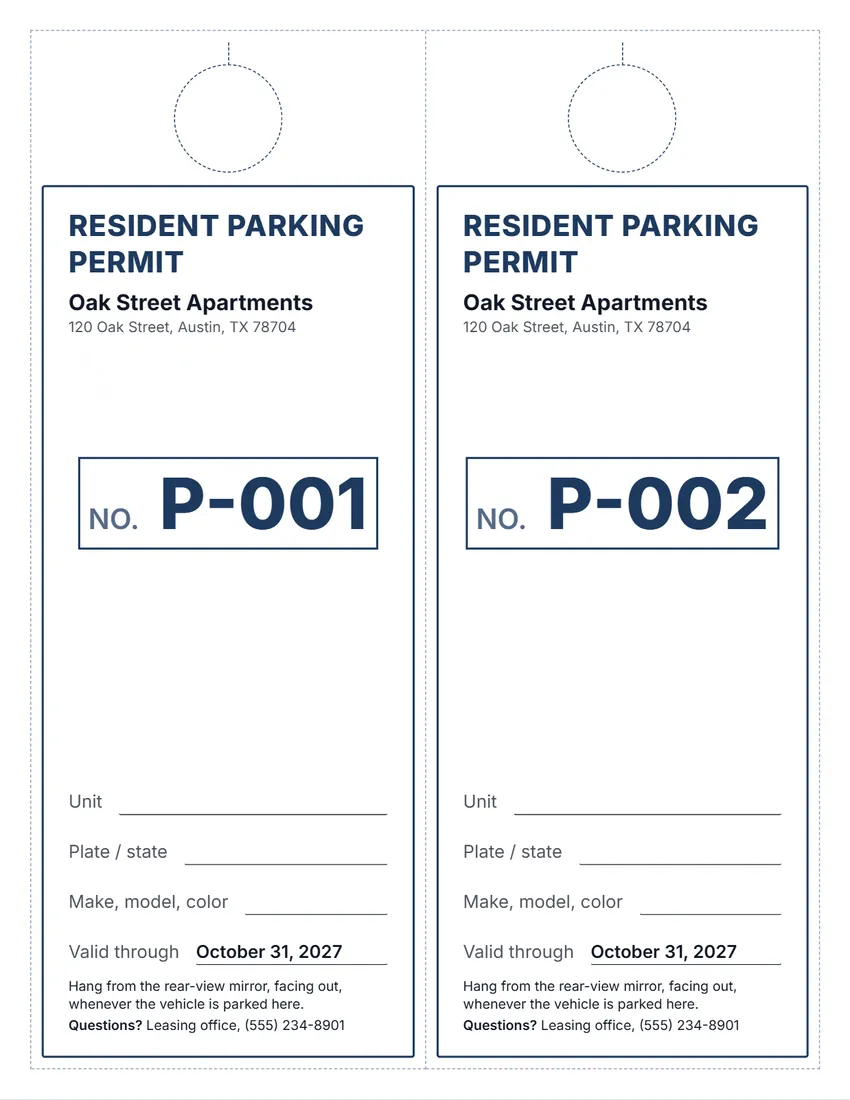 Layout
ClassicA frame and title in the ink colour, the number in a box.
Start with this layoutOpen
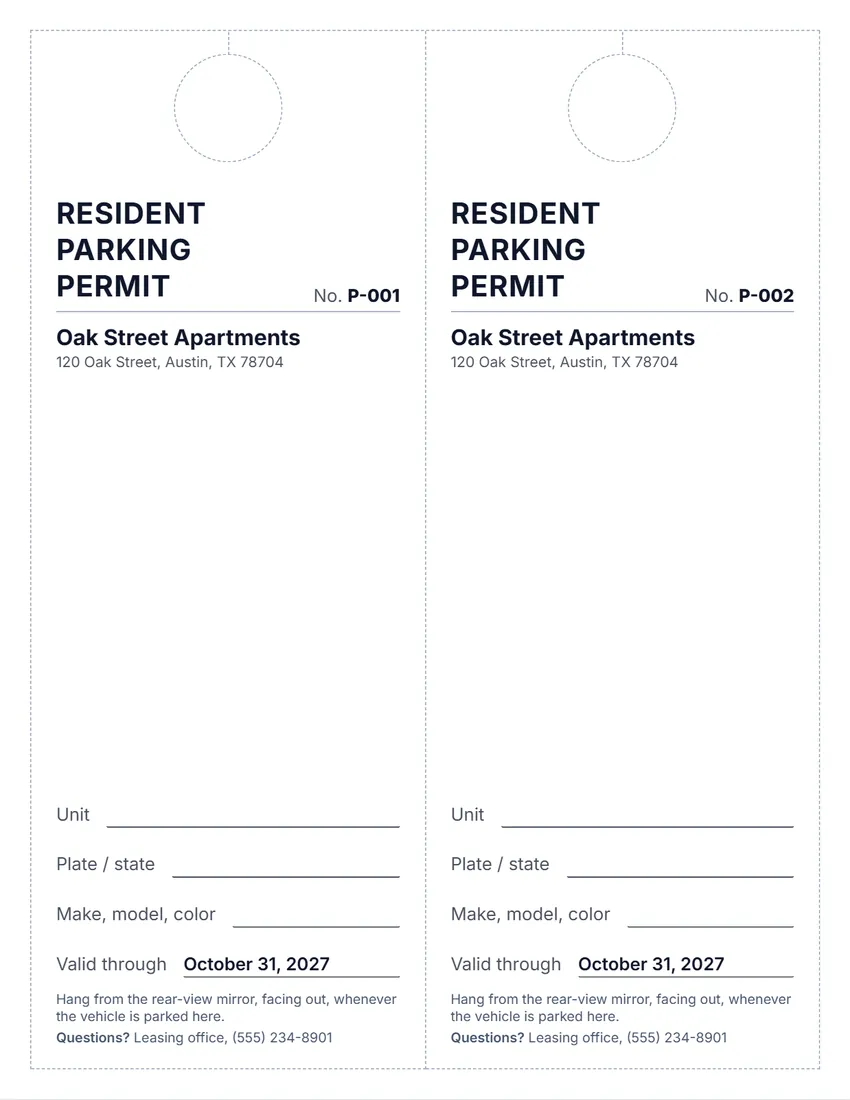 Layout
SimpleBlack and grey, no logo, thin lines: the least ink.
Start with this layoutOpen
Prefer to fill it in by hand? Print a blank template and write on it.
Related tools
Goes well with this one
Was this tool useful?
Notice: Generated via SnapPaperwork. For permits you are allowed to issue. Do not copy another property’s or a city’s permits, or make passes to park where you are not allowed.
Something missing? Tell me what you need.
What is a parking permit?
A parking permit is a printed card that shows a vehicle is allowed to park in a lot or space. It has the name of the property, a permit number, the dates it is valid and the car details. Print hang tags or dashboard cards and give one to each driver.
How to make parking permits in 3 steps
-
Choose the kind and the size
Resident, guest, staff or general, as a hang tag for the rear-view mirror, a dashboard card or a small card.
-
Add the property and the lines
Your property or lot name, logo and contact, the date the permits run out, and lines for the unit, plate and vehicle. Turn on numbering so every permit has its own number.
-
Print, cut and hand out
Print on card stock at actual size, cut along the dashed lines, and keep a list of which number went to which unit and vehicle.
What to put on a parking permit
- The property or lot name, so attendants and towing companies know where it is valid
- What kind of permit it is: resident, guest or staff
- A permit number, matched to a list you keep
- The unit, and the vehicle’s plate, state, make, model and color
- The date it runs out
- How to display it, and who to contact with questions
Hang tag, dashboard card or small card?
- Hang tag, 2 per page: about 4 × 10 inches, with a circle to cut out so it hangs from the rear-view mirror. Easy to see from outside and easy to move between cars.
- Dashboard card, 4 per page: about 4 × 5 inches, placed face up on the dashboard. Good for guest passes and short stays.
- Small card, 8 per page: about 4 × 2.6 inches, for a windshield corner, a wallet or a key tag.
- Sizes are for US Letter paper; on A4 they are a little narrower and taller.
Parking rules and the law
Parking and towing rules are set by each state and often each city, and a lease can add its own. A permit made here is a way to show who may park; it does not change those rules.
Texas, for example: in a multiunit complex, a landlord’s towing or parking rules must be given to the tenant before the lease is signed, and changes during the lease need written notice and cannot take effect before the 14th day after the notice is delivered, except in a construction or utility emergency (Property Code § 92.0131). To let a tenant park, the landlord may ask only for the vehicle’s make, model, color, year, license number and state of registration. A permit issued to a tenant must run for the same term as the lease, and cannot be ended or suspended until the tenant’s right to the rental ends (§ 92.0132).
Before towing, check the signs and notices your state and city require.
Running a permit system
- Number every permit and keep a list: number, unit, name, plate, the date given and the date it runs out.
- Use a different kind (or ink colour) for guest passes, with a short valid-through date.
- Give out a new set when the dates run out, and take back permits from tenants who move out.
- Print on card stock and laminate, or use plastic sleeves, so permits last in a hot car.
Checked in October 2026. This page is general information, not legal advice. Parking and towing rules differ from state to state and city to city.
Frequently asked questions
Is this parking permit generator free?
Yes. It is free to use, needs no account or sign-up, and never adds a watermark or a SnapPaperwork logo to your permits.
How do I make a hang tag that goes on the mirror?
Choose “Hang tag (2 per page)”. Each tag has a dashed circle near the top; print on card stock, cut along the dashed lines and cut out the circle, then slip it over the rear-view mirror.
Can each permit have its own number?
Yes. Turn on “Number each permit” and type the first number, for example P-001. The next permits count up from it, across all pages. “Next batch” starts the next set where this one ends.
Can I print the plate and unit on the permit?
Yes. Type them in the form and they print on every permit, so use that for a single vehicle. Leave them empty to print lines and write each permit by hand.
How do I make guest passes?
Choose “Guest pass” as the kind of permit, set a short “Valid through” date or leave it empty to write the date in, and number them so you know which one went to whom.
What paper should I use?
Card stock lasts longest. Print at 100% (“Actual size”), not “Fit to page”, so the dashed cut lines stay in place. Laminating protects permits from sun and heat.
Can I tow cars that have no permit?
That depends on your state’s and city’s towing rules, which often require signs and notices first. A permit shows who may park; it does not decide whether a car can be towed.
Is there a parking permit hang tag template?
Yes. Choose “Hang tag” as the size: each sheet has two tall tags with a dashed circle and slit to cut, so they hang from the rear-view mirror.
Are my details uploaded or stored on your servers?
No. Everything you type, and your logo, stays in your browser and is never sent to me. The form is saved on your own device so it is there next time.
How do I save the permits as a PDF?
Click “Print / Save PDF” and choose “Save as PDF” as the printer, or click “Download PDF” to save a file straight to your phone or computer, one page per sheet. “Share” opens your device’s share menu with the PDF attached.