Free Membership Card TemplatePaste your member list for one card each, or print blank cards to fill in by hand, on business-card sheets or card stock. No sign-up, and nothing you type is uploaded.
Design
Whole page · the printed page has no watermark or logo.
Examples3 layouts filled in with made-up details. Open one to start with that layout, or print a blank template to fill in by hand.
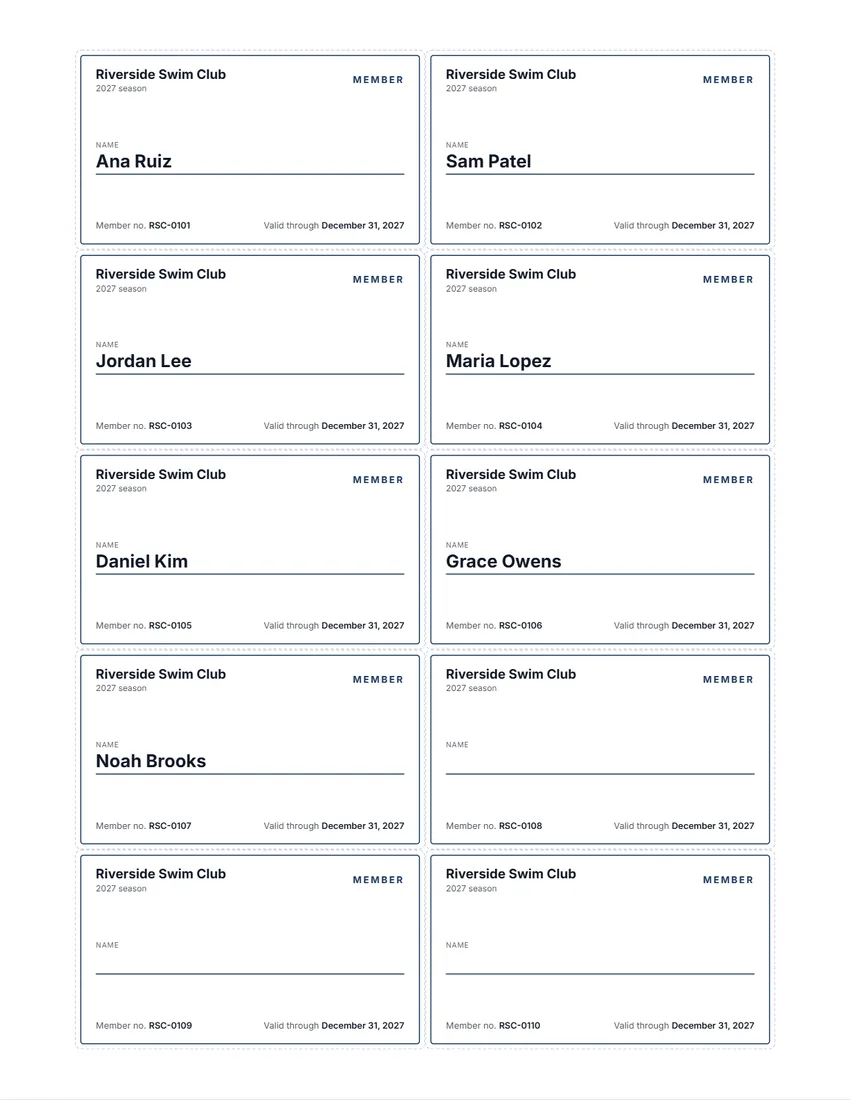 Default layout
ClassicA thin coloured frame, your organization on top and the member’s name.
Start with this layoutOpen
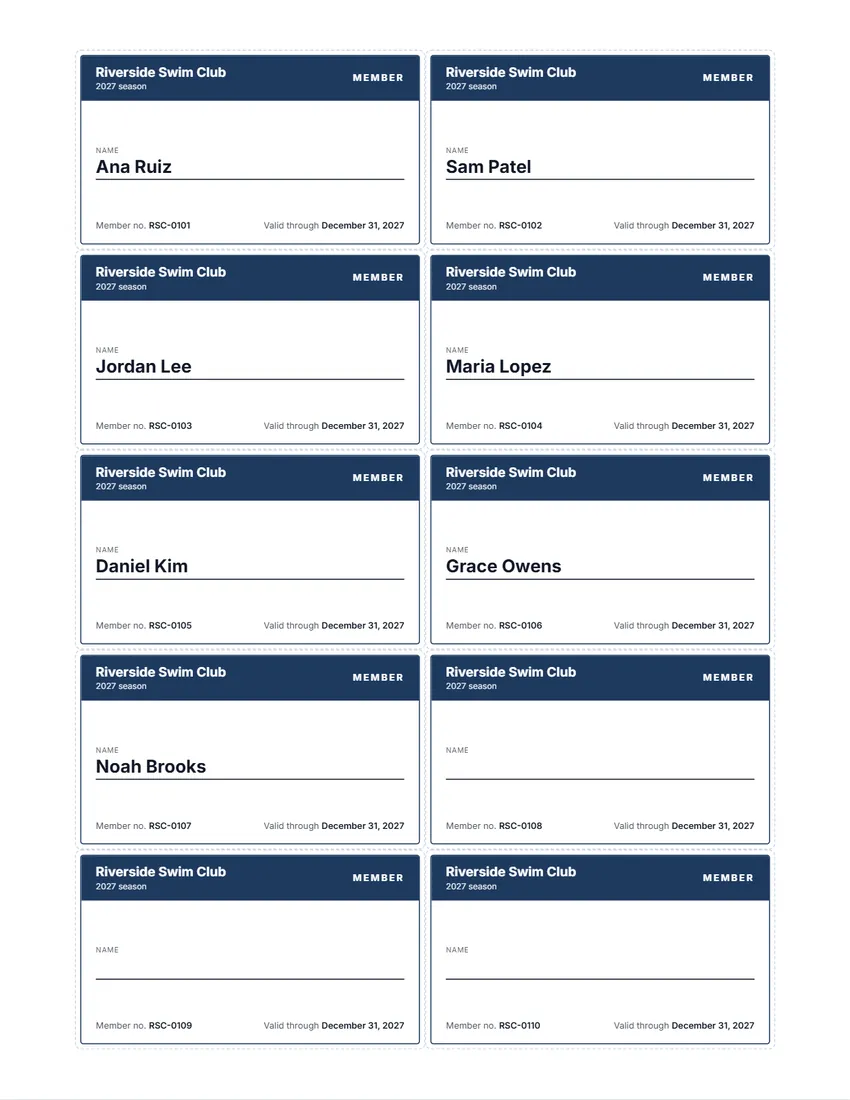 Layout
BoldA band of colour across the top with your organization in white.
Start with this layoutOpen
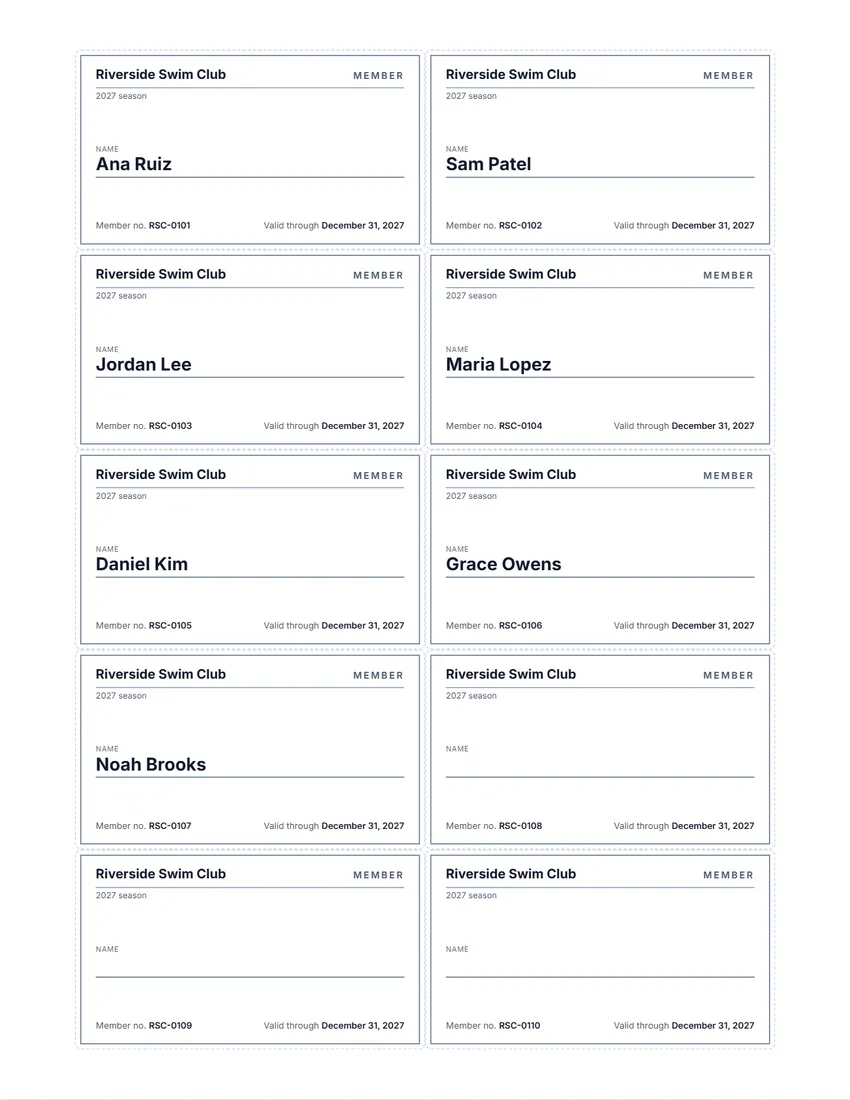 Layout
SimpleBlack and white, no logo. Uses the least ink.
Start with this layoutOpen
Prefer to fill it in by hand? Print a blank template and write on it.
Related tools
Goes well with this one

Was this tool useful?
Notice: Generated via SnapPaperwork. For your own club, gym or organization’s members. Do not make cards for an organization you do not run, or that look like a government ID.
Something missing? Tell me what you need.
How to make membership cards in 3 steps
-
Add your club and the members
Type your club’s name, add your logo, and paste the member list: one name per line, with a number after a bar if you have one. Or leave the list empty for blank cards.
-
Numbers, dates and the back
Number the cards in order from the first number you choose, add a “valid through” date, and turn on a back for benefits, your address and a signature line.
-
Print and cut
Print on business-card sheets (10 per page) or card stock, at actual size. Test on plain paper first, and laminate the cards if they need to last.
What to put on a membership card
- The name of your club, gym or organization, and your logo
- The member’s name, written clearly
- A member number, so cards can be checked against your list
- A valid-through date, if memberships run for a season or a year
- On the back: what the card gives the member, how to reach you, and a line for the member’s signature
- A line saying where to return the card if it is found
Paper, sizes and printing both sides
- Business-card size is 3½ × 2 in on US Letter (laid out like perforated business-card sheets) or 85 × 54 mm on A4, 10 per page.
- “Large card” is 8 per page, bigger, for plain card stock you cut by hand; turn on the cut lines.
- To print a back, the backs come on their own pages after each page of fronts. Print both sides and flip on the long edge; check with one plain sheet held to the light first.
- A thick card stock (about 80–110 lb cover, or 220–300 gsm) feels like a real card. Laminating pouches for business cards make them last a season.
Handing out and checking cards
- Keep the member list and the numbers you gave out in one place, so a lost card can be replaced with a new number.
- Hand out cards in person, and ask members to sign the back.
- At the door, check the name and the valid-through date; a number lets you look the member up.
- When the season ends, print new cards with the new date rather than writing over the old ones.
Frequently asked questions
Is this membership card maker free?
Yes. It is free to use, needs no account or sign-up, and never adds a watermark or a SnapPaperwork logo to your cards.
Can I print a card for each member?
Yes. Paste your member list, one name per line, and each member gets a card with their name. The pages follow the list, up to 250 members at a time.
Can each card have its own number?
Yes. Number the cards from a first number such as M-0001, or type each member’s number after their name: “Ana Ruiz | M-0107”.
Can I print blank cards to fill in by hand?
Yes. Leave the member list empty and every card has a line for the name. Choose how many pages you need.
Can I print on both sides?
Yes. Turn on the back for benefits, contact details, a signature line and an “if found” line. The backs are laid out to line up when you flip the sheet on its long edge.
Can I add a photo of each member?
Not at the moment: the cards have the name, number and dates. For photo ID cards, use a service that prints plastic cards.
Are my members’ names uploaded or stored on your servers?
No. Everything you type, including the member list and your logo, stays in your browser and is never sent to me. On a shared computer, press “Clear Form” when you are done.