Free Vehicle Maintenance LogAdd each service and repair with the mileage, who did it, the cost and when it is due again, then print the log or save it as a PDF. Or print a blank log for the glove box. Nothing you type is uploaded.
Layout
Whole page · the printed page has no watermark or logo.
Examples2 layouts filled in with made-up details. Open one to start with that layout, or print a blank template to fill in by hand.
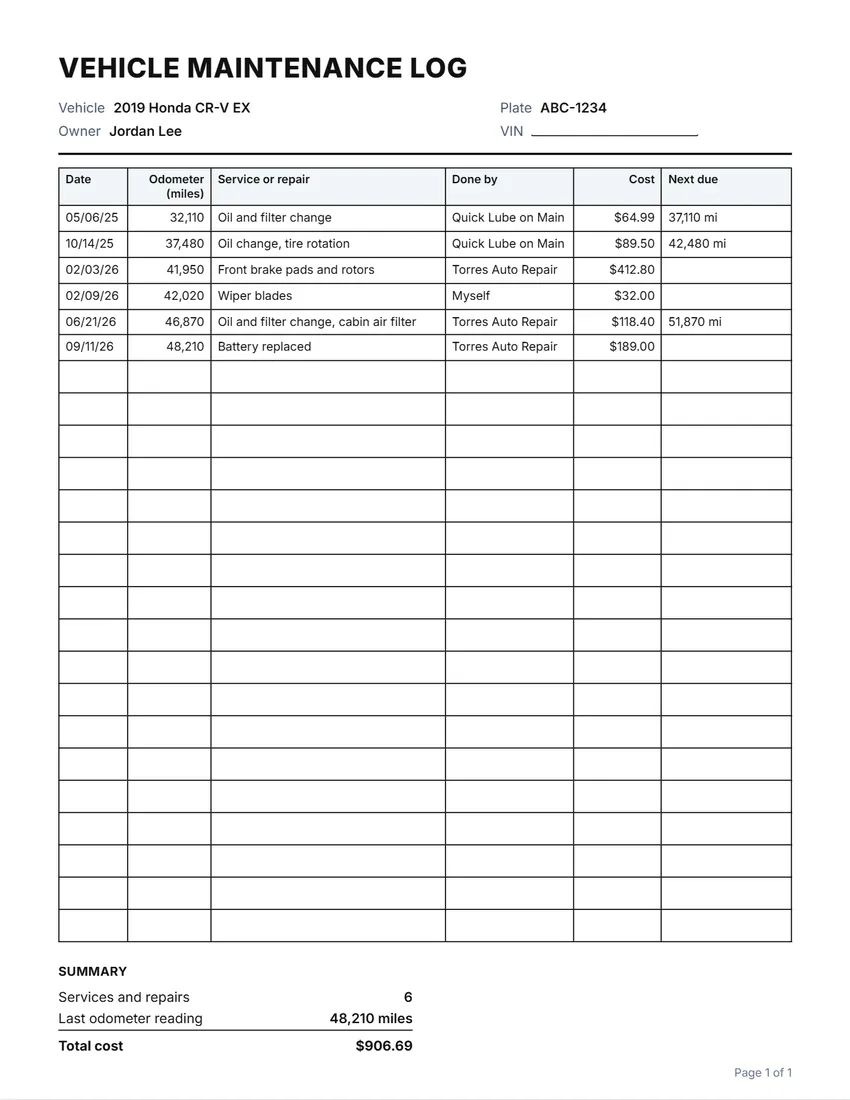 Default layout
GridRuled cells like a printed logbook.
Start with this layoutOpen
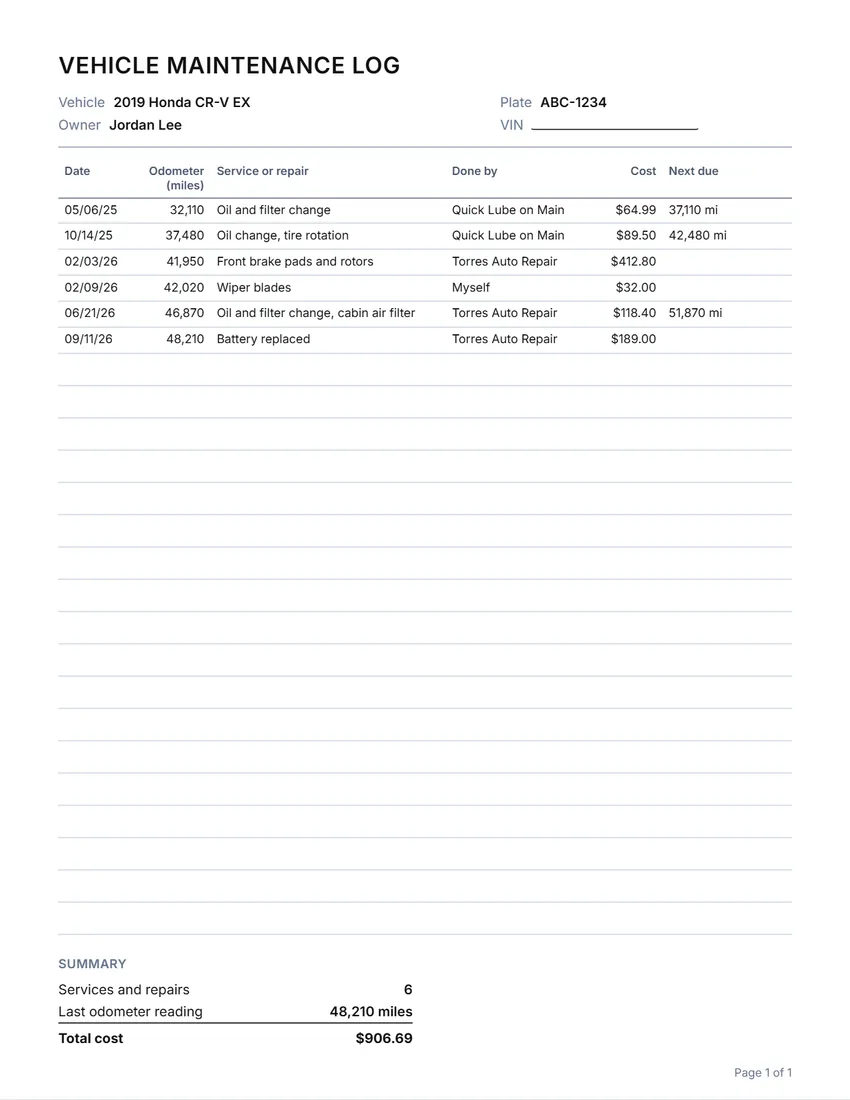 Layout
LinedLines between the rows only. Saves ink.
Start with this layoutOpen
Prefer to fill it in by hand? Print a blank template and write on it.
Related tools
Goes well with this one

Was this tool useful?
Notice: Generated via SnapPaperwork. For your own vehicle records. Writing services that were not done, or a false odometer reading, to sell a car can be fraud.
Something missing? Tell me what you need.
How to keep a maintenance log in 3 steps
-
Add the car
Year, make and model, the plate and, if you like, the VIN. Leave them empty to write them on a blank log.
-
Write each service and repair
The date, the odometer reading, what was done, who did it, what it cost and when it is due again. Common services are suggested as you type.
-
Print it and keep it with the car
Keep the log in the glove box with the receipts, and add each new service. A full history helps when you sell the car.
What to record
- The date and the odometer reading at every visit
- What was done, in plain words: “Oil and filter change, 0W-20 synthetic”
- Who did it: the shop’s name, or “Myself” with where the parts came from
- The cost, so you can see what the car costs to run
- When it is due again, by date or by mileage, whichever the manual says comes first
Tips
- Follow the service schedule in your owner’s manual; intervals differ a lot between cars and oils.
- Keep the receipts in an envelope with the log. The log is the summary; the receipts are the proof.
- Write down recalls and warranty work too, with the date it was done.
- When you sell the car, a complete log is a good reason for a buyer to trust it, and to pay a fair price.
Frequently asked questions
Is this maintenance log free?
Yes. It is free to use, needs no account or sign-up, and never adds a watermark or a SnapPaperwork logo to your pages.
Can I print a blank maintenance log?
Yes. Leave the entries empty and the page fills with rows to write on. Add up to ten extra blank pages and keep them in the glove box.
Does it work in kilometres?
Yes. Choose Canada or Australia and the odometer column is in kilometres; you can also rewrite the column heading in the Wording panel.
How often should I change the oil?
It depends on the car, the oil and how you drive. Check the service schedule in your owner’s manual, and write the next due date or mileage in the log.
Can I use it for a truck, motorcycle or boat?
Yes. Write what you service in the vehicle box and rewrite any heading, such as “Hours” instead of the odometer for a boat engine.
Is my information uploaded or stored on your servers?
No. Everything you type stays in your browser and is never sent to me. It is saved on your own device so it is there next time.