Free Cleaning Checklist & SchedulePick the rooms and tasks, then print a weekly schedule to tick off each day, or a one-time checklist for a deep clean. No sign-up, and nothing you type is uploaded.
Layout
Whole page · the printed page has no watermark or logo.
Examples2 layouts filled in with made-up details. Open one to start with that layout, or print a blank template to fill in by hand.
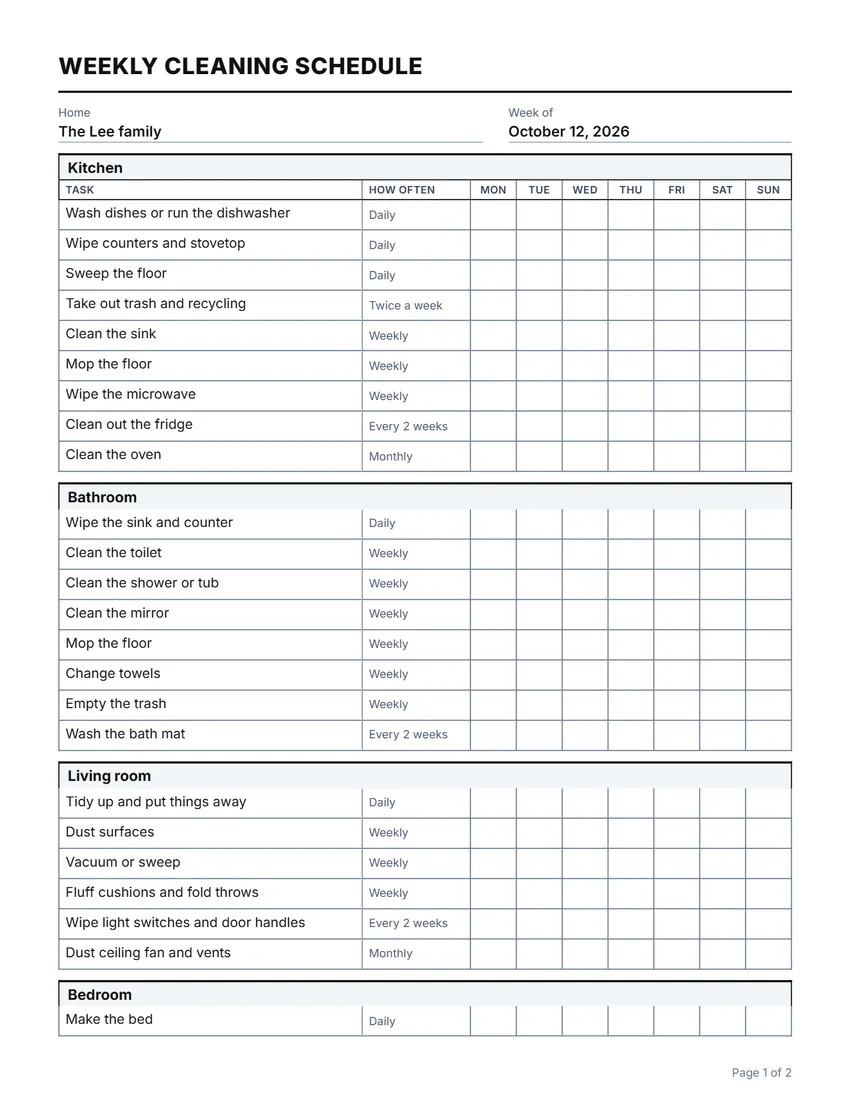 Default layout
GridA ruled table: every room and task boxed.
Start with this layoutOpen
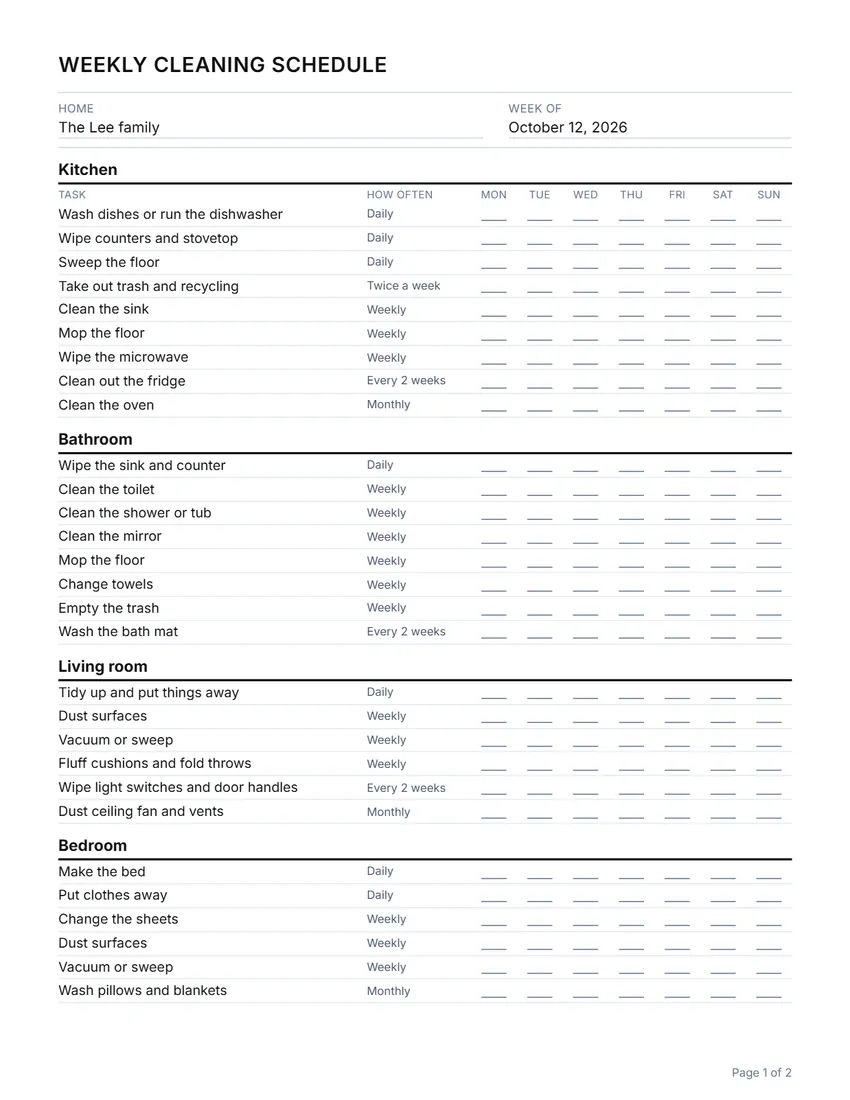 Layout
LinedLight rules and a short line to tick on. Uses less ink.
Start with this layoutOpen
Prefer to fill it in by hand? Print a blank template and write on it.
Made for a specific case
Related tools
Goes well with this one
Was this tool useful?
Notice: Generated via SnapPaperwork. For your own home, shared house or rental.
Something missing? Tell me what you need.
How to make a cleaning schedule in 3 steps
-
Choose weekly or one-time
A weekly schedule has a column for each day to tick; a one-time checklist has a Done column and notes, for a deep clean or a move-out clean.
-
Pick the rooms and tasks
Start from the standard rooms, add your own, and choose how often each task is done. Rename anything to fit your home.
-
Print it and tick as you go
Put it where everyone can see it, tick each task when it is done, and print a fresh copy each week.
How often to clean what
A common rhythm that suits many homes; adjust it to yours.
- Every day: dishes, kitchen counters, a quick tidy, making beds
- Every week: bathrooms, floors, dusting, sheets, trash and recycling
- Every two weeks: the fridge, the bath mats, door handles and light switches
- Every month: the oven, windows, baseboards, vents, and testing smoke alarms
Tips
- Work top to bottom and dry to wet: dust before you vacuum, vacuum before you mop.
- Split the list by person in a shared home, and swap each week so nobody always gets the bathroom.
- For a move-out clean, check your lease or the landlord’s list: they often ask for the oven, the fridge and inside cupboards.
- Keep supplies in one caddy you can carry from room to room.
Frequently asked questions
Is this cleaning checklist free?
Yes. It is free to use, needs no account or sign-up, and never adds a watermark or a SnapPaperwork logo to your sheet.
What is the difference between the weekly schedule and the checklist?
The weekly schedule lists how often each task is done, with a column for each day to tick. The one-time checklist has a Done column, notes and “Cleaned by” and “Checked by” lines, for a deep clean, a move-out clean or a rental turnover.
Can I add my own rooms and tasks?
Yes. Add rooms from the list (a second bedroom or bathroom is numbered for you), rename them, and add, remove or rename tasks. Common tasks are suggested as you type.
Can I start the week on Sunday?
Yes. Choose Sunday or Monday as the first day, and rewrite any day name in the Wording panel or straight on the sheet.
Can I use it for a shared house or an Airbnb?
Yes. Write who does each task in the task name, or use the one-time checklist for a turnover clean between guests.
Is my information uploaded or stored on your servers?
No. Everything you type stays in your browser and is never sent to me. It is saved on your own device so it is there next time.