Free Printable Name Tag TemplatePaste a list of names (with job titles or companies if you like), pick your badge sheet and design, then print. Or print blank “HELLO my name is” badges to write on. No sign-up, and nothing you type is uploaded.
Design
Whole page · the printed page has no watermark or logo.
Name tags you can make hereThree looks on common badge sheet sizes. Open one to start with it, then type your list of names.
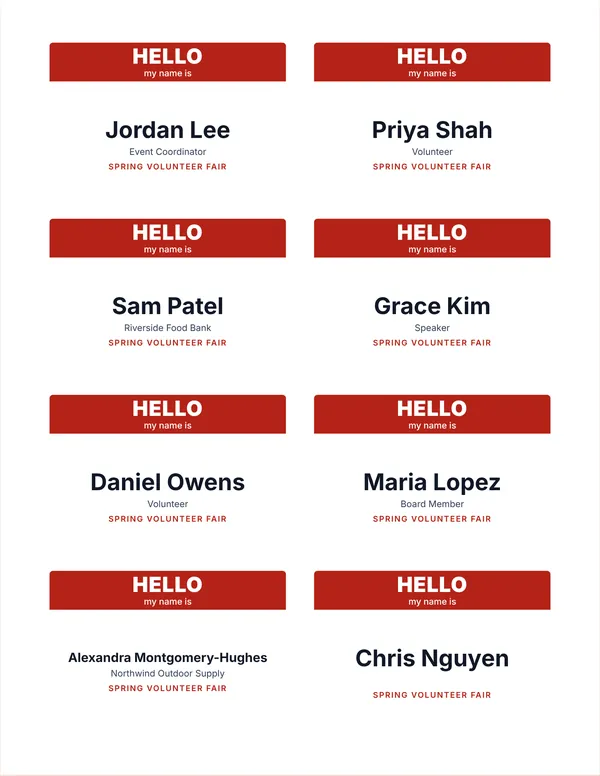 “HELLO my name is” name tags
Sticker name badges with a colored band, to write on or print from a list. Fits Avery 5395 type sheets.
Make these tagsOpen
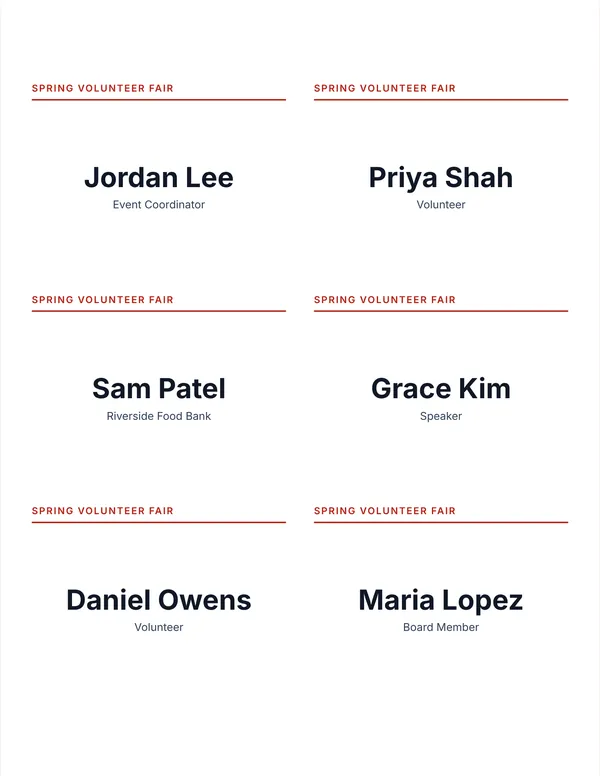 Event name tags with the event name
The event name across the top of each badge, then the guest’s name and role. Fits larger 4 × 3 inch badge sheets.
Make these tagsOpen
 Simple black and white name badges
A clean badge with just the name, for offices, classes and meetings.
Make these tagsOpen
Examples3 layouts filled in with made-up details. Open one to start with that layout.
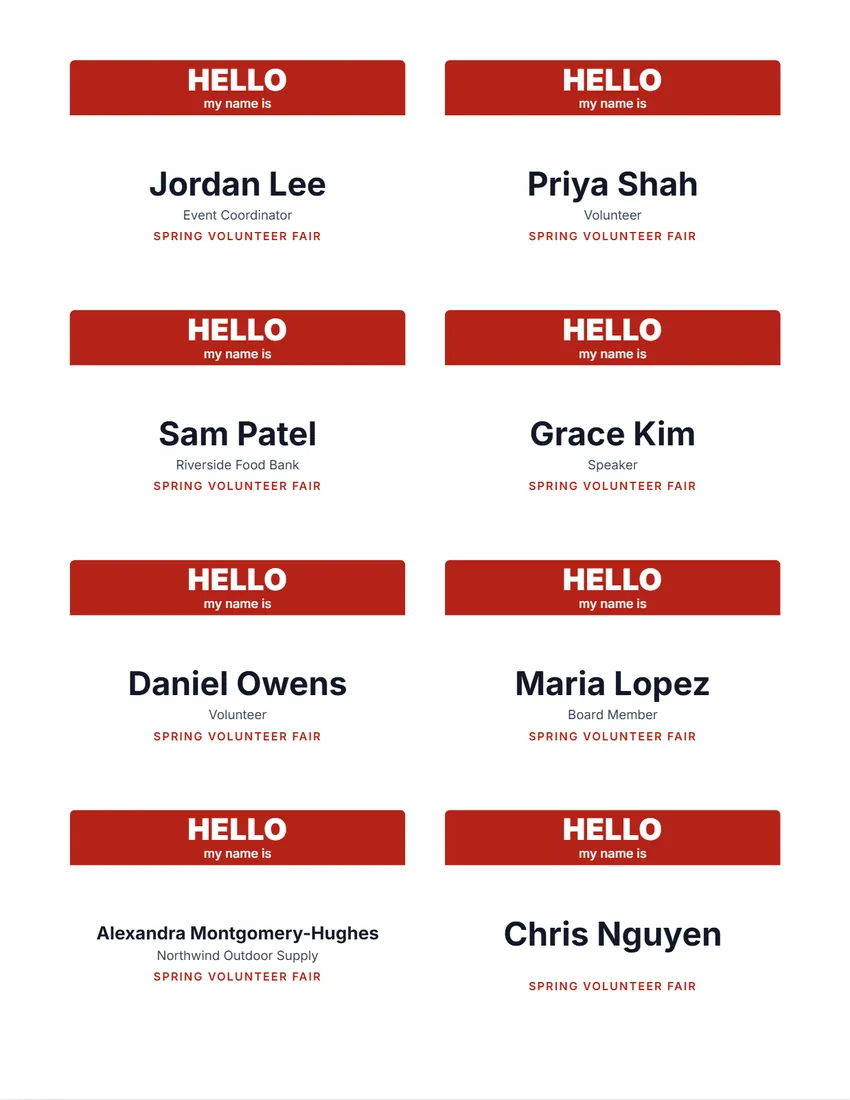 Default layout
Hello“HELLO my name is” on a band of colour, the name large below.
Start with this layoutOpen
 Layout
EventYour logo and the event at the top, the name and company below.
Start with this layoutOpen
 Layout
SimpleBlack and white: the name large, company and event small. Least ink.
Start with this layoutOpen
Related tools
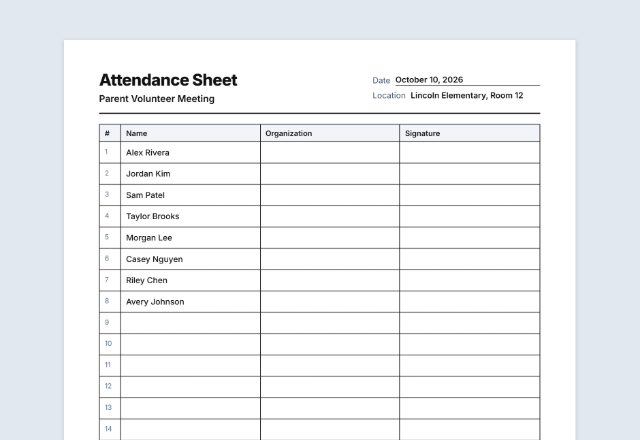
Goes well with this one
Was this tool useful?
Notice: Generated via SnapPaperwork. For your own events. Do not make badges that pretend to be official staff, security or press passes.
Something missing? Tell me what you need.
What is a name tag sheet?
A name tag sheet prints a name on each label so guests can stick one on at an event. Type a list of names to print them all, or print blank tags to write on by hand. Use label sheets that match the size you choose.
How to make name tags in 3 steps
-
Pick your badge sheet
Choose the number on your box of badges: adhesive name badges or inserts for plastic holders, on US Letter or A4.
-
Paste the names
One person per line, with a job title or company after a “|”. Or choose blank badges to write on at the door.
-
Test, then print
Print one page on plain paper with the outlines, check it against a sheet of badges, then print at 100%.
Badge sheets this tool fits
- Avery 5395 and 8395: adhesive name badges, 3⅜ × 2⅓ in, 8 per sheet
- Avery 5390: badge inserts, 3½ × 2¼ in, 8 per sheet
- Avery 5392: badge inserts, 4 × 3 in, 6 per sheet
- Avery L7165 (A4): 99.1 × 67.7 mm labels, 8 per sheet
- Other brands print the same numbers as “compatible with”. Avery is a trademark of Avery Products Corporation; SnapPaperwork is not connected with it.
Tips for good name tags
- Print first names large: people read badges from a few steps away.
- Keep the second line short, such as a job title, company or “Volunteer”.
- Use blank badges and a marker for walk-ins, and print the rest ahead of time.
- Sort the list in the order you will hand the badges out, such as by last name.
- If the text sits a little off on your printer, use “Move right” and “Move down”, then print again.
Printers feed paper slightly differently, so always test on plain paper first.
Frequently asked questions
Is this name tag maker free?
Yes. It is free to use, needs no account or sign-up, and never adds a watermark or a SnapPaperwork logo to your badges.
Can I print “HELLO my name is” badges to write on?
Yes. Choose “Blank badges to write on” and the number of sheets. Each badge has the band and a line to write the name on.
How do I add a job title or company?
Write it after a “|” on the same line, for example “Jordan Lee | Marketing Manager”. Each part after the name goes on its own line. Columns pasted from a spreadsheet work too.
What if a name is long?
Long names are printed smaller so they fit on one line. If something still does not fit, the form tells you which badge.
Can I start on a sheet that is partly used?
Yes. Choose “Start at badge” and pick the first empty badge, counting left to right, row by row.
Is my information uploaded or stored on your servers?
No. Everything you type stays in your browser and is never sent to me. It is saved on your own device so it is there next time.
How do I print name tags from a list of names?
Paste or type one name per line. You can add a job title or company after a “|” on the same line. Pick your badge sheet, then print.
Can I make blank name tags to write on?
Yes. Choose blank badges and the number of sheets. Each tag has a band and a line for the name.
Which label sheets does this fit?
Letter sheets with 8 or 6 badges, and A4 sheets with 8 badges. Choose the sheet in the form and print one page on plain paper first to check the fit.