Free Job Offer Letter TemplateFill in the job, pay and start date and the offer letter is written for you, on your company letterhead. Change any of it, then print it, save a PDF or copy it into an email. No sign-up, and nothing you type is uploaded.
Design
Whole page · the printed page has no watermark or logo.
Examples3 layouts filled in with made-up details. Open one to start with that layout.
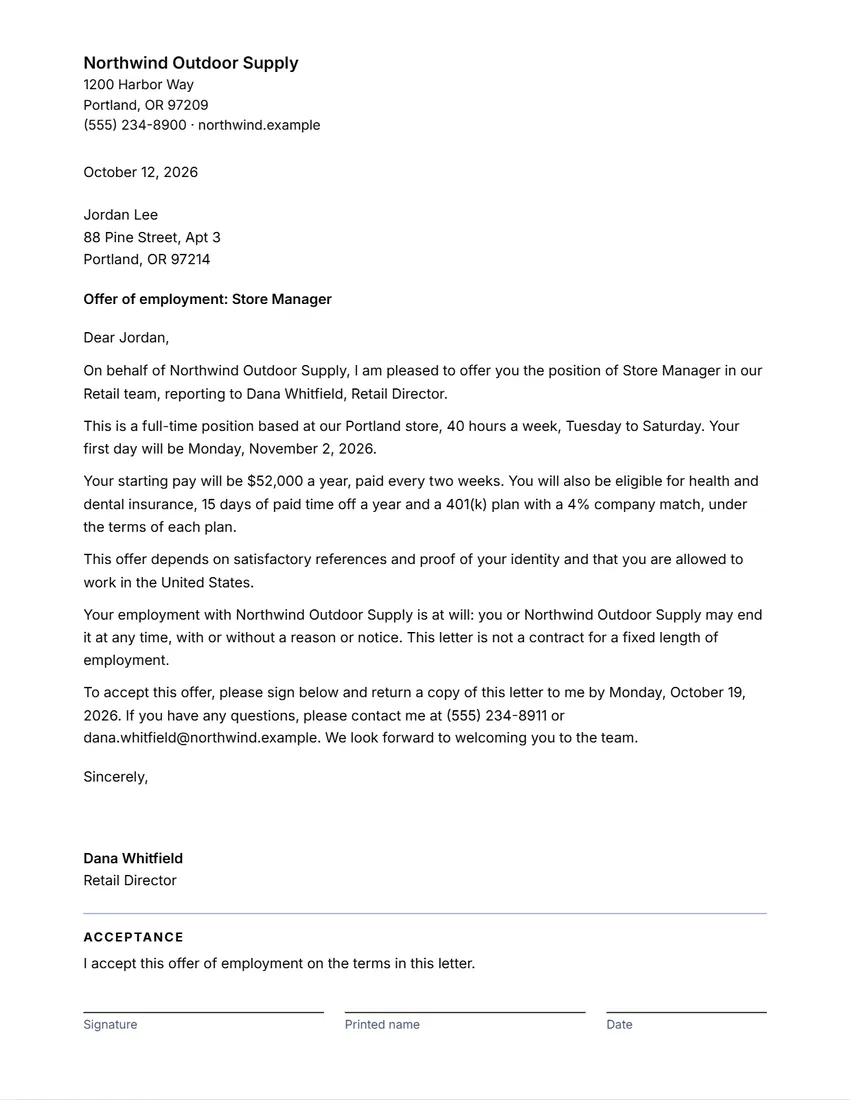 Default layout
ClassicA plain business letter, the company at the top left and the logo at the right.
Start with this layoutOpen
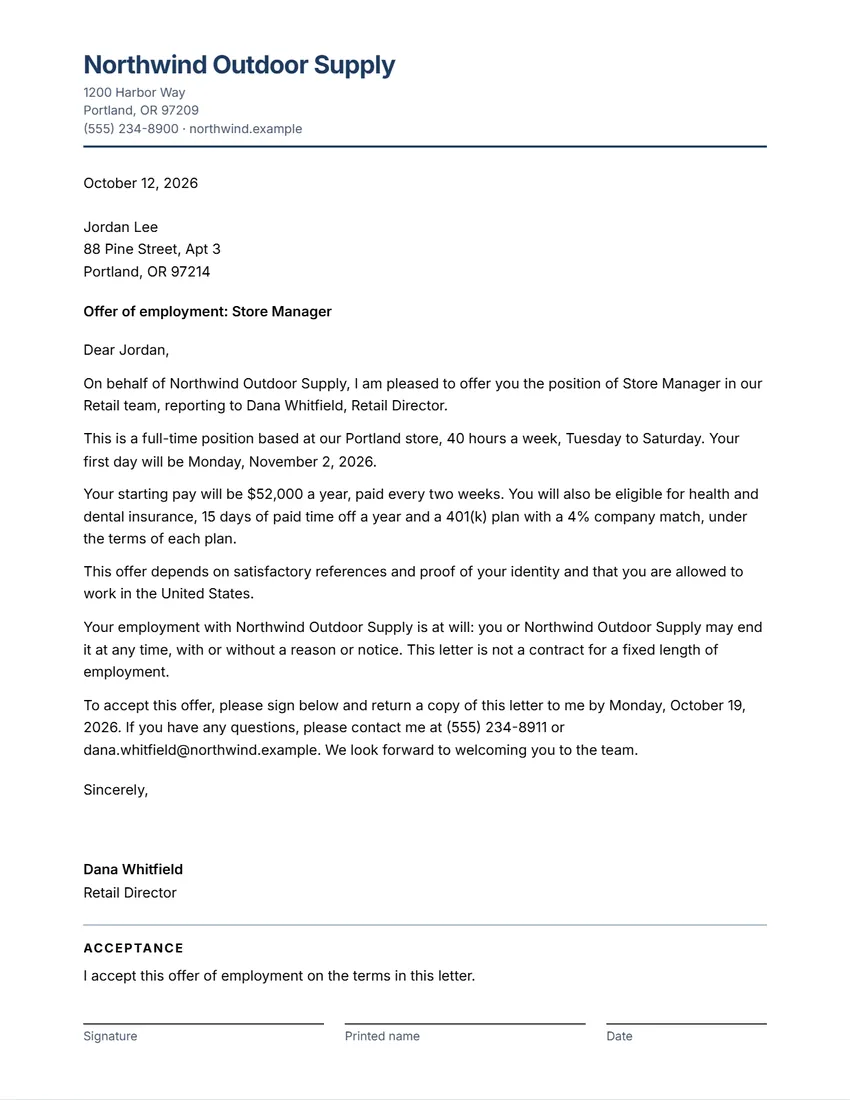 Layout
ModernLogo and company name in a colour, details under it, a rule.
Start with this layoutOpen
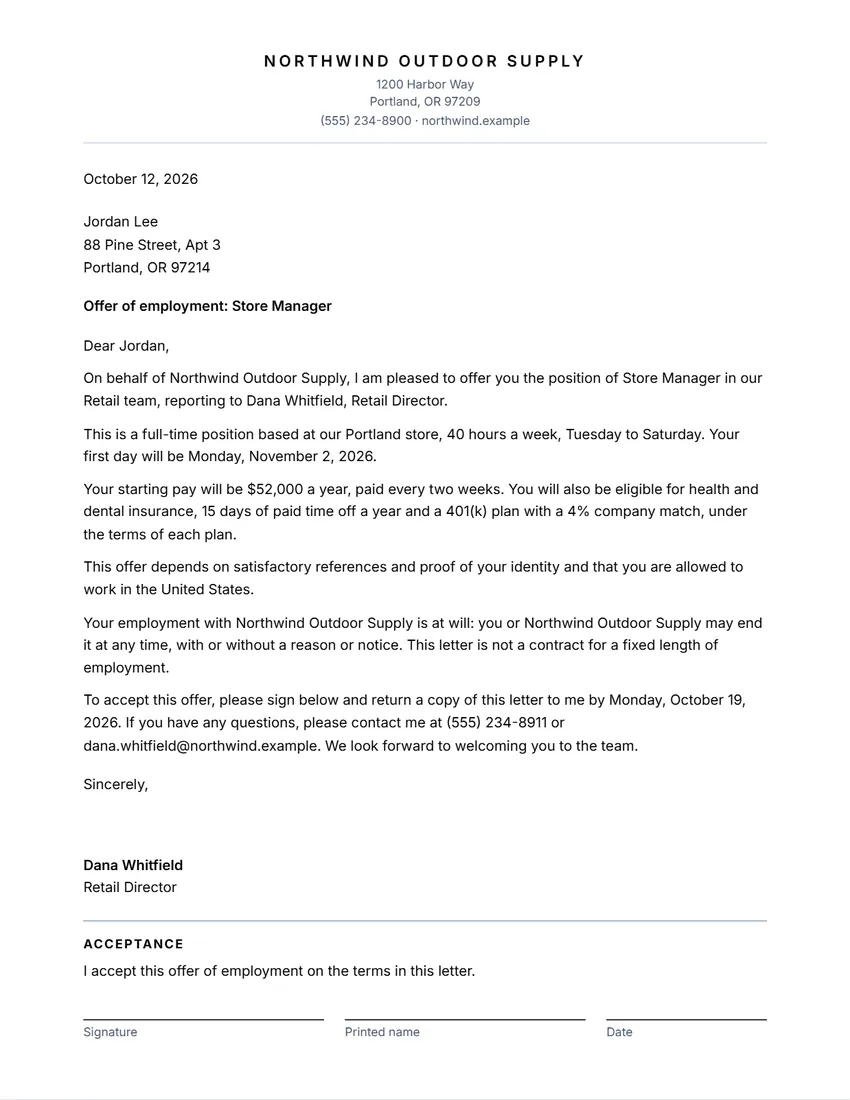 Layout
SimpleLogo and company name centred in capitals over a fine line. Least ink.
Start with this layoutOpen
Related tools
Goes well with this one
Was this tool useful?
Notice: Generated via SnapPaperwork. For real job offers only. A fake offer letter, or one in the name of a company you do not hire for, can be fraud.
Something missing? Tell me what you need.
How to write a job offer letter in 3 steps
-
Fill in the job
The candidate’s name, the job title, who they report to, full-time or part-time, the start date, where and when they will work.
-
Add pay, benefits and conditions
The starting pay and how often it is paid, the main benefits, any probation period, and what the offer depends on, such as references.
-
Sign and send
Check the letter, add your logo and signature, then send the PDF or print it. The candidate signs the acceptance lines and returns a copy.
What to put in a job offer letter
- The job title, the team and who the person will report to
- Full-time, part-time, temporary or seasonal, and the start date (and the end date for a temporary job)
- Where they will work and the usual hours
- The starting pay, what it is per (hour, year…) and how often it is paid
- The main benefits, such as paid time off, health insurance or a pension, and any probation period
- What the offer depends on, such as references or proof of the right to work
- How and by when to accept, and a place for the candidate to sign
Tips for a clear offer
- Keep it short and match what you said in the interview. Put the details of benefits in a separate summary.
- Use the same job title and pay as your payroll and any contract, so nothing contradicts.
- Give a reasonable reply date, and say who to call with questions.
- Send it from a work email or on your letterhead, and keep the signed copy in the employee’s file.
- An offer letter is not always a full employment contract. Many employers add a contract or handbook later.
Conditions you can put in the offer
- Background checks (US): before you get a background report from a screening company, you must tell the candidate in a separate written notice and get their written permission (FTC guidance). The line in the letter does not replace that notice.
- Right to work (US): every employer completes Form I-9 for each new hire to check identity and work authorization (USCIS Form I-9).
- Right to work (UK): you must check that a job applicant is allowed to work for you in the UK before you employ them (GOV.UK).
- UK employers also give the main written statement of terms on the first day, and the rest within 2 months (GOV.UK). The offer letter can cover some of it but is usually not enough on its own.
- “At will” (US): many US offer letters say either side may end the job at any time. Not every job or state works that way, so leave the paragraph out if you are unsure.
General information, not legal or HR advice. Checked in October 2026. Employment rules depend on the country and state, and on any contract or union agreement.
Frequently asked questions
Is this offer letter generator free?
Yes. It is free to use, needs no account or sign-up, and never adds a watermark or a SnapPaperwork logo to your letter.
Can the candidate sign it?
Yes. “Add lines for the candidate to sign and accept” puts an acceptance sentence with lines for their signature, the date and their printed name at the end of the letter.
Is an offer letter a contract?
It can be part of one, depending on the words and the law where you hire. Many employers keep the offer short and add a contract or handbook. Ask an employment adviser if you are unsure.
Can I change the wording?
Yes. The letter is written from your answers, but you can rewrite any of it in the “The letter” box or on the page. Empty the box to have it written from the form again.
Can I add my company logo?
Yes. Upload a PNG or JPG under “Your company”. It is kept in your browser only and never uploaded.
Is my information uploaded or stored on your servers?
No. Everything you type stays in your browser and is never sent to me. It is saved on your own device so it is there next time.