Free Return Form TemplateFill in the form, check the preview, then print it or save it as a PDF. No sign-up, and nothing you type is uploaded.
Layout
Whole page · the printed page has no watermark or logo.
This form is longer than one page and will print on two pages. Use fewer lines, turn off a block, or shorten your return policy.
Examples3 layouts filled in with made-up details. Open one to start with that layout, or print a blank template to fill in by hand.
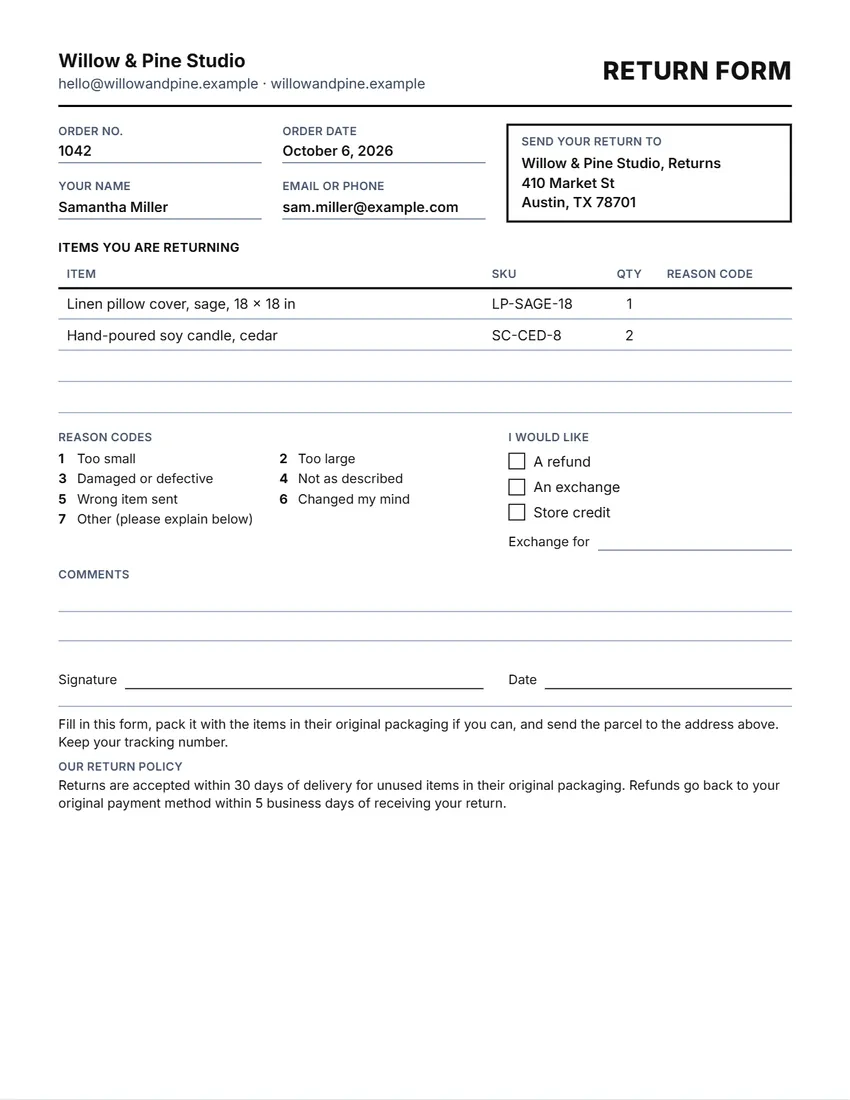 Default layout
ClassicRuled boxes and a full table.
Start with this layoutOpen
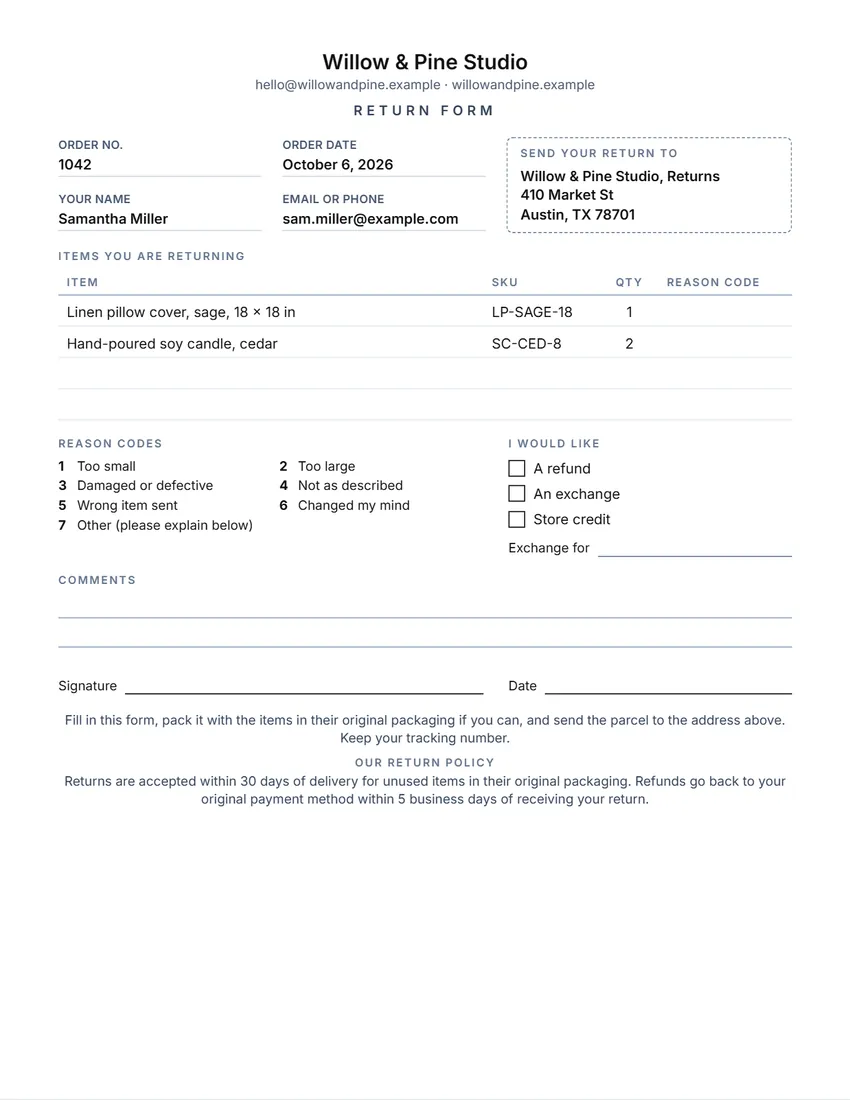 Layout
BoutiqueCentred logo and name, light lines, the return address in a dashed box.
Start with this layoutOpen
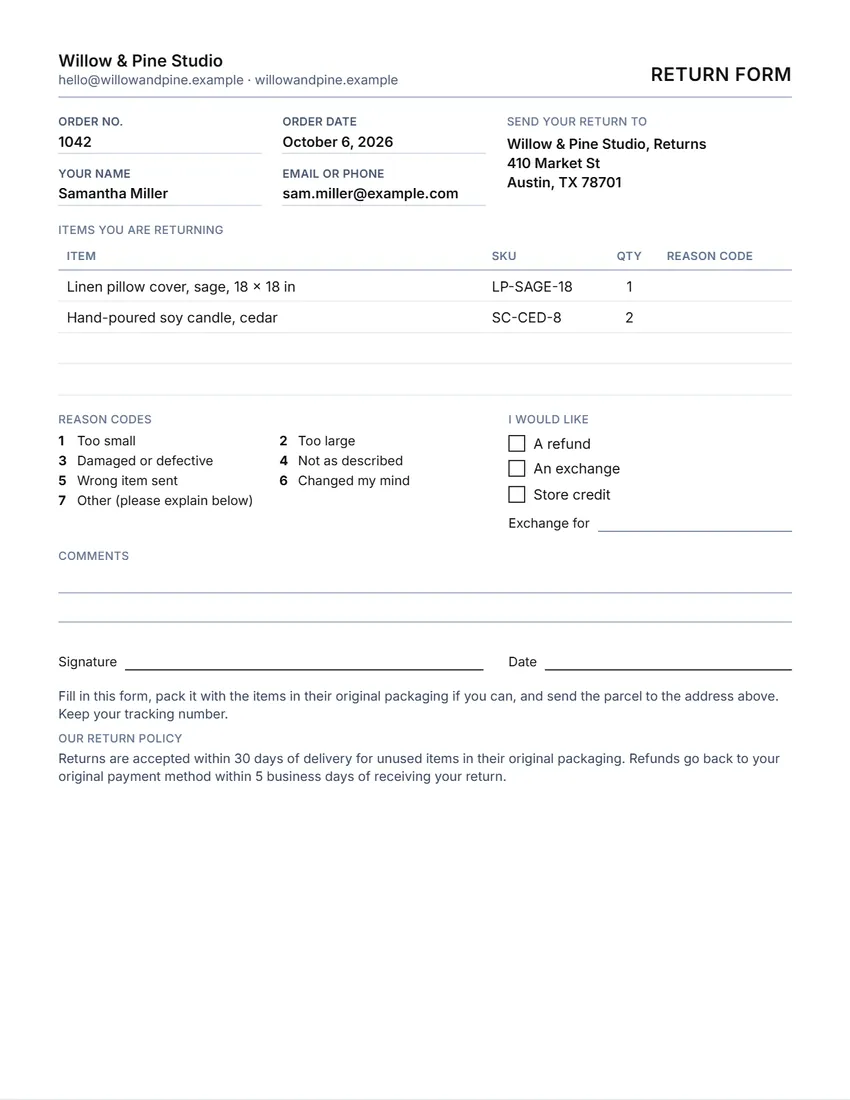 Layout
SimpleBlack and grey, no logo, thin lines: the least ink.
Start with this layoutOpen
Prefer to fill it in by hand? Print a blank template and write on it.
Related tools
Goes well with this one
Was this tool useful?
Notice: Generated via SnapPaperwork. For your own shop’s returns. Do not use it to make return forms for a shop or marketplace you do not run.
Something missing? Tell me what you need.
What is a return form?
A return form is a sheet a customer fills in to send an item back to a shop. It lists the order, the items, why they are returned and whether the customer wants a refund, an exchange or store credit. Put one in the package or hand it over at the counter.
How to make a return form in 3 steps
-
Add your shop and return address
Your shop name, logo and contact, and the address returns should go to. Add your return policy if you want it on the form.
-
Choose blank or filled in
Leave the order and items empty to print a stack of forms for every parcel, or fill them in for one order. Choose the reason codes and what the customer can ask for.
-
Print and pack it
Print it or save a PDF, and put one in each parcel with the packing slip. When a return arrives, the form tells you who it is from and what they want.
What a return form should include
- Your shop’s name and how to reach you
- The address to send returns to
- The order number and date, and the customer’s name and contact
- Each item being returned, how many, and why
- Whether the customer wants a refund, an exchange or store credit
- Your return policy: the time limit, the condition items must be in, and who pays for return shipping
Writing your return policy
- Say how long customers have, counted from delivery or from purchase.
- Say what condition items must be in, for example unused and in the original packaging, and which items cannot be returned, such as personalised or perishable goods.
- Say who pays for return shipping, and whether you send a label.
- Say how and when you refund: to the original payment, as store credit, or as an exchange, and how many days it takes once the return arrives.
- Keep it short. The same words on your website, your listings and this form avoid arguments later.
Return policies and the law
Some places require shops to show their return policy. In California, for example, a retail seller whose policy does not give a full refund, credit or exchange for at least seven days after purchase must display that policy where customers see it, which can include its order forms (Civil Code § 1723). The law has exceptions, such as food, goods marked “as is” or “all sales final”, and customised goods.
Other states and countries have their own consumer rules, including for goods that turn out to be faulty. A return policy cannot take away rights the law gives your customers. Check the rules where you and your customers are.
Handling a return
Number your orders and ask for the order number on every return, so you can match the parcel to the sale.
When a parcel comes back, check the items against the form, note their condition, and fill in the “For office use” box if you turned it on.
Refund or exchange promptly, and tell the customer when it is done.
Selling on a marketplace
If you sell on a marketplace such as Etsy, eBay or Amazon, its own return rules and return labels come first. Use this form for the details it does not cover, and keep your policy in line with the marketplace’s.
Checked in October 2026. This page is general information, not legal advice. Consumer laws differ from state to state and country to country.
Frequently asked questions
Is this return form generator free?
Yes. It is free to use, needs no account or sign-up, and never adds a watermark or a SnapPaperwork logo to your form.
Can I print blank return forms for every order?
Yes. Leave the order details and items empty and choose how many empty lines the customer gets. Print as many copies as you need and put one in each parcel.
Can I fill in the form for one order?
Yes. Type the order number, date, customer and items, and they are printed on the form. The reason column stays empty for the customer to fill in. If you already know what the customer wants, tick it on the page or choose it in the form.
What are reason codes?
Short numbers for the usual reasons, such as 1 for too small or 3 for damaged, so the customer writes a number next to each item. You can rewrite or turn off the list.
What should my return policy say?
How long customers have, the condition items must be in, which items cannot be returned, who pays for return shipping, and how you refund. Use your own policy; the example is not advice.
Do I have to have a return policy?
It depends on where you sell. Some states, such as California, require shops whose policy is stricter than a seven-day full refund, credit or exchange to display it. Consumer laws also give buyers rights you cannot take away.
What is the difference between a packing slip and a return form?
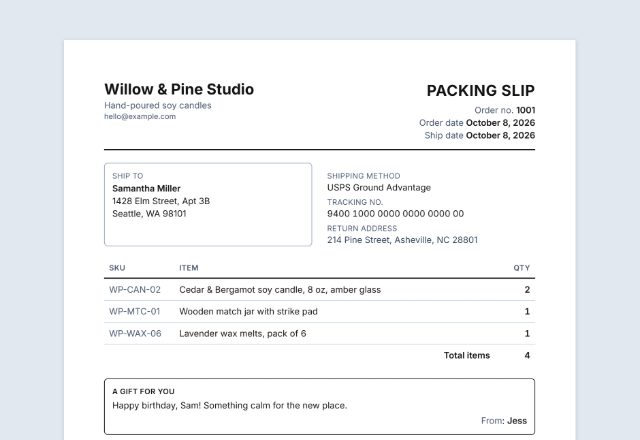
A packing slip lists what is in the parcel. A return form is what the customer sends back with anything they return. Many shops put both in every parcel.
Are my details uploaded or stored on your servers?
No. Everything you type, and your logo, stays in your browser and is never sent to me. The form is saved on your own device so it is there next time.
How do I save the form as a PDF?
Click “Print / Save PDF” and choose “Save as PDF” as the printer, or click “Download PDF” to save a file straight to your phone or computer. “Share” opens your device’s share menu with the PDF attached.