Free Car Detailing Invoice TemplateAdd the packages and add-ons, check the preview, then print the invoice or detailing receipt, or save a PDF. Nothing you type is uploaded.
Layout
Whole page · the printed page has no watermark or logo.
This invoice is longer than one page and will print on two pages. Shorten the descriptions or the notes, or try another layout.
Examples2 layouts filled in with made-up details. Open one to start with that layout.
More versions of this form
Related tools
Goes well with this one
Was this tool useful?
Notice: Generated via SnapPaperwork. For genuine work and payments only. A document with false amounts, dates or details can be illegal.
Something missing? Tell me what you need.
How to make a car detailing invoice
-
Add your business and the customer
Your business name, phone and email, then the customer’s name. Add your logo if you have one.
-
List the packages and add-ons
One line for the interior detail, one for the exterior wash and wax, and one for each add-on such as pet hair removal or headlight restoration.
-
Note the vehicle and send it
Write the vehicle in the notes, add any amount paid, then print the invoice, save a PDF or email it.
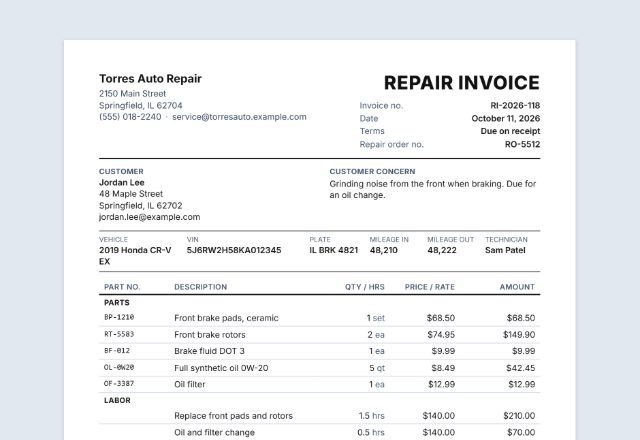
A detailing invoice lists the vehicle, the package you did and any add-ons. If the customer pays at the end, the same page works as a car wash or mobile detailing receipt.
What to put on a detailing invoice
- Your business name and contact details, and the customer’s name
- An invoice number, the date, and the service location for mobile jobs
- The vehicle: year, make, model and colour
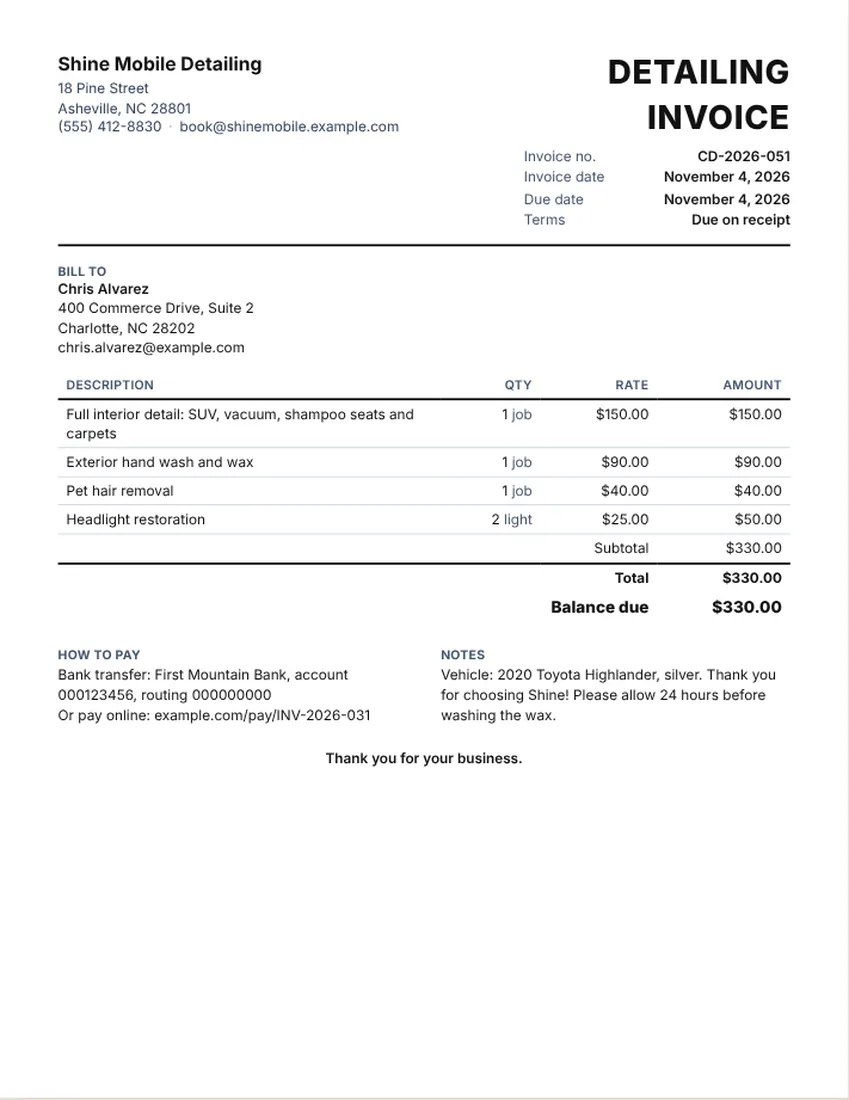
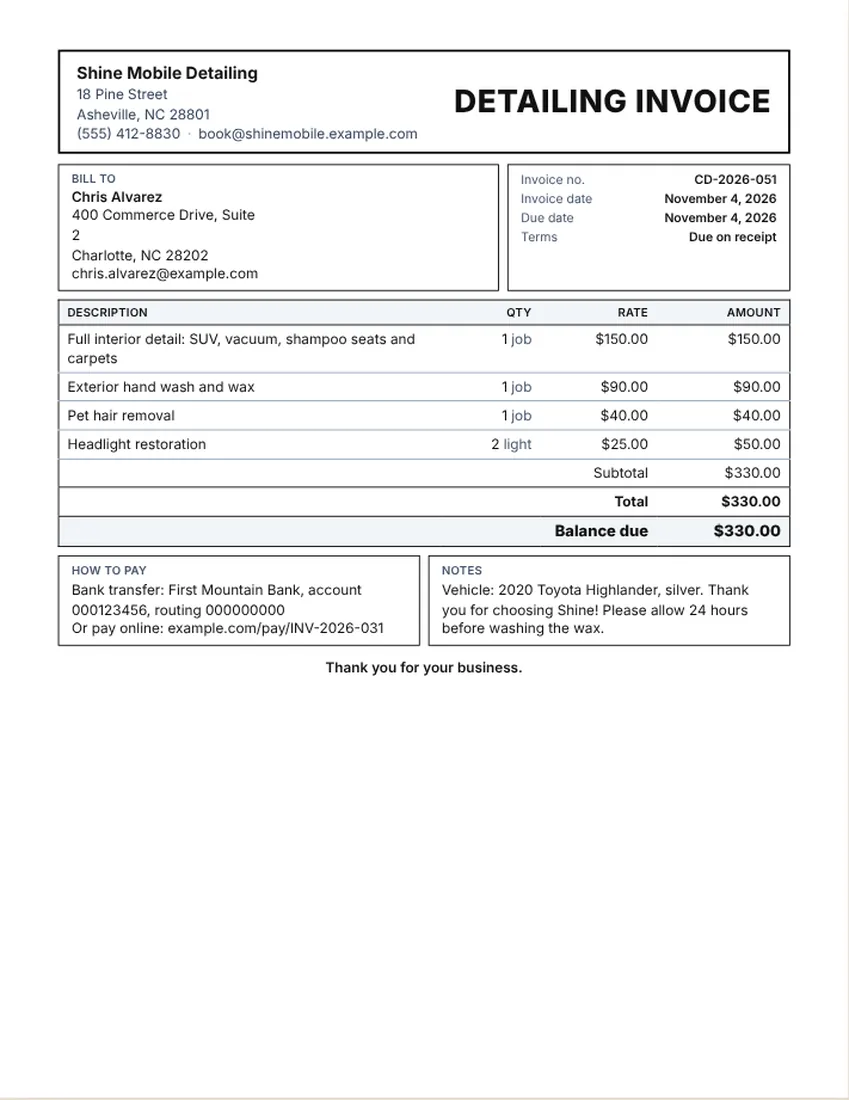
- Each package in plain words, such as “Full interior detail: vacuum, shampoo seats and carpets”
- Add-ons on their own lines: pet hair, odor treatment, headlights, engine bay
- Any discount, tax if you charge it, the total and the balance due
- How to pay, and a short aftercare note, such as when it is safe to wash the wax
Sample line items for detailing and car washes
The sample invoice shows an interior detail, an exterior wash and wax and two add-ons. Its prices are made up. They are not a price guide, so set yours from your time, products and travel.
- Full interior detail (per job)
- Exterior hand wash and wax (per job)
- Express wash or wash and vacuum (per car)
- Paint correction or polish (per job or per hour)
- Pet hair or odor removal (per job)
- Headlight restoration (per light)
- Mobile service or travel fee (per visit)
How to price: per package, per job or per vehicle size
Most detailers sell set packages, so each package is one line priced per job. Larger vehicles such as trucks and SUVs often cost more than a small car, so say the vehicle size in the line or the notes.
Extras that depend on the car’s condition, such as heavy pet hair or stains, are easier to show as their own add-on lines. For fleets or regular clients, a per-vehicle line with the number of vehicles keeps the invoice short.
Tips for getting paid on time
- Send or hand over the invoice as soon as the car is done and the customer has seen it.
- Take photos before and after and mention them in the notes.
- Put aftercare advice at the bottom, so customers know what to expect.
- For mobile detailing, add a travel line instead of folding it into other prices.
- Tax and permits for mobile services depend on where you work. Check your state’s rules or ask your tax adviser.
Checked in November 2026. This page is general information, not legal advice. Rules differ from place to place and change over time.
Frequently asked questions
What should a car detailing invoice include?
Your business details, the customer and the vehicle, an invoice number and date, each package and add-on on its own line, any tax, the total, the balance due and how to pay.
Can I use this as a car wash receipt?
Yes. Enter the amount the customer paid and the balance due drops to zero. Print it or save a PDF as the receipt.
Is there a mobile detailing invoice template?
Yes. This page works for mobile detailing. Add a travel or mobile service line and write the service address in the notes. It is free and needs no account.
How do I show add-ons?
Give each add-on its own line, such as “Pet hair removal” or “Headlight restoration (2 lights)”, with its own quantity and price.
Should I charge by vehicle size?
Many detailers do, because trucks and SUVs take longer. Put the vehicle in the notes and write the size into the package line, such as “SUV”.
Can I add my logo and change the title?
Yes. Click the title on the sheet to change it, for example to “CAR WASH RECEIPT”, and use the logo button to add your logo. Your logo stays in your browser.