Free Statement of Account TemplateFill in the form, check the preview, then print it or save it as a PDF. No sign-up, and nothing you type is uploaded.
Layout
Whole page · the printed page has no watermark or logo.
Examples2 layouts filled in with made-up details. Open one to start with that layout, or print a blank template to fill in by hand.
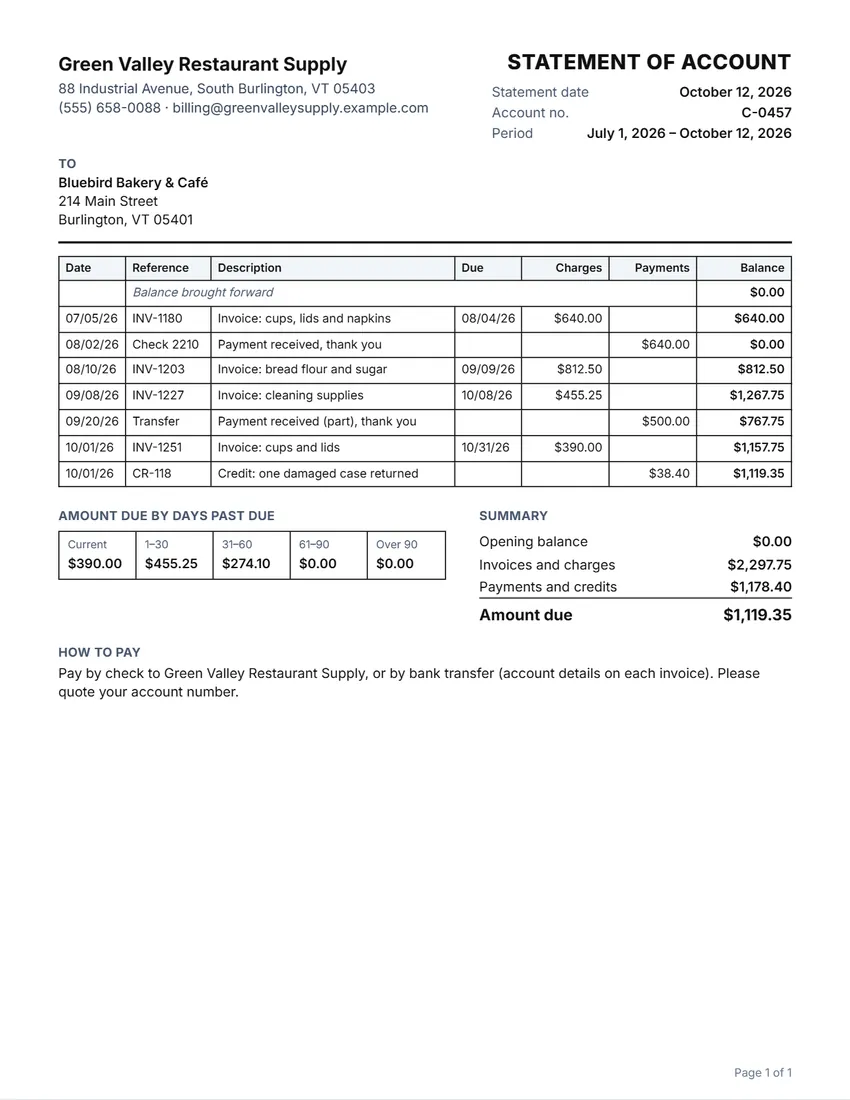 Default layout
GridRuled cells like a printed account book.
Start with this layoutOpen
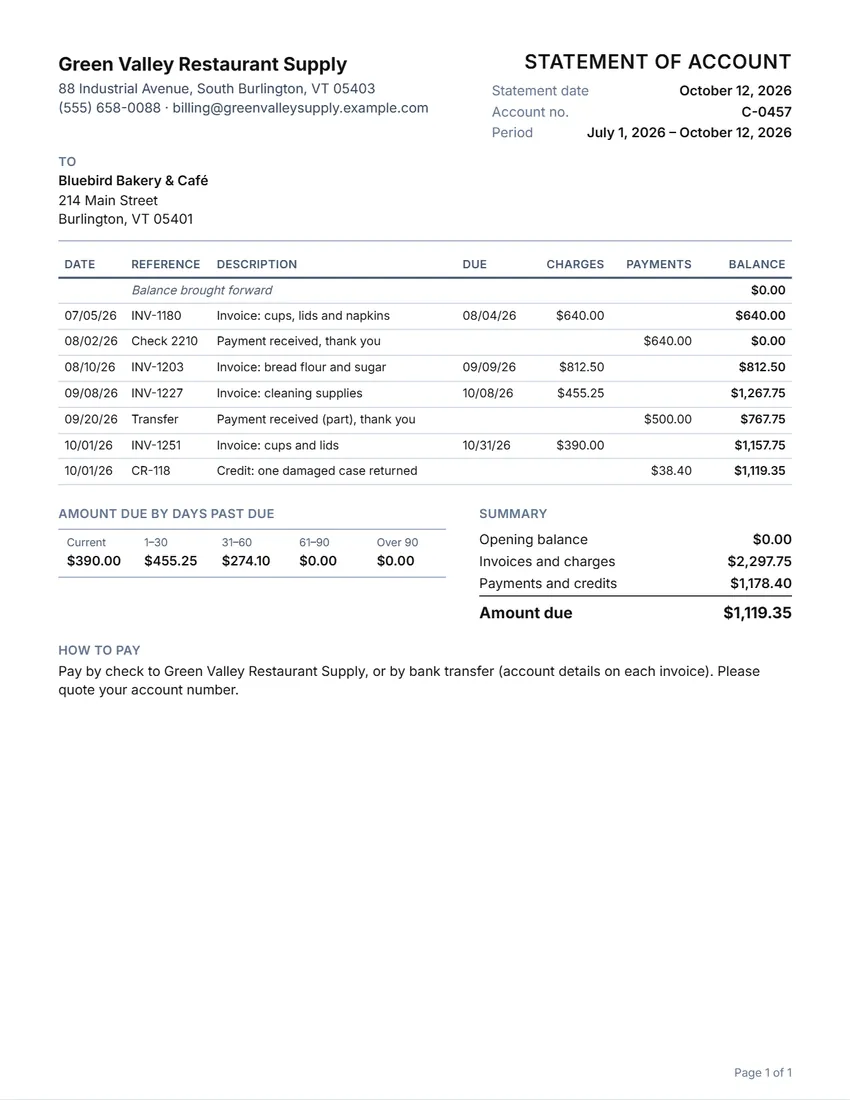 Layout
LinedLines between the rows only. Saves ink.
Start with this layoutOpen
Prefer to fill it in by hand? Print a blank template and write on it.
Related tools
Goes well with this one
Was this tool useful?
Notice: Generated via SnapPaperwork. For your own customers’ accounts. A statement with invoices or amounts that are not real, or made to pressure someone into paying what they do not owe, can be illegal.
Something missing? Tell me what you need.
How to make a statement of account in 3 steps
-
Add your business and the customer
Your name, logo and contact details, the customer and their account number, the statement date and the period it covers, and any balance brought forward.
-
List invoices, payments and credits
One line each, with the date, a reference such as the invoice number, and the amount. Give each invoice its due date. The running balance is worked out line by line.
-
Check the totals and send it
The summary shows the amount due, and how much of it is current or 30, 60 or 90 days past due. Add how to pay, then print it, save a PDF or share it.
What a statement of account should include
- Your business name and contact details
- The customer’s name, address and account number
- The statement date and the period it covers
- The balance brought forward from the last statement
- Each invoice, payment and credit in the period, with dates and references
- The running balance and the amount due now
- How much of the amount due is overdue, and by how long
- How to pay you
Reading the aging summary
The aging summary splits the amount due by how late it is on the statement date: not yet due (current), 1 to 30 days past due, 31 to 60, 61 to 90, and over 90 days.
Payments and credits are counted against the oldest amounts first, starting with any balance brought forward. Each invoice counts from its due date; an invoice without a due date counts from its own date. The balance brought forward counts from the start of the period.
A growing amount in the 60- and 90-day columns is a sign to follow up: a phone call, a reminder, or a payment plan.
Tips for statements
- Send statements on a fixed day each month, so customers know when to expect them.
- Quote the invoice number on every line, so the customer can match it with their records.
- List credit notes and returns as payments or credits, with their own reference.
- Start each statement with the closing balance of the last one.
- A statement is a reminder, not a new bill: the invoices are what the customer owes.
This page is general information, not accounting or legal advice.
Frequently asked questions
Is this statement of account generator free?
Yes. It is free to use, needs no account or sign-up, and never adds a watermark or a SnapPaperwork logo to your statement.
What is the difference between a statement and an invoice?
An invoice bills for one sale or job. A statement of account sums up a customer’s invoices, payments and credits over a period, with the balance still owed.
How is the aging worked out?
Payments and credits pay off the oldest amounts first. What is left of each invoice is placed by how many days past its due date it is on the statement date: current, 1–30, 31–60, 61–90 or over 90 days.
Can I show a credit balance?
Yes. If payments and credits are more than the charges, the statement shows a credit balance instead of an amount due, with a minus sign on the running balance.
How many lines can a statement have?
Up to 200. Long statements run over as many pages as they need, each with its own column headings and page number.
Is my information uploaded or stored on your servers?
No. Everything you type stays in your browser and is never sent to me. Your business, logo and the statement are saved on your own device so they are there next time.
How do I send the statement to a customer?
Click “Share” to open your device’s share menu with the PDF attached, or “Download PDF” to save it and attach it to an email.