Free Independent Contractor AgreementFill in the form, check the preview, then print it or save it as a PDF. No sign-up, and nothing you type is uploaded.
Layout
Whole page · the printed page has no watermark or logo.
Examples2 layouts filled in with made-up details. Open one to start with that layout, or print a blank template to fill in by hand.
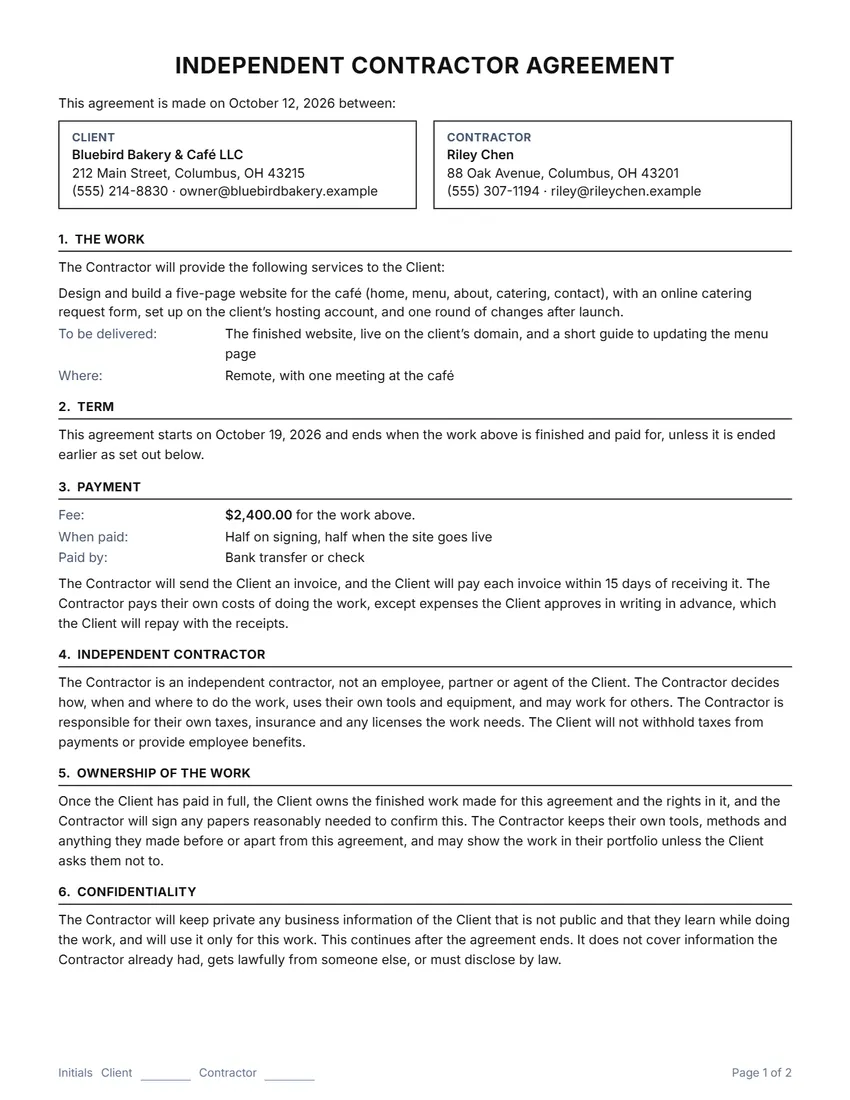 Default layout
ClassicCentered title, the two sides in boxes, ruled section headings.
Start with this layoutOpen
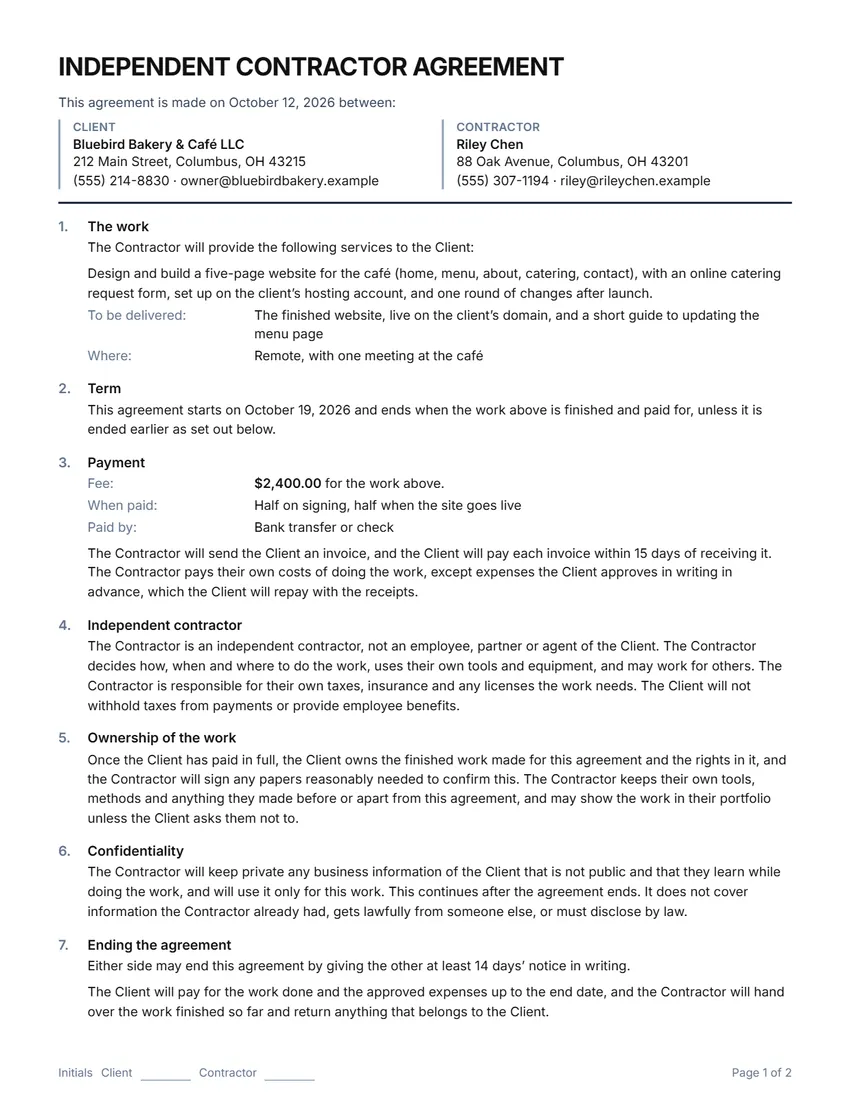 Layout
ModernTitle on the left, section numbers in a margin column. Saves ink.
Start with this layoutOpen
Prefer to fill it in by hand? Print a blank template and write on it.
Related tools
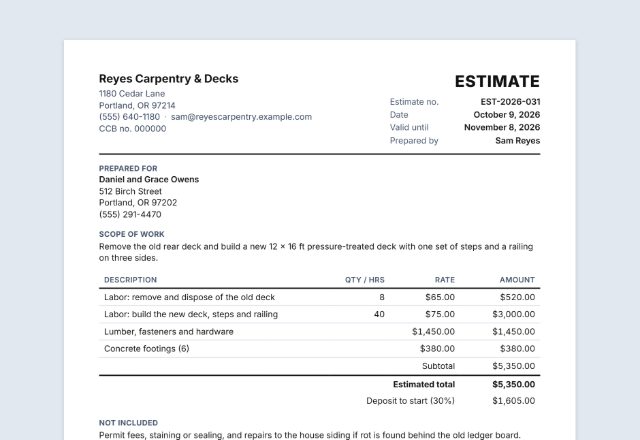
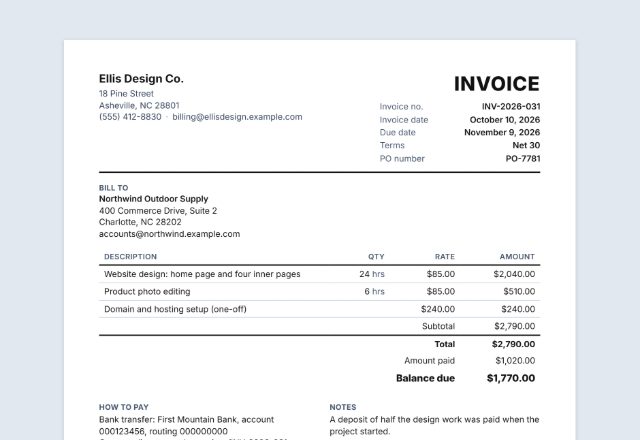
Goes well with this one
Was this tool useful?
Notice: Generated via SnapPaperwork. For real work arrangements only. Calling an employee a contractor on paper does not change their status, and can break tax and employment law.
Something missing? Tell me what you need.
How to make an independent contractor agreement in 3 steps
-
Name the two sides and the work
Who is paying and who is doing the work, then the services in plain words, what will be delivered and when it starts and ends.
-
Set the fee and the terms
A fixed fee, an hourly rate (with a cap if you like) or your own words, when invoices are paid, expenses, who owns the work and confidentiality.
-
Print, sign and keep a copy
Both sides sign (draw your signature on screen or sign the printed copy) and initial each page, and each keeps one.
What a contractor agreement should include
- The names and contact details of the client and the contractor
- The services, written specifically enough that both sides know when the work is done
- What will be delivered, and where the work is done if that matters
- When it starts, and when it ends: when the work is done, on a date, or until either side ends it
- The fee or rate, any cap, when invoices are paid and how expenses are handled
- That the contractor is independent: their own methods, tools, taxes and insurance
- Who owns the finished work, and what stays confidential
- How either side can end it, and what is paid when they do
- Both signatures and the date
Contractor or employee? What the agreement can and cannot do
Signing an agreement that says “independent contractor” does not by itself make someone one. Tax authorities and courts look at how the work is really done.
In the United States the IRS looks at three kinds of facts: behavioral (who controls what the worker does and how), financial (who controls the business side: how they are paid, expenses, tools) and the type of relationship (written contracts, benefits, how long it lasts, how central the work is). No single fact decides. If it is unclear, either side can ask the IRS to decide with Form SS-8. The Department of Labor says employers are responsible for getting a worker’s status right under the Fair Labor Standards Act. Your state may have its own rules too.
In the UK, GOV.UK gives a checklist for being self-employed (quoting for work, not being directly supervised, sending invoices, paying your own tax and National Insurance…); a contract that says “self-employed” is only one item, and tax status and employment status can differ. Work through an intermediary such as a personal service company may fall under the off-payroll rules (IR35).
If the work looks like a job (set hours, close supervision, the company’s tools, no other clients), ask an accountant or employment lawyer before you sign.
Tax forms in the United States
A US business usually asks a contractor for Form W-9 (name, address and taxpayer identification number) before paying them, and reports what it paid on Form 1099-NEC, which is for nonemployee compensation. Check the IRS instructions for the current filing rules and amounts.
The contractor pays their own income tax and self-employment tax; nothing is withheld from their invoices unless the law requires it.
This page is general information, not legal or tax advice.
Sources
- IRS: Independent contractor (self-employed) or employee?
- IRS: About Form SS-8
- IRS: About Form W-9
- IRS: About Form 1099-NEC
- US Department of Labor: Misclassification of employees as independent contractors
- GOV.UK: Employment status, self-employed and contractor
- GOV.UK: Understanding off-payroll working (IR35)
Checked in October 2026. Rules change: check the current guidance where you work.
Tips for working with a contractor
- Describe the work so a stranger could tell whether it is finished: what, how much, by when.
- For bigger jobs, split the fee into milestones (for example, a deposit on signing and the rest on delivery) and write them under “When paid”.
- Agree in writing before the work changes, and attach the change to this agreement.
- Keep invoices, receipts and messages about the work together with the signed agreement.
- If the contractor will see private information or customer data, keep the confidentiality section and add any special rules under “Other terms”.
This page is general information, not legal or tax advice. For work with a lot at stake, ask a local lawyer or accountant to look the agreement over.
Frequently asked questions
Is this independent contractor agreement generator free?
Yes. It is free to use, needs no account or sign-up, and never adds a watermark or a SnapPaperwork logo to your agreement.
Does this agreement make someone an independent contractor?
No document can do that by itself. Tax authorities and courts look at how the work is actually done (who controls it, who provides the tools, whether there are other clients and so on). The agreement records what both sides intend; the way you work has to match it.
Can I use it as a service agreement or a freelance contract?
Yes. Choose what to call the two sides (Client and Contractor, Client and Service Provider, or Client and Freelancer) and every sentence follows. The title can be changed too, for example to “SERVICE AGREEMENT”.
Fixed fee or hourly rate?
Both are here, plus your own words (for example “$150 per article”). An hourly rate can have a cap that needs the client’s written OK to go over. Payment terms (how many days to pay an invoice) and expenses are set separately.
Who owns the work?
Choose: the client owns the finished work once it is paid for in full (the contractor keeps their own tools and earlier work and may show it in a portfolio unless asked not to), the contractor keeps ownership and the client may use the work, or say nothing. For valuable software, designs or writing, ask a lawyer how ownership passes where you are.
Is my information uploaded or stored on your servers?
No. Everything you type stays in your browser and is never sent to me. It is saved on your own device so it is there next time, apart from the two drawn signatures, which are never saved.