Free Photo Release Form TemplateFill in the photographer, the event and the person, tick where the photos may be used, then print the release or save it as a PDF. Or leave it blank and print copies for a whole event. No sign-up, and nothing you type is uploaded.
Layout
Whole page · the printed page has no watermark or logo.
The form is longer than one page. Shorten the longest writing, leave out an optional section, or try another design.
Examples3 layouts filled in with made-up details. Open one to start with that layout, or print a blank template to fill in by hand.
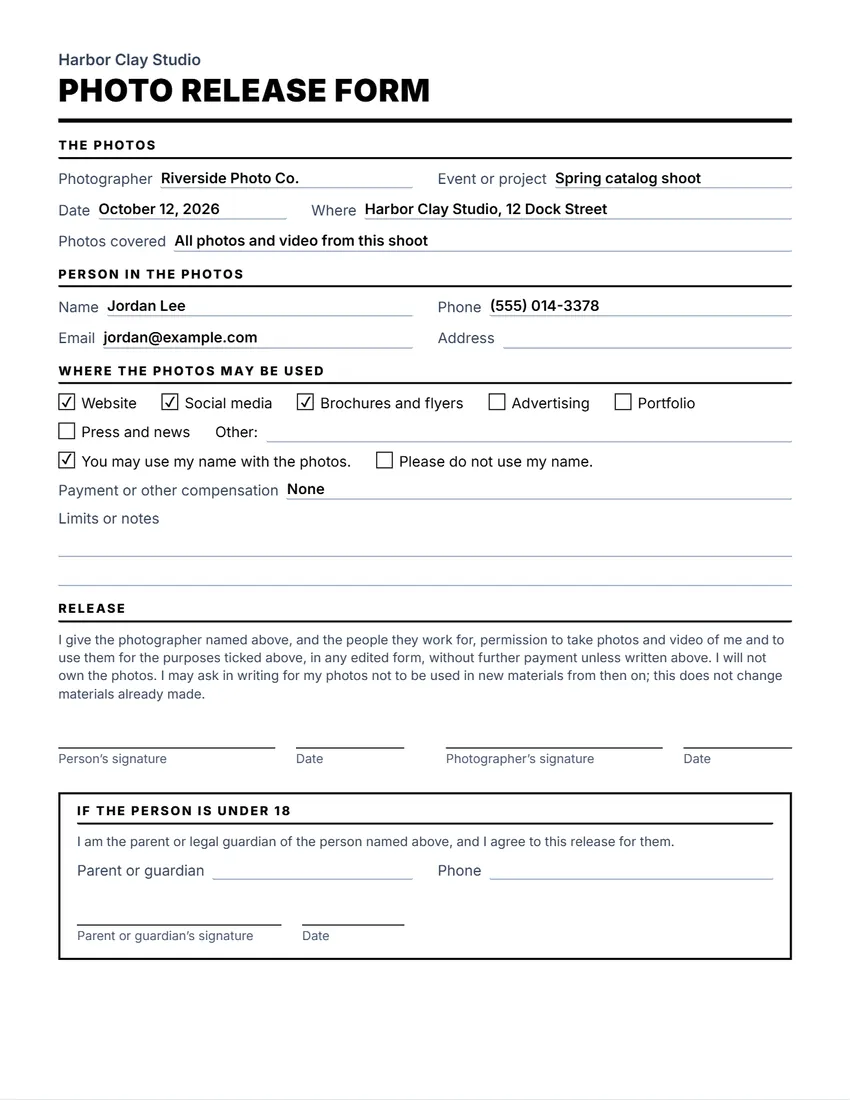 Default layout
ClassicLarge title over a heavy rule, sections in small capitals.
Start with this layoutOpen
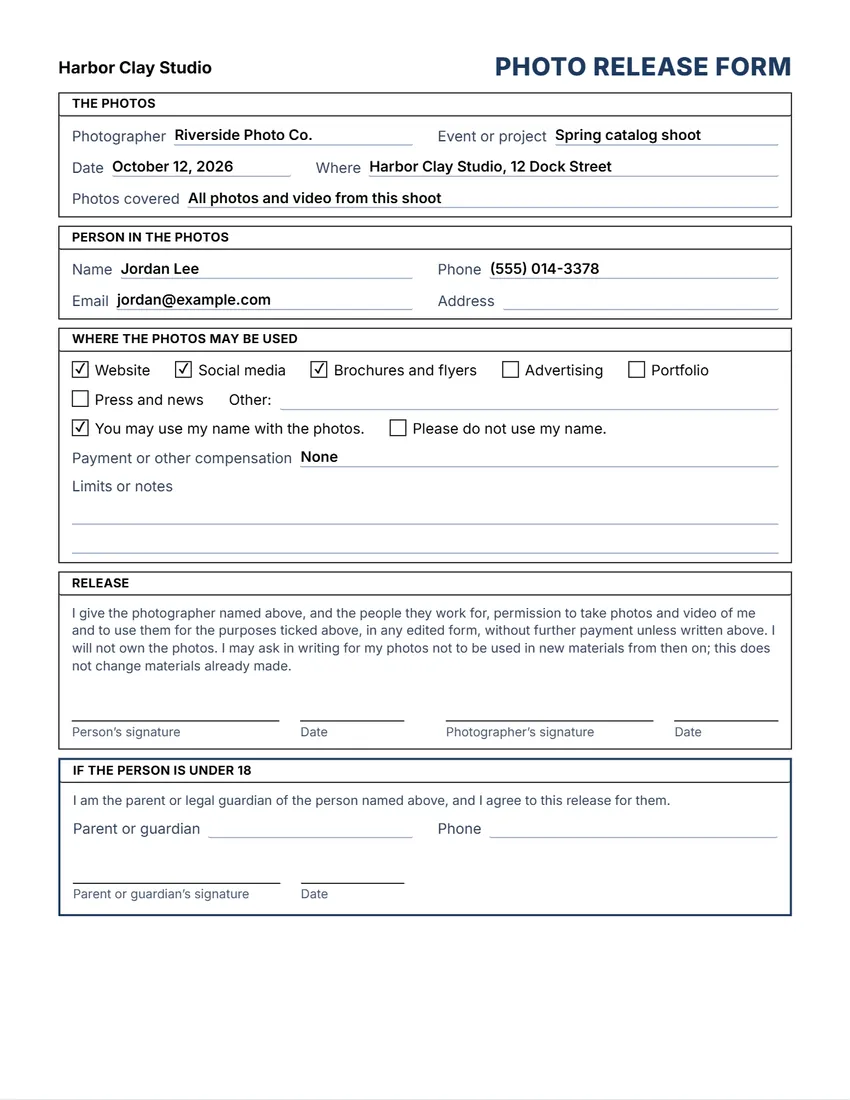 Layout
BoxedEvery section in a ruled box, like a printed office form.
Start with this layoutOpen
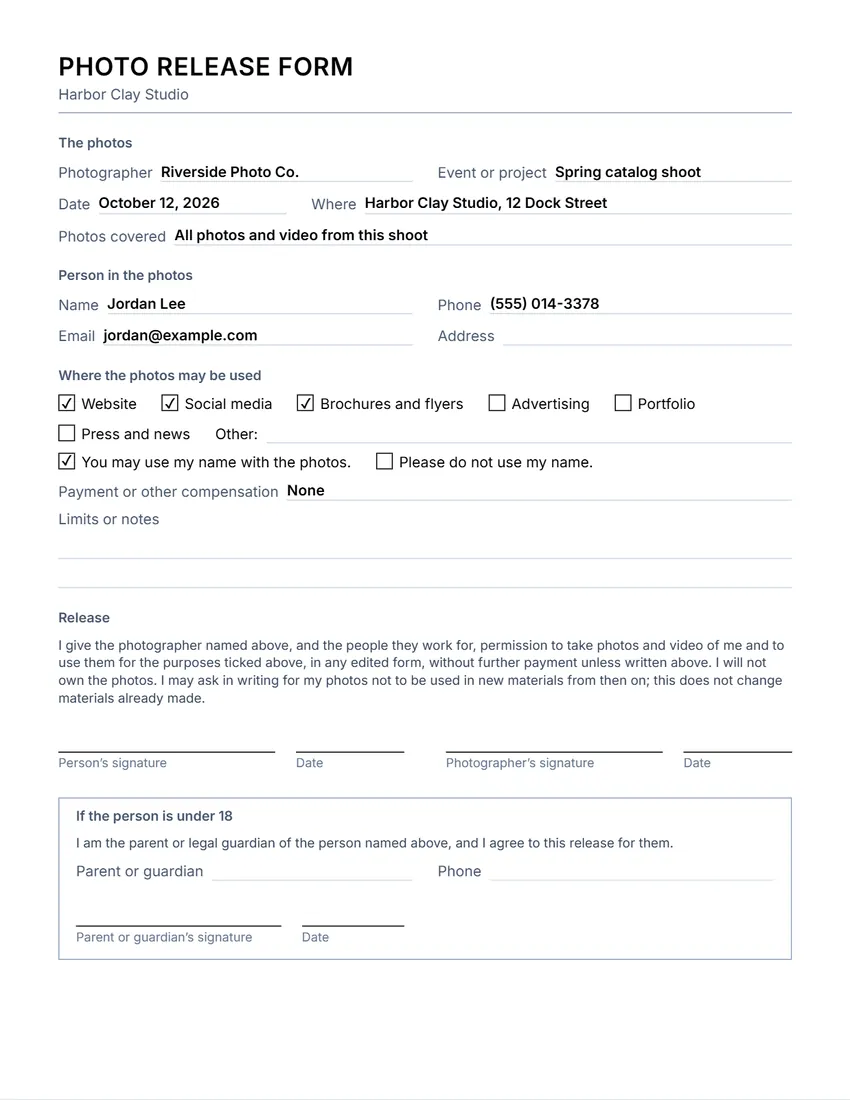 Layout
SimpleThin grey rules and plain headings. Least ink.
Start with this layoutOpen
Prefer to fill it in by hand? Print a blank template and write on it.
Related tools
Goes well with this one
Was this tool useful?
Notice: Generated via SnapPaperwork. For real photo shoots and events. Never sign a release for someone else, or use it to claim permission you were not given.
Something missing? Tell me what you need.
What is a photo release form?
A photo release form records that someone agrees to be photographed and says how the photos may be used, for example on a website, in print or on social media. It names the photographer and the person, and has a signature line. For a child, a parent or guardian signs.
How to use a photo release form in 3 steps
-
Fill in the shoot
Your studio or organization, the photographer, the event or project, the date and the place.
-
Tick where the photos may be used
Website, social media, brochures, advertising, portfolio, press, or your own use. Say whether the person’s name may be used and any payment.
-
Sign before you publish
The person signs (a parent or guardian too, if they are under 18). Give them a copy and keep the signed form with the photos.
What to put on a photo release
- Who is taking and using the photos: the photographer and the business or organization
- The event or project, the date and the place
- The person’s name and how to reach them
- Exactly where the photos may be used, such as a website, social media or advertising
- Whether their name may appear with the photos, and any payment
- Signatures and dates, and a parent or guardian’s signature for anyone under 18
Tips for using photos of people
- Ask before the shoot, explain how the photos will be used, and only tick the uses you really need.
- Advertising usually needs clear permission. If you might use a photo in an ad, tick “Advertising”.
- Respect a “no” and a request not to use a name. Mark those photos so they are not used by mistake.
- For a group event, put up a notice and give people a simple way to say they do not want to be photographed.
- Keep signed releases as long as you use the photos.
Printing blank releases for an event
- Fill in your organization, the photographer and the event, and tick the uses.
- Leave the person’s details empty, and keep the parent or guardian section if children may be photographed.
- Print at 100% (Actual size) and bring a stack and pens to the event.
General information, not legal advice. The rules on photographing people and using their images depend on the country or state and on how the photos are used.
Frequently asked questions
Is this photo release form free?
Yes. It is free to use, needs no account or sign-up, and never adds a watermark or a SnapPaperwork logo to your form.
Is this the same as a model release?
It works the same way: the person gives permission for photos of them to be used. You can rename the title, for example to “Model Release”, by clicking it on the form.
What about children?
Keep the “If the person is under 18” section. A parent or legal guardian fills in their name and signs for the child.
Can I print blank releases for an event?
Yes. Fill in your organization, the photographer and the event, and leave the person’s details empty. Every empty field prints as a line to write on.
Can I change the release wording?
Yes. Click the release text on the form, or use the Wording panel, to rewrite it. Ask a lawyer to check it if the photos are for advertising or high-value use.
Is my information uploaded or stored on your servers?
No. Everything you type stays in your browser and is never sent to me. It is saved on your own device so it is there next time.