Free Auto Repair Invoice TemplateAdd the customer, the vehicle, the parts and the labor, then print the repair invoice, save it as a PDF or send it to your customer. No sign-up, and nothing you type is uploaded.
Layout
Whole page · the printed page has no watermark or logo.
This repair invoice is longer than one page and will print on two pages. Shorten the descriptions or the notes, or try another layout.
Examples3 layouts filled in with made-up details. Open one to start with that layout, or print a blank template to fill in by hand.
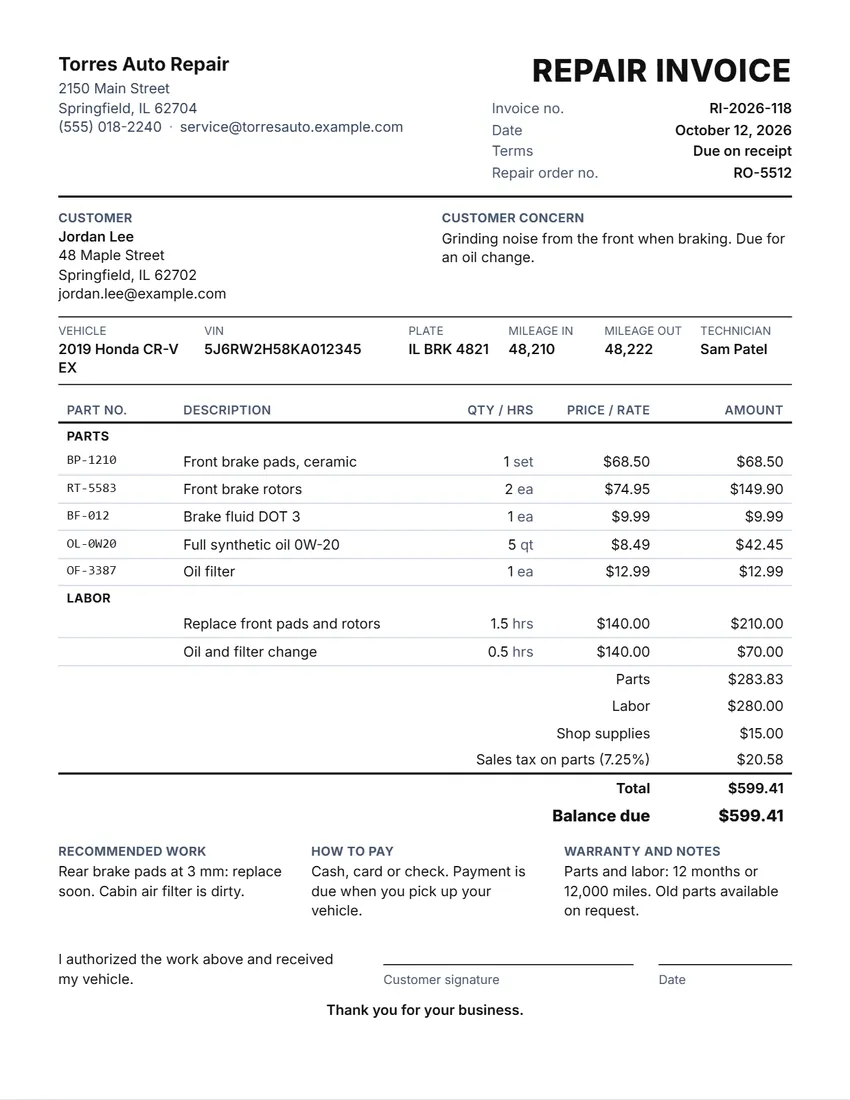 Default layout
ClassicYour logo and shop details at the top, the title and invoice number on the right.
Start with this layoutOpen
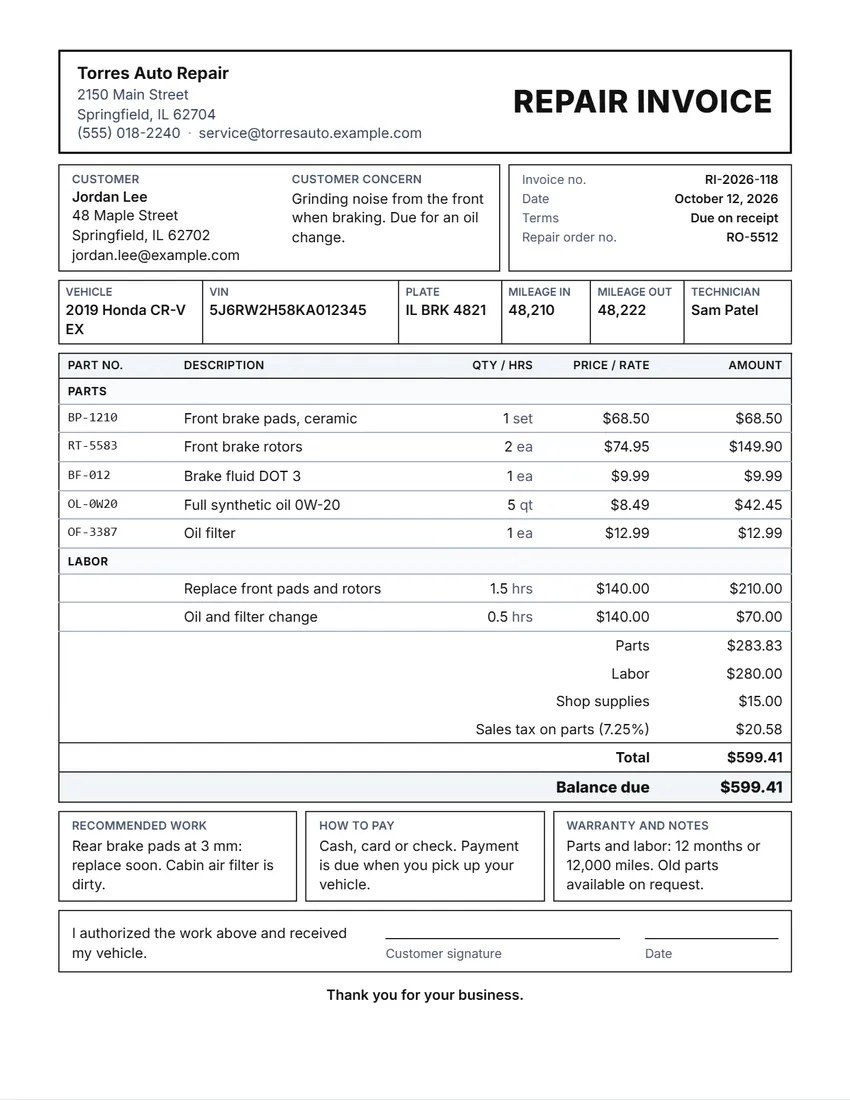 Layout
BoxedRuled boxes like a printed form.
Start with this layoutOpen
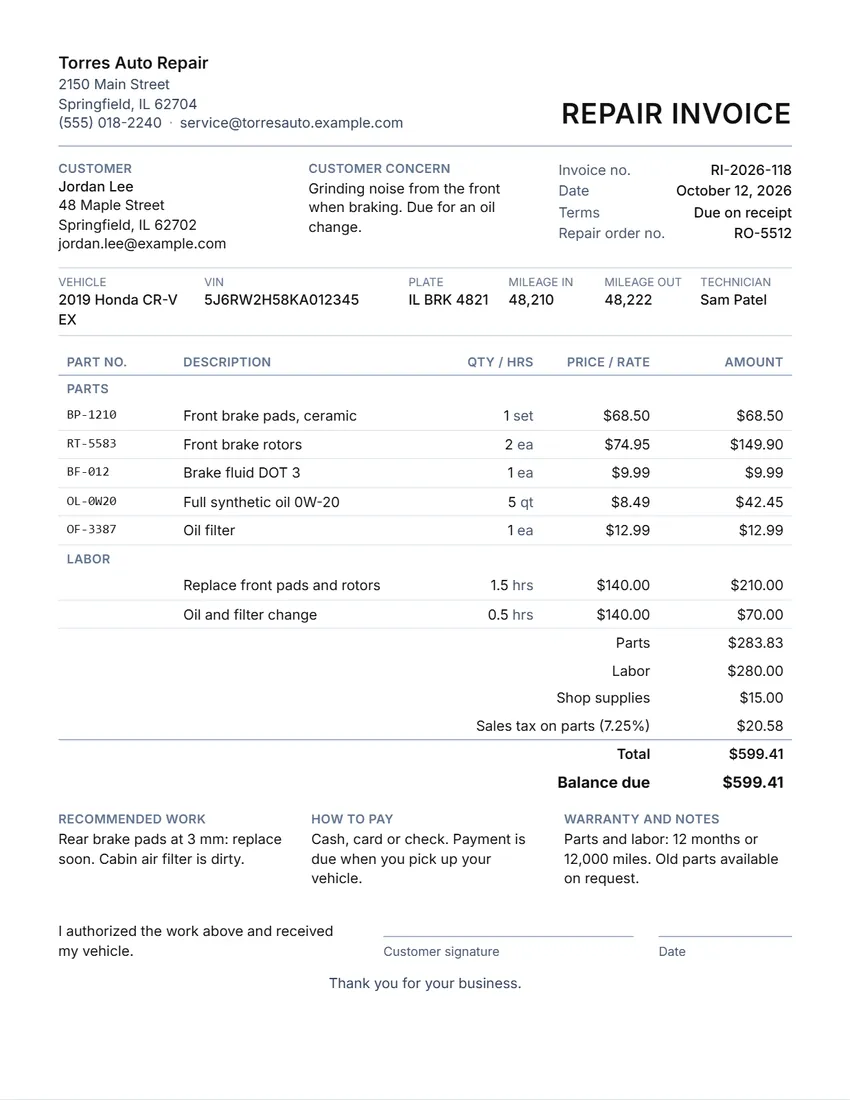 Layout
SimpleClean and light: thin lines, little ink.
Start with this layoutOpen
Prefer to fill it in by hand? Print a blank template and write on it.
Related tools
Goes well with this one
Was this tool useful?
Notice: Generated via SnapPaperwork. For real repairs only. An invoice for work that was not done, or with false parts, mileage or prices, for example for an insurance or warranty claim, can be fraud.
Something missing? Tell me what you need.
What is an auto repair invoice?
An auto repair invoice is the bill a garage or mechanic gives a customer after a repair. It names the vehicle, lists the parts and the labor with prices, adds shop supplies and tax, and shows the total and the balance due. Once it is paid it also works as a receipt.
How to make an auto repair invoice in 3 steps
-
Add your shop, the customer and the vehicle
Your shop name and logo, the customer, then the vehicle: year, make and model, VIN, plate, mileage in and out, and the technician.
-
List the parts and the labor
Choose Part or Labor on each line. Parts get a part number, quantity and price; labor gets hours and your rate. Add shop supplies, a discount and tax.
-
Print, sign and hand it over
The customer signs when they pick up the vehicle. Print it, save it as a PDF or send it from your phone.
What a repair invoice should include
- Your shop’s name, address and phone number
- An invoice number, the date, and the repair order number if you use one
- The customer’s name and how to reach them
- The vehicle: year, make, model, VIN, license plate and the odometer reading in and out
- What the customer asked about, in their words
- Each part with its part number, quantity and price, and whether it is new, used or rebuilt if that matters where you work
- The labor: what was done, the hours and the rate (or a flat price)
- Shop supplies, any discount, the tax and the total, what has been paid and the balance due
- Work you recommend but did not do, and your warranty on parts and labor
Estimate, repair order, invoice
An estimate tells the customer what a repair should cost before you start. Many shops get the customer’s OK on the estimate, in writing or by phone, before any work, and some states and cities require a written estimate for car repairs above a set amount.
A repair order (or work order) is the job card: the vehicle, the concern and what the technician did. Its number can go on the invoice so the two match.
The repair invoice is the bill at the end: parts, labor, supplies, tax and what is owed. When the customer pays, the invoice marked paid (or a separate receipt) is their record of the repair and of the car’s service history.
Parts, labor, shop supplies and tax
Parts and labor are listed in two groups so the customer can see what each cost. Use part numbers, and for labor write what was done, the hours and your hourly rate. A job you charge at a flat price can have no hours: leave the quantity empty and type the price.
Shop supplies are the small things used on every job (rags, cleaners, grease, disposal of old oil). Many shops charge them as a small flat fee or a share of the labor; show it on its own line so the customer sees it.
Sales tax on car repairs depends on where you work. In many US states parts are taxed and labor is not, in others both are, and in Canada, the UK and Australia GST, HST or VAT is usually charged on the whole bill. Choose “Parts only” or “Parts, labor and supplies” and type your rate; ask your state or national tax office if you are not sure.
Tips for repair shops
- Write the odometer reading when the car comes in and when it leaves: it backs up the work and the warranty.
- Copy the VIN from the car or the registration, not from memory. A VIN has 17 characters and never uses the letters I, O or Q.
- Get the customer’s OK before adding work that was not on the estimate, and note it on the repair order.
- Offer the old parts back, and say so on the invoice; some places require it.
- State your warranty plainly, for example how many months or miles, and what it covers.
- Keep a signed copy of every invoice with the repair order.
This page is general information, not tax, accounting or legal advice.
Frequently asked questions
Is this auto repair invoice generator free?
Yes. It is free to use, needs no account or sign-up, and never adds a watermark or a SnapPaperwork logo to your invoice.
What should an auto repair invoice include?
Your shop’s details, the customer, the vehicle (year, make, model, VIN, plate and mileage), what the customer asked about, each part with its number and price, the labor with hours and rate, shop supplies, tax, the total and the balance due, and your warranty. This generator has a place for each.
How do I show parts and labor separately?
Choose Part or Labor on each line. The invoice lists the parts first and the labor below, each under its own heading, with a parts total and a labor total above the grand total.
Is labor taxed on a car repair?
It depends on where you work. In many US states only the parts are taxed; in others labor is taxed too, and GST, HST or VAT usually applies to the whole bill. Choose “Parts only” or “Parts, labor and supplies” for the tax, and check with your tax office if you are not sure.
Can the customer sign the invoice?
Yes. A line for the customer’s signature and the date is printed at the bottom, with a short statement that they authorized the work and received the vehicle. You can rewrite the statement or turn the line off.
Does it work for a mobile mechanic?
Yes. Leave the repair order number out, add your phone number, and print or share the PDF from your phone when the job is done.
Is my information uploaded or stored on your servers?
No. Everything you type stays in your browser and is never sent to me. It is saved on your own device so your shop details are there next time.