Free Expense Report TemplateAdd each expense with its category and receipt, take off any cash advance, then print the report to sign or save it as a PDF. Or print a blank reimbursement form. Nothing you type is uploaded.
Layout
Whole page · the printed page has no watermark or logo.
Examples2 layouts filled in with made-up details. Open one to start with that layout, or print a blank template to fill in by hand.
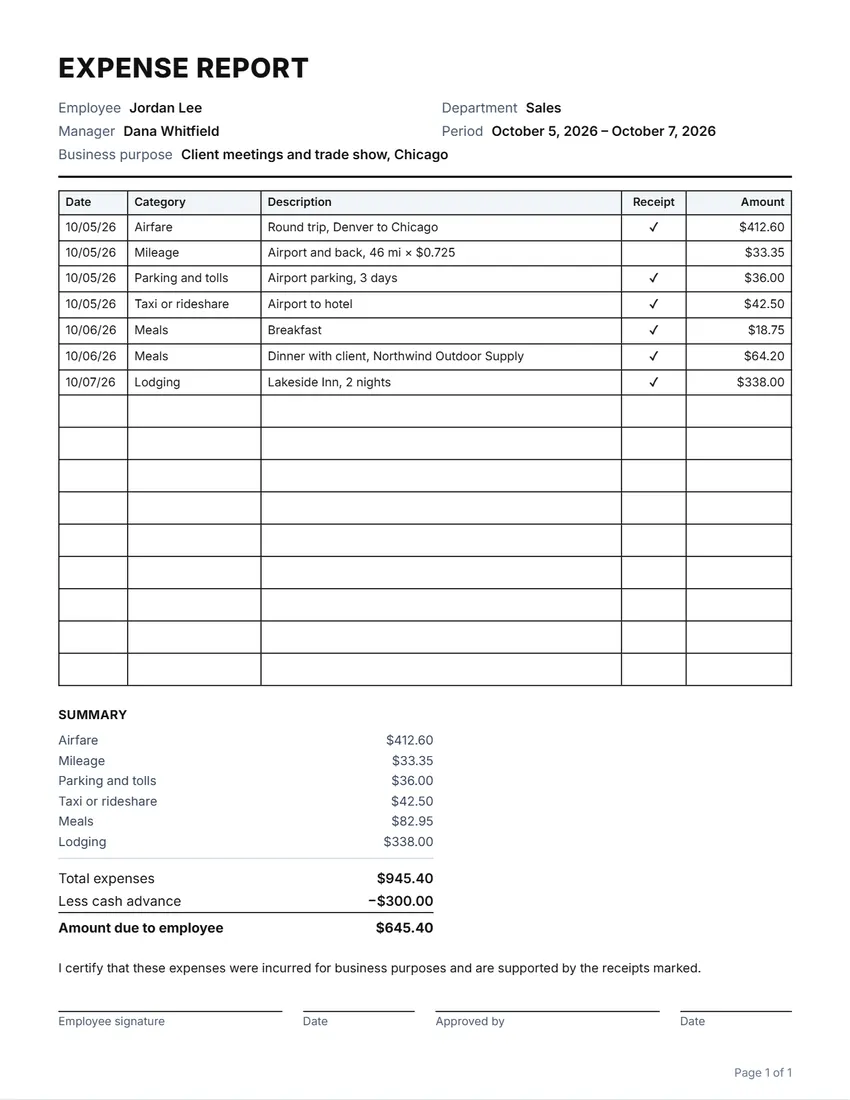 Default layout
GridRuled cells like a printed expense form.
Start with this layoutOpen
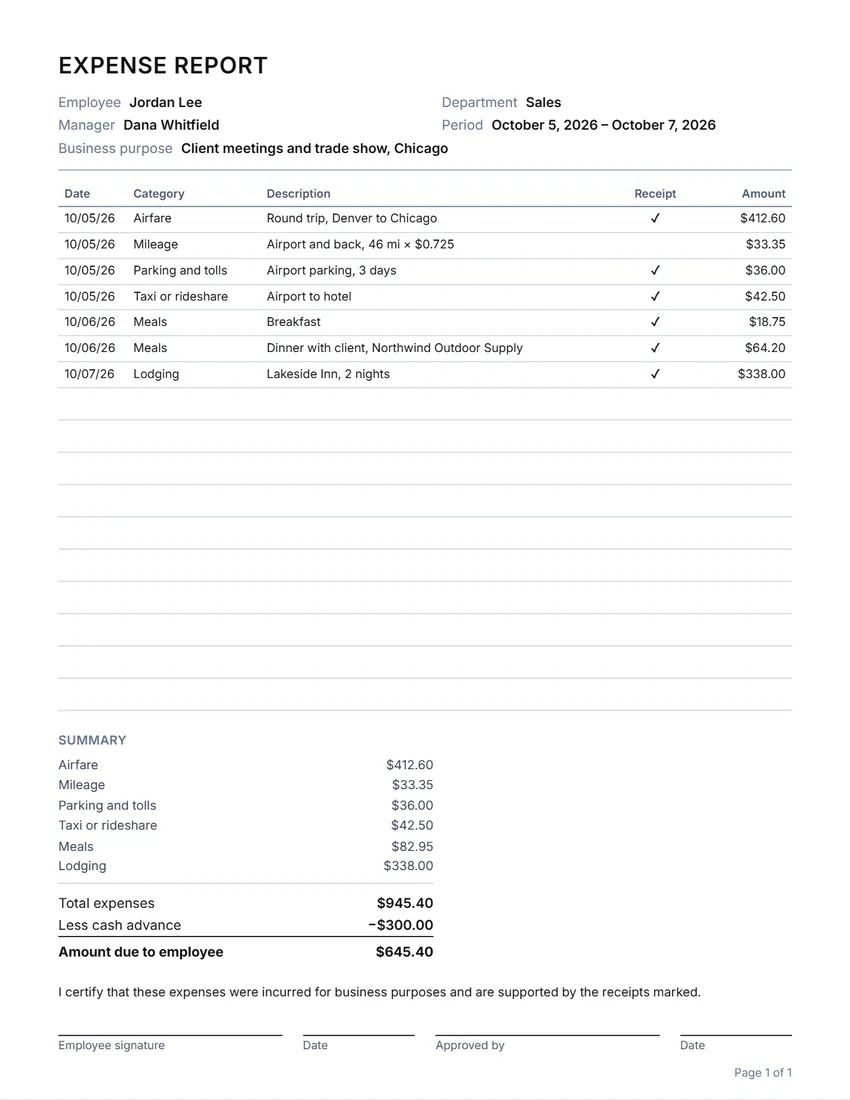 Layout
LinedLines between the rows only. Saves ink.
Start with this layoutOpen
Prefer to fill it in by hand? Print a blank template and write on it.
Related tools
Goes well with this one
Was this tool useful?
Notice: Generated via SnapPaperwork. For real business expenses only. Claiming expenses that were not incurred, or changing amounts or receipts, is fraud.
Something missing? Tell me what you need.
How to fill in an expense report in 3 steps
-
Add who and why
Your name, department, manager, the dates and the business purpose. Add any cash advance you were given.
-
List each expense
The date, a category (suggested as you type), what it was for, the amount, and a tick when you attach the receipt. Totals by category are worked out for you.
-
Sign and hand it in
Print it, sign it, staple the receipts behind it in the same order, and give it to your manager. Or print a blank form to fill in by hand.
What to include
- Every expense on its own line, with the date it was paid
- A clear description: who you met, where you went, why it was for the business
- The receipt for each expense, in the same order as the lines
- Mileage as distance × rate, using the rate your employer pays
- Any cash advance, so it comes off the total
Tips
- Hand reports in soon after the trip; many employers set a deadline, such as 30 or 60 days.
- Keep a copy of the report and of the receipts for yourself.
- Split a hotel bill into the room and any meals or extras if your employer asks for that.
- Write down the names of the people at a business meal; many policies ask for them.
Frequently asked questions
Is this expense report free?
Yes. It is free to use, needs no account or sign-up, and never adds a watermark or a SnapPaperwork logo to your report.
Can I print a blank expense reimbursement form?
Yes. Leave the expenses empty: the page fills with rows to write on, the totals become lines, and the signature lines stay. Add up to five extra blank pages.
How is the amount due worked out?
It adds up every expense, then takes off the cash advance. If the advance was more than you spent, the report shows the amount to pay back instead.
What mileage rate should I use?
The one your employer pays. Many US employers use the IRS standard rate; write the distance and the rate in the description, such as “46 mi × $0.725”.
Does it add up the categories?
Yes. When there are two or more categories, the summary lists the total for each one above the grand total.
Is my information uploaded or stored on your servers?
No. Everything you type stays in your browser and is never sent to me. It is saved on your own device so it is there next time.