Free Sales Receipt TemplateFill in the form, check the preview, then print the receipt, save it as a PDF or send it to your customer. No sign-up, and nothing you type is uploaded.
Layout
Whole page · the printed page has no watermark or logo.
This receipt is longer than one page and will print on two pages. Shorten the item names or the notes, or try another layout.
Examples3 layouts filled in with made-up details. Open one to start with that layout, or print a blank template to fill in by hand.
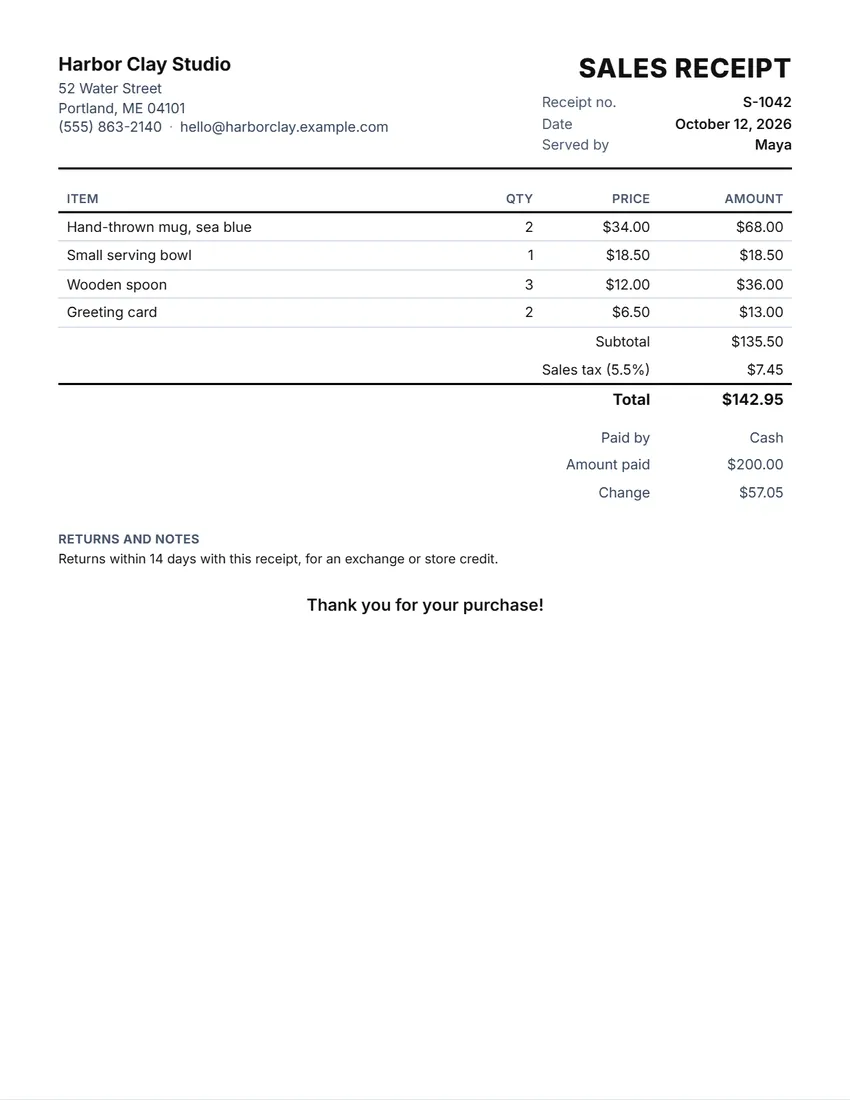 Default layout
ClassicYour logo and details at the top, the title and receipt number on the right.
Start with this layoutOpen
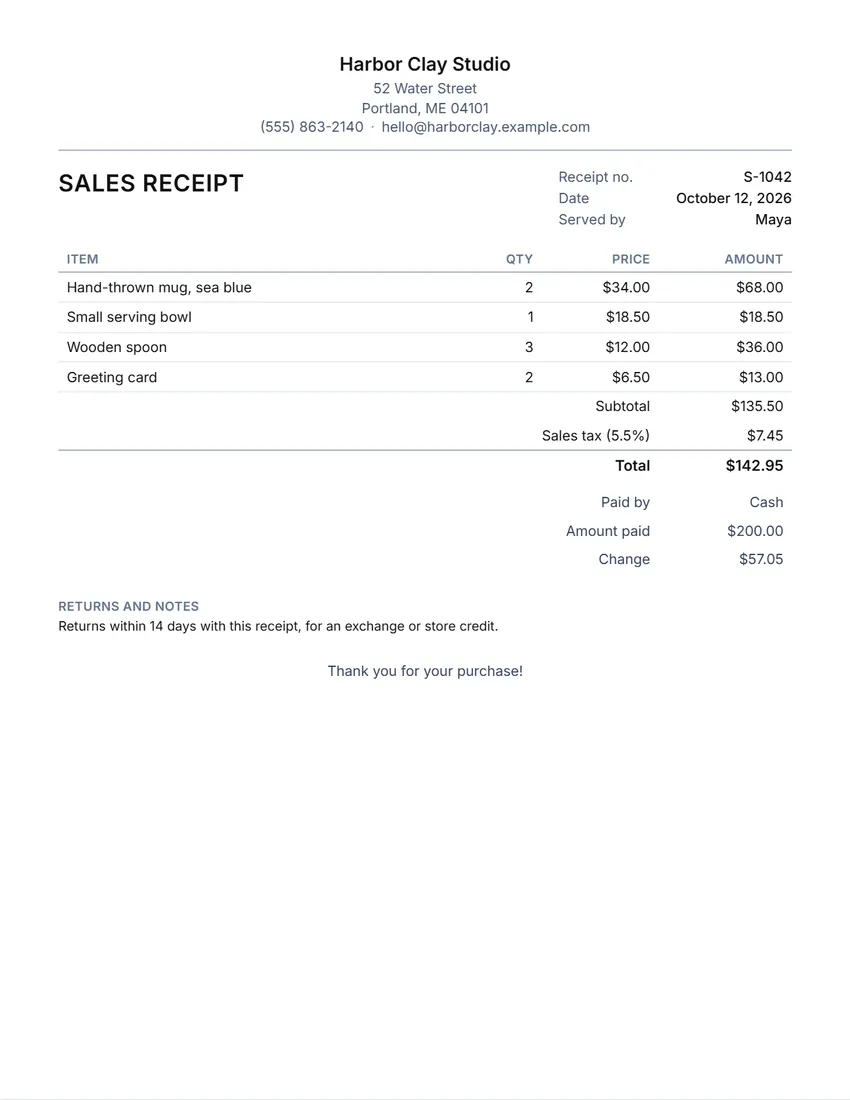 Layout
SimpleCentred heading, thin lines, little ink.
Start with this layoutOpen
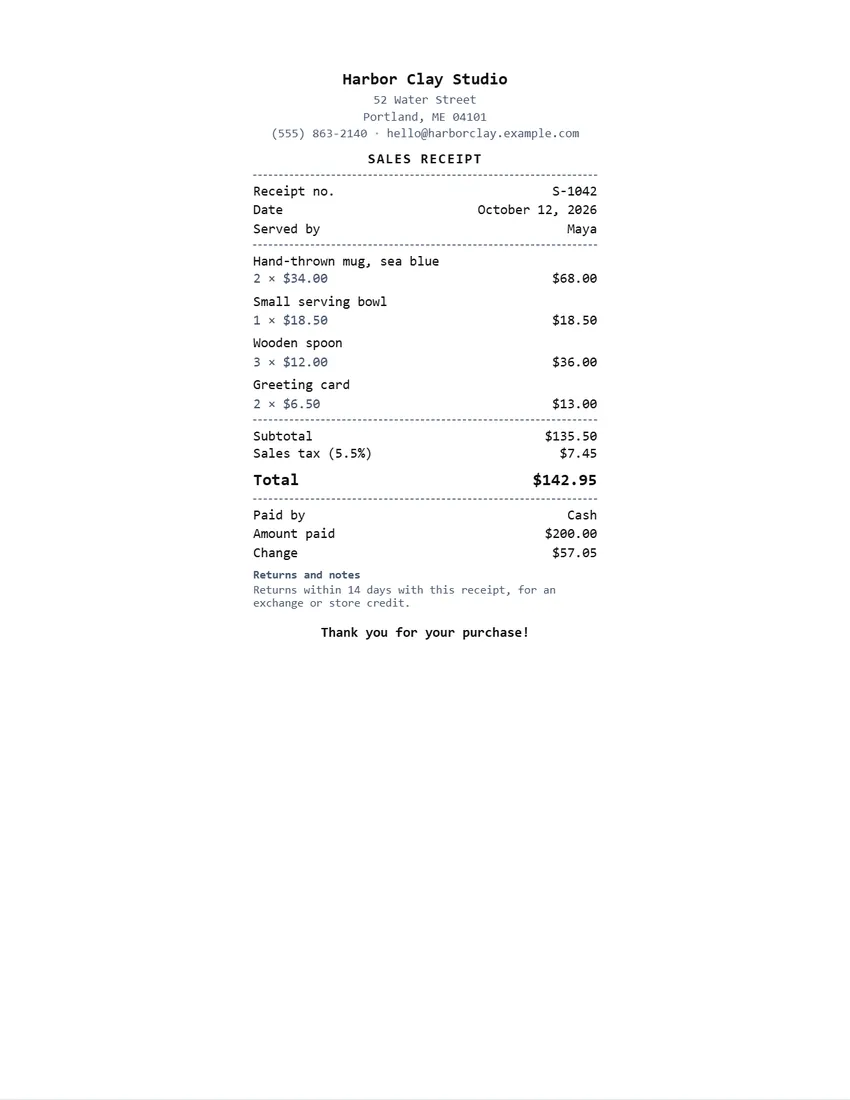 Layout
Register slipNarrow till-roll style in a monospaced typeface.
Start with this layoutOpen
Prefer to fill it in by hand? Print a blank template and write on it.
Related tools
Goes well with this one
Was this tool useful?
Notice: Generated via SnapPaperwork. For real sales only. A receipt for a sale that did not happen, or with false items, prices or tax, can be illegal.
Something missing? Tell me what you need.
How to make a sales receipt in 3 steps
-
Add your shop and the items
Your business name, address and logo, then each item with its quantity and price. The amounts, subtotal and total are worked out for you.
-
Add discount, tax and payment
A discount as a percentage or an amount, your sales tax rate, how the customer paid and, for cash, the amount handed over: the change is worked out too.
-
Print, save or send it
Print a full page or a narrow till slip, save a PDF, or share it to the customer’s phone. “New sale” keeps your shop details and starts the next receipt.
What a sales receipt should include
- Your business name and contact details, and your logo if you have one
- A receipt number and the date of the sale
- Each item with its quantity, price and amount
- The subtotal, any discount, the sales tax and the total
- How it was paid, and the change given or any balance still due
- Your return or exchange policy, if you have one
Sales receipt, payment receipt or invoice?
A sales receipt lists what was sold, with prices and tax, and shows it was paid. It is what a shop gives at the till.
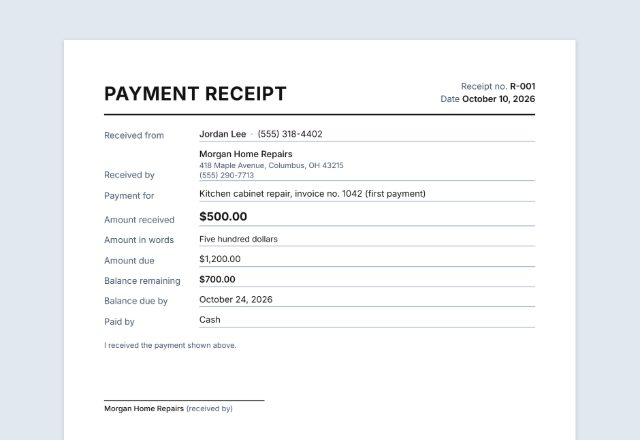
A payment receipt records one amount paid toward something, such as an invoice or a deposit, without listing items. An invoice comes before payment: it asks to be paid.
Selling on account? Send an invoice first, then give a receipt when the money arrives.
Sales tax on a receipt
Sales tax rules depend on where you sell and what you sell. Some places tax most goods, some exempt food or clothing, and some have no sales tax at all. The tool simply adds the rate you type to the subtotal after any discount.
If your prices already include tax (as with VAT or GST in many countries), leave the tax rate empty so it is not added twice, and add a note such as “Prices include VAT” if you like.
Check with your state or tax authority which sales you must charge tax on and how long to keep your records.
Tips for small sellers
- Number receipts in order and never reuse a number; “New sale” counts up for you.
- For card payments, write the last four digits of the card as the reference, never the full number.
- Print the till-slip layout on a narrow receipt printer, or a full page on any printer.
- Put your return policy on every receipt, so customers know it before they need it.
- Keep a copy of every receipt, by date, for your bookkeeping.
This page is general information, not tax or legal advice.
Frequently asked questions
Is this sales receipt generator free?
Yes. It is free to use, needs no account or sign-up, and never adds a watermark or a SnapPaperwork logo to your receipt.
Does it add sales tax?
Yes, if you type a tax rate. The tax is worked out on the subtotal after any discount and added to the total. Leave the rate empty when your prices already include tax or you do not charge it.
Can it work out the change?
Yes. Type the amount the customer handed over in “Amount paid”: the receipt shows the change. If they paid less than the total, it shows the balance still due instead.
Can I print it on a receipt printer?
The Register slip layout is narrow, like a till receipt. It prints in the middle of a normal page; for an 80 mm receipt printer, save it as a PDF and print it with your printer’s own settings, or use the full-page layouts.
What is the difference between a sales receipt and an invoice?
An invoice asks for payment, usually with a due date. A sales receipt shows that a sale was made and paid for. Many small sellers give a sales receipt at the time of sale and only send invoices to customers who pay later.
Is my information uploaded or stored on your servers?
No. Everything you type stays in your browser and is never sent to me. Your shop details and logo are saved on your own device so they are there for the next sale.
How do I send the receipt to a customer?
Click “Share” to open your device’s share menu with the PDF attached, for example to text or email it, or “Download PDF” to save it first.